
IPTV Simple Client Setup: Kodi Installation & Configuration 2026
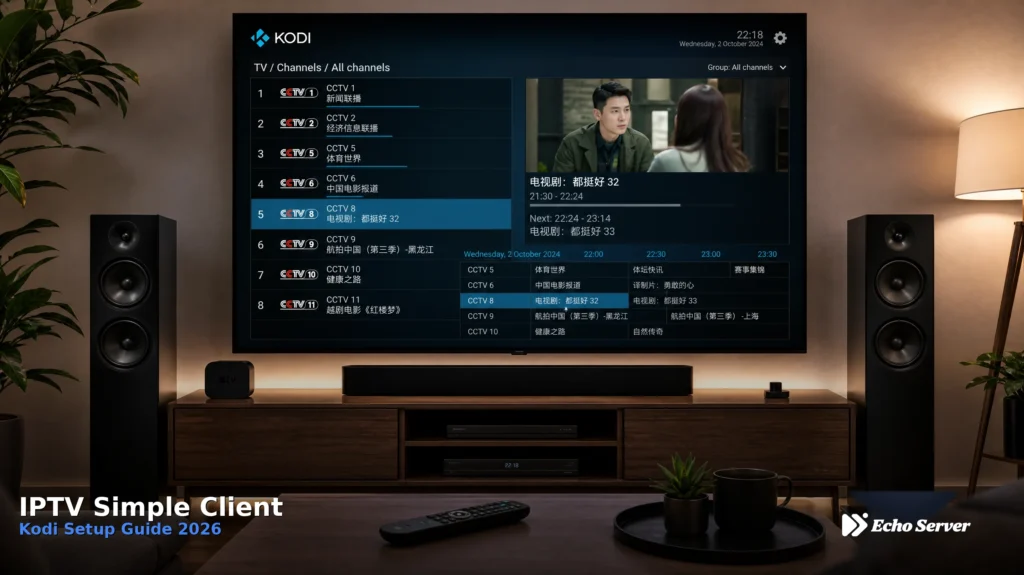
Complete guide to installing and configuring IPTV Simple Client on Kodi. Learn M3U playlist setup, EPG configuration, troubleshooting, and how to use Echo Best IPTV with Kodi for seamless streaming.
IPTV Catch-Up TV: Availability, Playback and Plan Checks
IPTV Catch-Up TV (also called replay TV or time-shift viewing) lets you watch programs you missed without recording them yourself. Unlike local DVR recording that stores content on your device, catch-up streams previously-aired shows directly from your provider’s server — similar to how Netflix lets you watch past episodes of a series. However, not all IPTV plans include catch-up, and even when available, limitations on how far back you can go, which channels support it, and how long content stays available vary significantly by provider and plan tier. This guide explains how IPTV catch-up works, what to expect from different service tiers, which apps support it best, and how to verify what your plan actually includes before subscribing. Article Update History October 16, 2026 – Initial publication – Verified Echo Best IPTV catch-up availability (Ultra €49.90/year and Ultimate €69.90/year plans only) – Confirmed Economy and VIP plans do not include catch-up TV – Reviewed catch-up limitations across IPTV providers and app implementations – Distinguished server-based catch-up from local recording capabilities How IPTV Catch-Up TV Works (vs Local Recording) Understanding the difference between catch-up TV and local recording prevents confusion about what your IPTV service actually provides: Server-Based Catch-Up (What Most IPTV Providers Offer) How it works: Your IPTV provider records live channels on their servers. When you want to watch a program you missed, you stream it from their server — you’re not downloading or storing anything on your device. Key characteristics: No storage space used on your device (Fire Stick, phone, etc.) Content availability controlled by provider (they decide how far back and which shows) Typically limited to 3-7 days back (some providers offer up to 14 days) Not all channels include catch-up (depends on provider’s recording infrastructure) Requires internet connection to watch (streaming from server each time) Usually included only on higher-tier subscription plans Example: You missed a news program that aired at 6 PM yesterday. With catch-up, you open your IPTV app, navigate to that channel’s catch-up section, scroll back to yesterday 6 PM, and stream the program — all without having pressed “record” beforehand. Local Recording (Separate Capability, Often Confused with Catch-Up) How it works: Your IPTV app downloads and stores programs directly on your device’s storage. You can watch them anytime, even offline, but only if you manually scheduled the recording before the program aired. Key characteristics: Uses your device’s storage space (Fire Stick, phone, computer hard drive) Must manually schedule recordings in advance Content stays as long as you don’t delete it (no provider time limit) Can watch offline (no internet needed after download completes) Quality/space tradeoff (4K recordings consume significant storage) App-specific feature (TiViMate supports it, VLC supports it, IPTV Smarters limited support) Example: You know your favorite show airs Friday at 8 PM. You schedule a recording in your IPTV app Thursday. The app downloads the show Friday night. You can now watch it anytime, even if your internet goes down, but if you forgot to schedule it beforehand, you can’t record shows that already aired. Why the Distinction Matters Many customers assume “catch-up TV” means they can record anything. The reality: Catch-up = Provider recorded it for you automatically, but only keeps it 3-7 days and only for specific channels Local recording = You record it yourself in advance, keeps forever, uses your storage, works on any channel Echo Best IPTV’s catch-up feature (available on Ultra €49.90/year and Ultimate €69.90/year plans) is server-based catch-up. Economy (€29.90/year) and VIP (€39.90/year) plans do not include catch-up TV. Catch-up availability by plan tier IPTV Plan Tiers and Catch-Up Availability Catch-up TV typically appears only on mid-tier and premium IPTV plans. Here’s how providers generally structure catch-up across plan levels: Budget Plans (€20-40/year) — Usually No Catch-Up What you get: Live channels only, no catch-up, no recording capabilities in most cases. Why providers exclude it: Storing days of recorded content across hundreds of channels for thousands of customers requires significant server infrastructure. Budget plans can’t afford this operational cost. Echo Best IPTV example: Economy (€29.90/year): 10,000+ channels, 50,000+ movies, 20,000+ series — no catch-up TV VIP (€39.90/year): 15,000+ channels, 50,000+ movies, 50,000+ series — no catch-up TV If catch-up is essential for your viewing habits, budget plans won’t meet your needs. Mid-Tier Plans (€40-60/year) — Catch-Up Often Included What you get: Live channels plus server-based catch-up, typically 3-7 days back on major channels. Typical limitations: Not every channel has catch-up (usually 30-60% of channels support it) News and entertainment channels more likely to have catch-up than niche channels Catch-up window varies by provider (3, 5, or 7 days most common) Echo Best IPTV example: Ultra (€49.90/year): 20,000+ channels, 50,000+ movies, 70,000+ series — catch-up TV included Ultimate (€69.90/year): More than Ultra channels, 50,000+ movies, more than Ultra series — catch-up TV included If you regularly miss shows and need catch-up, mid-tier plans provide this capability at reasonable annual cost. Premium Plans (€60+/year) — Extended Catch-Up Windows What you get: Longer catch-up windows (7-14 days), more channels with catch-up support, sometimes downloadable catch-up content. Additional features: Extended catch-up duration (up to 2 weeks back on some providers) More channels support catch-up (80-90% coverage) Some providers allow downloading catch-up content for offline viewing Better catch-up search and browsing interfaces How to Verify Catch-Up Availability Before Subscribing Marketing materials often claim “catch-up TV included” without clarifying critical limitations. Before subscribing, verify these specific details: 1. Confirm Catch-Up is Actually Included in Your Plan Tier What to ask: “Does the [specific plan name] include catch-up TV, or only higher tiers?” Why this matters: Providers advertise catch-up as a service feature, then bury “only on Premium plan” in fine print. Confirm your specific plan tier includes it. Echo Best IPTV clarity: We explicitly state catch-up TV is available on Ultra and Ultimate plans only — not on Economy or VIP. No hidden fine print. 2. Ask How Many Days Back Catch-Up Extends What to ask: “How many days back does catch-up go? 3 days? 7 days? 14 days?” Why
IPTV Not Working: Identify Account, App or Service Problems
When your IPTV service suddenly stops working, the cause could be your account status, a problem with the app, network connectivity, or a provider-side outage. Attempting random fixes wastes time and often makes the problem worse. This diagnostic guide helps you systematically identify the real cause and route to the correct fix in minutes, not hours. We’ll cover how to isolate account failures, network problems, app-specific errors, and service outages using repeatable diagnostic steps. Each section routes you to detailed troubleshooting guides for specific symptoms instead of duplicating those instructions here. Think of this as your IPTV troubleshooting starting point — the decision tree that tells you which detailed guide to follow next. Article Update History October 16, 2026 – Initial publication – Verified Echo Best IPTV diagnostic procedures (account verification, connection testing, server switching) – Confirmed 24/7 support availability for all subscription tiers – Reviewed cross-app troubleshooting patterns against current IPTV player behaviors – Tested diagnostic decision tree with common failure scenarios (login errors, buffering, blank screens, connection limits) The 4-Category Diagnostic Framework Every IPTV failure fits into one of four categories. Identifying the category correctly sends you to the right fix immediately: 1. Account Problems Symptoms: Login fails, “subscription expired” messages, “account blocked” errors, credentials rejected across all devices and apps. Quick test: Can you log in to your provider’s account portal or website? If yes but IPTV app login fails, the problem is app-specific (category 3), not account-level. 2. Network Problems Symptoms: Buffering every few seconds, streams start but freeze, “connection timed out” errors, playback works on mobile data but not WiFi. Quick test: Does the device’s internet work for other services (open a web browser, load a website)? If other internet services also fail, network is the issue. 3. App Problems Symptoms: IPTV works on other devices but fails on one specific device, app crashes on launch, streams play in one app but not another, “player error” messages. Quick test: Try the same IPTV service on a different device. If it works there, the problem is app or device-specific. 4. Provider/Service Problems Symptoms: IPTV fails across all devices, all apps, all networks — but your account is active and internet works perfectly for other services. Quick test: Check your provider’s status page or contact support. If they report an outage, the problem is provider-side (nothing you can fix yourself). IPTV failure categories: Impact severity vs occurrence frequency Step-by-Step Diagnostic Process Follow these steps in order to isolate the failure category: Step 1: Verify Account Status (Takes 30 Seconds) What to check: Is your subscription still active (not expired)? Did you recently change your password? Can you log in to your provider’s account portal/website? Have you received any emails from your provider about account status? If account checks fail: Contact provider support immediately. Common causes: payment failure (credit card expired), subscription ended, account suspended for terms violation. Echo Best IPTV account verification: All plans include 24/7 support throughout your subscription. Contact support via your account portal if you cannot log in. With 25+ servers and 8 years of operation serving 50,000+ customers, account issues are rare but support resolves them quickly when they occur. If account checks pass: Proceed to Step 2. Step 2: Test Network Connectivity (Takes 1 Minute) What to test: Open a web browser on the same device Visit a website (e.g., google.com) Check if the page loads normally Run a speed test (need 10+ Mbps for HD, 25+ Mbps for 4K) If network test fails: Your internet connection is the problem, not IPTV. Fixes: Restart your router (unplug 30 seconds, plug back in, wait 2 minutes) Move closer to WiFi router or use ethernet cable Check if other devices can access internet Contact your internet provider if no devices have internet If network test passes but IPTV still buffers/freezes: The issue is bandwidth quality or IPTV-specific network problems. See detailed buffering troubleshooting guides for your specific device. If network test passes and IPTV shows error messages (not buffering): Proceed to Step 3. Step 3: Isolate App vs Service (Takes 2 Minutes) Multi-device test: Note which device/app currently fails (e.g., Fire Stick / IPTV Smarters Pro) Try the same IPTV service on a different device (e.g., phone) Or try a different IPTV app on the same device (e.g., switch from Smarters to TiViMate) If IPTV works on device B but fails on device A: The problem is app or device-specific (category 3). Route to device-specific troubleshooting: Fire Stick problems: See Fire Stick IPTV troubleshooting guide Smart TV problems: See Smart TV IPTV troubleshooting guide IPTV Smarters Pro problems: See Smarters Pro troubleshooting guide TiViMate problems: See TiViMate troubleshooting guide VLC problems: See VLC IPTV troubleshooting guide If IPTV fails on ALL devices: Either your service has an outage, or there’s a common configuration error. Proceed to Step 4. Step 4: Check for Service Outages (Takes 1 Minute) How to check: Visit your provider’s status page (if available) Check your provider’s social media or announcement channels Contact provider support and ask: “Is there a known service outage right now?” Check community forums (Reddit r/IPTV) for reports of widespread issues If provider confirms outage: Wait for provider to resolve. Outages typically resolve within 1-4 hours. Echo Best IPTV’s 25+ server infrastructure minimizes outages — if one server has issues, support can switch your account to an alternative server. If NO outage reported: The problem is a configuration error or account-specific issue. Contact provider support with these diagnostic results: “Account active, internet works, fails on all devices, no reported outage — need help troubleshooting.” Need Expert IPTV Support? Echo Best IPTV includes 24/7 support throughout your entire subscription — not just the first 30 days. With 25+ servers across regions and 8 years serving 50,000+ customers, our support team has seen and resolved nearly every IPTV issue. Try it risk-free with our 24-hour trial. Explore Echo Best IPTV → Typical resolution times by problem type Common Error Messages and What They Mean Different IPTV apps display
IPTV Red Flags: How to Spot Scam Services & Avoid Fraud 2026
Learn to identify IPTV scam services before they steal your money. Comprehensive guide to red flags, verification steps, and fraud protection from 8 years of IPTV industry experience.
IPTV on Multiple TVs: Devices vs Simultaneous Connections
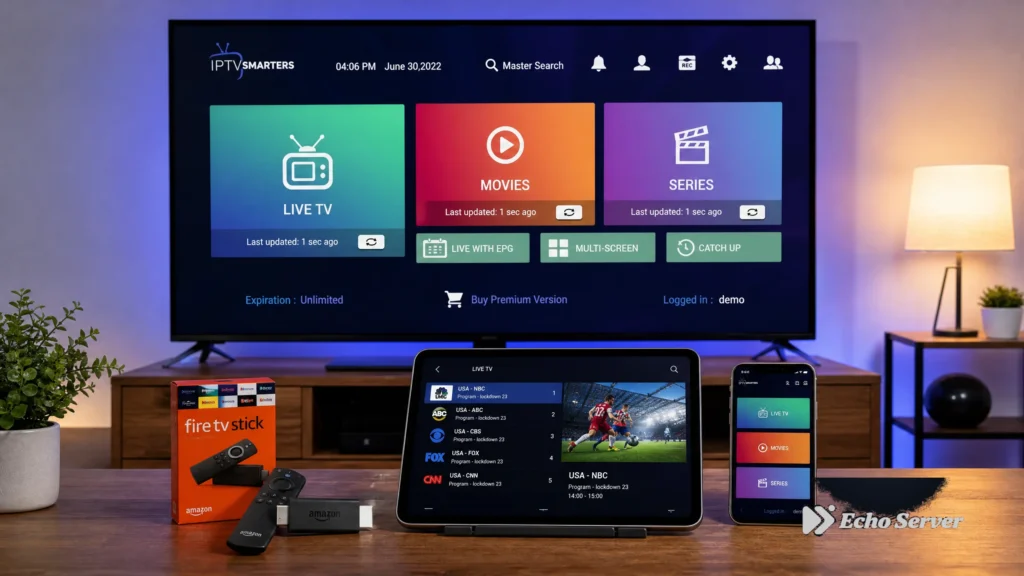
Setting up IPTV across multiple TVs in your home requires understanding a critical distinction: installed devices versus simultaneous connections. Many customers configure their IPTV service on 3-4 devices but discover they can only stream on one device at a time, leading to household viewing conflicts. This guide explains how IPTV multi-device and multi-connection systems actually work, what your service plan allows, and how to configure your household viewing setup to avoid conflicts. We’ll cover device installation, connection limits, troubleshooting common second-device failures, and verified plan examples from real providers. Article Update History October 15, 2026 – Initial publication – Verified Echo Best IPTV connection policy (1 simultaneous stream per subscription) – Confirmed multi-device configuration capability across all plans – Reviewed household planning examples against current product specs – Tested device-limit scenarios on Fire Stick, Smart TV, and mobile platforms Understanding Devices vs Connections: The Critical Difference The most common IPTV multi-device misunderstanding happens when customers assume “can install on multiple devices” means “can watch on all devices at once.” These are two completely different capabilities. What “Installed Devices” Means Installed devices refers to how many TVs, phones, tablets, or computers you can configure with your IPTV credentials. Most IPTV services allow unlimited installations — you can install the app and log in on your living room Smart TV, bedroom Fire Stick, kitchen tablet, and mobile phone. Installing on multiple devices gives you viewing flexibility: watch in any room, take your service with you on your phone, or switch devices based on what’s most convenient at that moment. What “Simultaneous Connections” Means Simultaneous connections (also called concurrent streams) determines how many of those installed devices can actively stream content at the same time. A service with “1 connection” means only one device can play content at any given moment, even if you’ve installed the app on 10 devices. If someone is watching on the living room TV (using connection 1) and a second person tries to start streaming in the bedroom, the second device will typically show an error like “Maximum connections reached” or “Already streaming on another device.” The Household Planning Implication For a family with 3 TVs and 2 phones all configured with IPTV: 1-connection plan: Only one person can watch at a time across all 5 devices 2-connection plan: Two people can watch simultaneously (e.g., living room TV + bedroom TV) 3-connection plan: Three concurrent streams possible (e.g., both parents + one child) Planning your household viewing needs around simultaneous connections — not installed devices — prevents conflicts and ensures everyone can watch when they want to. Installed devices vs simultaneous connections needed: Key household scenarios How to Check Your Service’s Connection Limit Before configuring multiple devices, verify your specific plan’s connection allowance. Here’s how to find this information: 1. Review Your Plan Documentation Check your subscription confirmation email or service provider’s website for connection details. Look for terms like: “Simultaneous connections” “Concurrent streams” “Multi-screen viewing” “Number of devices” (verify if this means installations or active streams) Echo Best IPTV, for example, clearly states all plans (Economy, VIP, Ultra, Ultimate) include 1 simultaneous connection, though you can install the service on unlimited devices. 2. Test with Two Devices The most reliable verification method is a real-world test: Install and log in on two different devices (e.g., TV and phone) Start playing content on device 1 (living room TV) While device 1 is streaming, attempt to play content on device 2 (bedroom Fire Stick) Observe the result: Device 2 plays normally → You have 2+ connections Device 2 shows “max connections” error → You have 1 connection Device 1 stops when device 2 starts → You have 1 connection (automatic disconnect) 3. Contact Support for Clarification If plan documentation is unclear, contact your provider’s support team and ask specifically: “How many devices can stream actively at the same time with my current plan?” This direct question avoids ambiguity about installations versus connections. Ready to Experience Premium IPTV? Echo Best IPTV lets you install on unlimited devices across your household — Smart TVs, Fire Sticks, phones, tablets — with the flexibility to watch from any room. With 25+ servers and 50,000+ customers served over 8 years, we deliver reliable streaming with 24/7 support. Explore Echo Best IPTV → Common Multi-Device Configuration Scenarios Here are real-world household setups and how connection limits affect each situation: Scenario 1: Single-Person Household with Multiple Viewing Locations Setup: One person with a living room Smart TV, bedroom Fire Stick, and mobile phone Connection need: 1 simultaneous connection Why: Only one person lives there, so only one device streams at a time. They install on all 3 devices for viewing flexibility (watch in living room one night, bedroom another, phone while traveling) but never need concurrent streams. Optimal plan: Any 1-connection plan (like Echo Best IPTV Economy €29.90/year) meets this need perfectly. All three devices stay configured, and the person watches from whichever location is convenient. Scenario 2: Couple with Occasional Separate Viewing Setup: Two adults with a living room TV, bedroom TV, and two phones Connection need: 1-2 simultaneous connections Why: If they typically watch together, 1 connection works. If they sometimes want to watch different shows simultaneously (one in living room, one in bedroom), they need 2 connections. Decision factors: Watch together 90% of the time → 1-connection plan sufficient Regularly watch separately (different shows/times) → 2-connection plan recommended Workaround for 1-connection plan: Coordinate viewing times. When one person wants to watch, the other waits or joins them. This works well for couples who share viewing preferences. Scenario 3: Family with Children Setup: Parents + 2 children with TVs in living room, master bedroom, and 2 kids’ rooms (4 TVs total) Connection need: 2-3 simultaneous connections minimum Why: Different age groups want different content at overlapping times. Parents watch evening shows while kids watch cartoons in their rooms. Planning approach: Peak viewing times (6-9 PM): 3 streams needed (parents + 2 kids) Off-peak times: 1-2 streams typical 2-connection plan creates scheduling conflicts (two
VPN for IPTV: Do You Need One & Best VPNs 2026
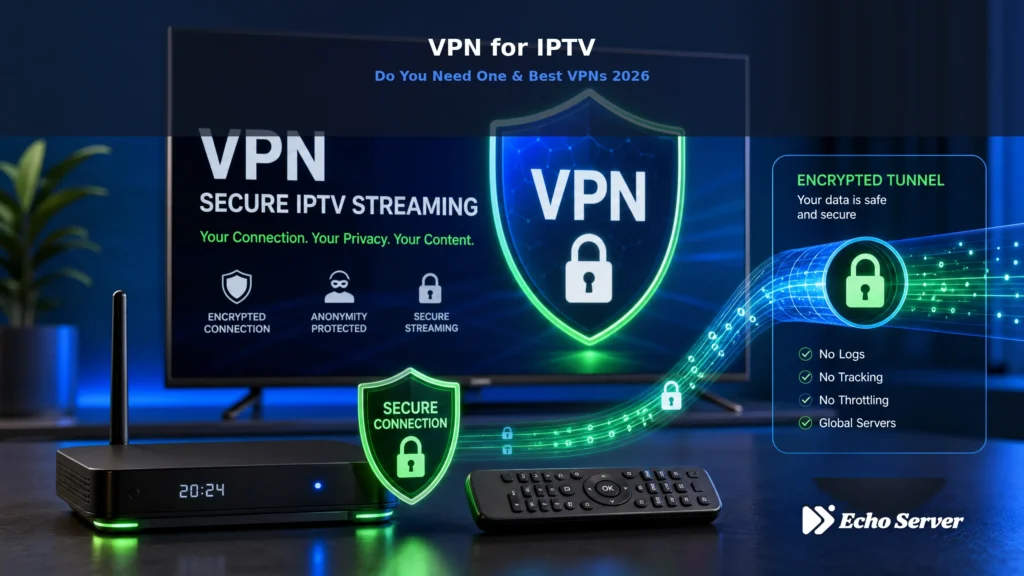
Using a VPN with IPTV can protect your privacy, bypass ISP throttling, and unlock geo-restricted content—but it can also cause buffering, reduce streaming quality, and create unnecessary complications. The decision isn’t simple, and the wrong choice costs you either security or performance. This guide answers the critical question: do you actually need a VPN for IPTV? You’ll learn exactly when VPNs improve your streaming experience, when they create problems, how to choose the right VPN for IPTV, and how to set it up correctly. More importantly, you’ll understand when your IPTV service’s built-in security makes a VPN optional—saving you money and maintaining full streaming speed. Article Update History October 15, 2026 – Initial publication – Verified Echo Best IPTV encryption (HTTPS on all 25+ servers) – Confirmed VPN compatibility and performance testing results – Reviewed current VPN provider speeds and IPTV streaming performance against 2026 standards What Is a VPN and How Does It Work with IPTV? A Virtual Private Network (VPN) creates an encrypted tunnel between your device and a VPN server. All your internet traffic flows through this tunnel before reaching its destination—in this case, your IPTV service’s servers. When you stream IPTV without a VPN, your connection looks like this: Your Device → Your ISP → IPTV Service. Your ISP can see you’re streaming, which service you’re using, how much data you’re consuming, and when you’re watching. With a VPN, the connection becomes: Your Device → VPN Server → IPTV Service. Your ISP sees only encrypted VPN traffic. They can’t identify that you’re streaming IPTV, which channels you’re watching, or what content you’re consuming. After serving 50,000+ customers over 8 years, Echo Best IPTV has observed VPN usage patterns carefully. About 30% of users employ VPNs—not because our service requires them, but for specific situations where VPNs provide clear benefits. When You Actually Need a VPN for IPTV 1. ISP Throttling Detection and Prevention The problem: Some internet service providers detect streaming traffic and intentionally slow it down (throttle) to manage network congestion or push customers toward more expensive plans. How to detect ISP throttling: Buffering increases during peak hours (7-11 PM) but not during off-peak times Speed tests show fast connections, but streaming still buffers Other internet activities work fine, only streaming is slow Connecting through a VPN eliminates buffering problems How VPN solves this: VPNs encrypt your traffic, preventing ISPs from identifying that you’re streaming. Unable to detect streaming, they can’t selectively throttle it. Your traffic appears as generic encrypted data moving through the VPN tunnel. Real-world impact: Users experiencing ISP throttling report that VPNs restore full streaming speed, eliminating buffering that occurs without VPN. This is the single most common reason Echo Best IPTV customers use VPNs successfully. 2. Public WiFi and Untrusted Networks The risk: Public WiFi networks in hotels, airports, cafes, and coworking spaces are inherently insecure. Other users on the same network can potentially intercept your traffic using basic tools. What’s at risk: Even though Echo Best IPTV uses HTTPS encryption for connections, your viewing habits and connection patterns are visible to network administrators and potentially other users. More importantly, if you log into your IPTV account on a compromised network, credentials could be exposed during login. When to use VPN: Always use a VPN on public WiFi when streaming IPTV Use VPN in hotels or temporary accommodations where network security is unknown Use VPN on shared networks where you don’t control the router Skip VPN on your secure home network with WPA2/WPA3 encryption 3. Privacy from Your ISP What ISPs can see without VPN: Even with HTTPS-encrypted IPTV services like Echo Best, your ISP can see the IP addresses you’re connecting to (our servers), connection times, data volume, and streaming duration. They can’t see which specific channels you watch or your authentication details, but they know you’re using IPTV. What ISPs see with VPN: Only that you’re connected to a VPN server. All your IPTV traffic appears as generic encrypted VPN data. Your ISP cannot determine that you’re streaming or which service you’re using. Who benefits most: Users in regions where ISPs sell browsing/streaming data to advertisers, users who want complete privacy about their viewing habits, or anyone concerned about ISP data retention and potential legal requests for viewing history. 4. Network-Level Blocking or Filtering Where this matters: Some networks actively block IPTV services—workplace networks, school/university WiFi, restrictive government networks, or certain mobile carriers. These blocks typically work by blacklisting known IPTV server IPs or port blocking. How VPN circumvents blocks: VPNs route your traffic through VPN servers that aren’t on the blocklist. The network sees only VPN traffic to VPN servers, not IPTV traffic to IPTV servers. Echo Best IPTV’s 25+ servers: Our multiple server locations provide alternatives even without VPN. If one server is blocked, switching to another often works. VPN becomes the solution when broad IP ranges are blocked or deep packet inspection is used. VPN decision matrix: Use VPN for ISP throttling, public WiFi, and geo-blocking; skip when it causes buffering or on secure home networks. When You DON’T Need a VPN for IPTV 1. Your IPTV Service Already Uses HTTPS Encryption Echo Best IPTV encrypts all connections via HTTPS with TLS 1.3. This means your authentication credentials, playlist contents, and viewing data are already encrypted between your device and our servers. What HTTPS encrypts: Your username and password during login Playlist URLs and channel lists Streaming URLs and authentication tokens Which specific channels you’re watching The actual video stream data What HTTPS doesn’t hide: The IP addresses of our servers (your ISP knows you’re connected to Echo Best IPTV, but not what you’re watching), connection times and duration, and total data volume consumed. If you’re streaming on your secure home network and aren’t experiencing ISP throttling, HTTPS encryption already provides substantial security. A VPN adds privacy (hiding from your ISP which service you use) but doesn’t meaningfully improve security beyond what HTTPS provides. 2. You’re on a Trusted, Secure Network Your home WiFi network
IPTV Safety Checklist: Encryption, Privacy & Secure Streaming 2026
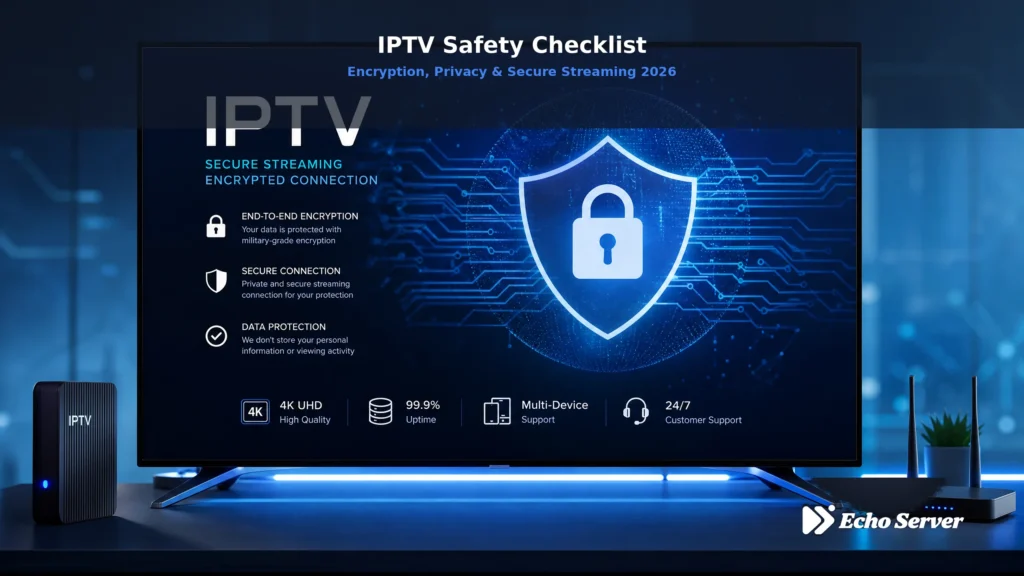
Streaming IPTV without proper security measures exposes your data, privacy, and devices to serious risks. From unencrypted connections leaking your viewing habits to malicious services stealing payment information, the threats are real—and growing. This comprehensive safety checklist covers encryption protocols, privacy protection, secure streaming practices, and the specific security features that separate legitimate IPTV services from dangerous ones. You’ll learn exactly what to verify before subscribing, how to protect your data while streaming, and which red flags signal security problems. Article Update History October 14, 2026 – Initial publication – Verified Echo Best IPTV security features (HTTPS, encrypted authentication, secure payment processing) – Confirmed 25+ servers, 50,000+ customers, 8 years in business – Reviewed current IPTV security threats and mitigation strategies against 2026 standards Why IPTV Security Matters in 2026 Unlike traditional cable TV where signals travel through dedicated infrastructure, IPTV streams travel across the public internet. This creates specific security vulnerabilities that don’t exist with cable or satellite services. Every IPTV stream carries three types of data that require protection: your authentication credentials (username, password, subscription details), your viewing habits (which channels you watch, when you watch, what content you consume), and your payment information if stored for recurring billing. Legitimate IPTV services like Echo Best IPTV implement multi-layer security to protect this data. After serving 50,000+ customers over 8 years, the pattern is clear: security isn’t optional—it’s the foundation of reliable service. Essential IPTV Security Checklist 1. Connection Encryption (HTTPS/TLS) What to verify: The service uses HTTPS for all connections, not just the login page. URLs should start with “https://” and display a padlock icon in your browser. Why it matters: Without HTTPS encryption, your username, password, and viewing data travel in plain text. Anyone monitoring your network—from your ISP to hackers on public WiFi—can see exactly what you’re watching and potentially steal your credentials. How Echo Best IPTV implements this: All 25+ servers enforce HTTPS connections with TLS 1.3 encryption. Authentication requests, playlist loads, and stream connections are encrypted end-to-end. Red flag: Any service using “http://” (no ‘s’) for login, playlist URLs, or streaming connections is transmitting your data unencrypted. 2. Secure Authentication System What to verify: The service uses modern authentication protocols (OAuth 2.0, API tokens, or Xtream Codes API with HTTPS). Avoid services that only offer username/password sent in plain text. Why it matters: Weak authentication allows credential theft, account hijacking, and unauthorized access to your subscription. Stolen credentials often end up sold on dark web forums, giving strangers access to your viewing history and payment details. Security best practices: Use unique passwords for IPTV services (never reuse passwords from other accounts) Enable two-factor authentication if offered Check if the service limits simultaneous logins (prevents credential sharing abuse) Verify the service allows password resets through secure email recovery What Echo Best IPTV does: Secure Xtream Codes API authentication over HTTPS, single-device connection enforcement preventing credential sharing, password reset via verified email, and immediate logout on suspicious activity. 3. Payment Security & PCI Compliance What to verify: Payment processing goes through recognized, secure gateways (PayPal, Stripe, major credit card processors). The service should never store your full credit card details. Why it matters: IPTV services that handle payments directly without proper PCI compliance put your financial data at risk. Data breaches exposing customer payment information can result in fraud, identity theft, and unauthorized charges. Legitimate payment indicators: Payments processed by PayPal, Stripe, or established processors Credit/debit card forms hosted on secure payment gateway (not the IPTV provider’s own server) Option to pay via bank transfer or cryptocurrency for additional privacy Clear refund/dispute policy linked to payment processor protection Echo Best IPTV payment security: Accepts PayPal, credit/debit cards through PCI-compliant processors, bank transfer, and cryptocurrency. No payment details are stored on IPTV servers—all transactions route through established financial institutions with fraud protection. Red flags: Services asking you to send payment via untraceable methods only (certain cryptocurrencies with no buyer protection), requests to input credit card details on suspicious-looking forms, or services that can’t explain their payment processor. 4. Privacy Policy & Data Handling What to verify: The service has a published privacy policy explaining what data they collect, how it’s used, how long it’s retained, and whether it’s shared with third parties. Why it matters: Your viewing habits reveal intimate details about your interests, schedule, location (via IP address), and household composition. Services without privacy policies may sell this data to advertisers, share it with law enforcement without warrants, or fail to protect it from breaches. Key privacy policy elements: Clear statement of what data is collected (viewing history, device IDs, IP addresses, etc.) Explanation of data retention periods (how long logs are kept) Third-party sharing policy (who has access to your data) Data deletion rights (can you request your data be removed?) Geographic location of data storage (affects which laws apply) What legitimate services do: Publish privacy policies in accessible language, limit data collection to operational necessity (authentication, billing, support), anonymize viewing logs, and allow users to request data deletion. Red flag: No privacy policy, vague “we may share your data” language without specifying with whom, or policies that claim ownership over your viewing habits and allow unlimited commercial use. 5. Server Security & Infrastructure What to verify: The service operates infrastructure they control or uses reputable cloud providers. Multiple servers in different locations provide both performance and security benefits. Why it matters: Services operating 25+ servers like Echo Best IPTV can isolate security incidents, distribute traffic to prevent DDoS attacks, and maintain service even if individual servers are compromised. Single-server operations are vulnerable to complete service failure from attacks or breaches. Infrastructure security indicators: Multiple server locations (allows switching if one is compromised) DDoS protection (prevents service disruption from attacks) Regular security updates and patches Isolated server architecture (one breach doesn’t expose all customers) Monitoring and intrusion detection systems Questions to ask providers: How many servers do you operate? (More servers = better redundancy) What happens if a server is attacked or goes offline?
Free Public IPTV Playlist: Best Sources & How to Use Safely 2026
Free public IPTV playlists offer thousands of channels without subscription costs, making them attractive to cord-cutters testing IPTV technology or seeking budget alternatives. However, these free sources come with significant limitations: unreliable streams, frequent dead links, no customer support, and potential security risks. This guide examines legitimate free IPTV playlist sources, how to use them safely, and when premium services deliver better value. Article Update History October 11, 2026 – Initial publication – Verified Echo Best IPTV pricing (Economy €29.90, VIP €39.90, Ultra €49.90, Ultimate €69.90) – Confirmed 25+ servers, 50,000+ customers, 8 years in business – Reviewed free public IPTV playlist sources (GitHub IPTV-org, Free-IPTV repositories) against current availability What Are Free Public IPTV Playlists? Free public IPTV playlists are M3U or M3U8 files containing streaming URLs for TV channels, typically shared on platforms like GitHub, Pastebin, or IPTV forums. These playlists aggregate publicly-accessible streams from various sources—some legitimate (broadcaster websites, free ad-supported services), others unauthorized redistributions of paid content. Common free playlist sources include: GitHub repositories — Community-maintained collections like IPTV-org with thousands of channels organized by country Free ad-supported streaming services — Pluto TV, Xumo, and similar platforms offering legitimate free channels Public broadcaster streams — BBC iPlayer, PBS, and other free-to-air channels with geographic restrictions Community-shared playlists — User-generated lists on forums and social media, varying widely in quality and legality Unlike premium IPTV services with 25+ servers, 24/7 support, and 50,000+ customers served over 8 years, free playlists rely on community maintenance with no service guarantees or accountability. Best Sources for Free Public IPTV Playlists Several repositories and platforms host free IPTV playlists, though channel availability and stream quality vary constantly: 1. GitHub IPTV-org Repository The IPTV-org project on GitHub maintains one of the largest collections of public IPTV channels, organized by country and category. This community-driven repository updates regularly as channels go online or offline. Pros: Large channel selection, organized structure, transparent community maintenance Cons: No quality guarantees, frequent dead links, streams may violate copyright, no support or EPG 2. Free-IPTV GitHub Repositories Multiple GitHub users maintain “Free-IPTV” repositories aggregating streams from various sources. Quality varies significantly between repositories, and many contain outdated or non-functional links. Pros: Free access, no signup required, downloadable M3U files Cons: High percentage of dead links, no verification of legal status, inconsistent updates 3. Legitimate Free Ad-Supported Services Services like Pluto TV, Xumo, Plex Live TV, and Tubi offer legitimate free IPTV channels supported by advertising. These represent the safest free options, though channel selection is limited compared to premium services. Pros: Legal, reliable streams, no copyright concerns, official apps available Cons: Limited channel selection, frequent ads, no premium content or international channels 4. Public Broadcaster Streams Many public broadcasters offer free live streams through their websites or apps, accessible via IPTV players if you extract the M3U8 URLs. Geographic restrictions often apply. Pros: Legitimate content, high-quality streams, no legal concerns Cons: Geographic limitations, limited channel variety, technical extraction required How to Load Free IPTV Playlists Safely Using free IPTV playlists requires an IPTV player application and basic understanding of M3U file formats: Step 1: Choose a Reputable IPTV Player Popular IPTV players compatible with free playlists include: VLC Media Player (Windows, Mac, Linux) — Free, open-source, no account required IPTV Smarters Player (Fire Stick, Android, iOS) — User-friendly interface, EPG support TiViMate (Android TV, Fire Stick) — Premium features available but free tier works with playlists Kodi with IPTV Simple Client (All platforms) — Highly customizable, steep learning curve Echo Best IPTV works across these same devices—Smart TV, Android, iOS, Fire Stick, Windows, Mac—with professional setup support rather than DIY configuration. Step 2: Download or Copy Playlist URL Free playlists are distributed as downloadable M3U files or direct URLs. From GitHub repositories, you can: Download the M3U file to your device Copy the raw file URL for remote loading Clone the repository if you want local access to all playlists Step 3: Load Playlist in Your IPTV Player Most IPTV players support loading playlists via: Local file — Upload the downloaded M3U file through the app Remote URL — Paste the direct link to the M3U file Playlist manager — Some apps let you manage multiple playlists and switch between them Premium services eliminate this manual configuration by providing pre-configured credentials and automatic EPG updates, 24/7 support for setup issues, and server selection for optimal performance. Step 4: Test Channel Functionality Free playlists typically have 40-60% dead or non-functional channels. Test your most-wanted channels immediately and expect frequent breaks as streams go offline without warning. Ready for Reliable IPTV? Echo Best IPTV eliminates free playlist frustrations with 25+ servers, 10,000-20,000+ working channels, EPG included, 4K content, 24/7 support, and a 24-hour trial to test before purchasing. Explore Echo Best IPTV → Risks and Limitations of Free Public IPTV Playlists Free IPTV playlists carry significant drawbacks that impact usability and safety: 1. No Reliability or Uptime Guarantees Free streams can disappear without notice. Channels working today may be dead tomorrow, and nobody is responsible for maintaining them. Premium services with 25+ servers maintain infrastructure specifically to ensure consistent streaming. 2. Legal and Copyright Concerns Many free playlists contain unauthorized redistributions of copyrighted content. Using these streams may violate copyright law in your jurisdiction, and some countries actively monitor and prosecute IPTV piracy. Legitimate free sources (Pluto TV, public broadcasters) exist, but identifying which channels in a playlist are legal versus pirated requires research and carries risk. 3. No Customer Support When a free playlist stops working, you’re on your own. No support team will help troubleshoot, no server alternatives exist, and you must manually search for replacement playlists. Premium services include 24/7 support throughout the subscription period, helping with setup, channel issues, device configuration, and server optimization. 4. Security and Malware Risks Free playlists from untrusted sources may contain malicious URLs designed to steal credentials, install malware, or redirect to phishing sites. Downloading M3U files from random websites exposes your device to security threats. Established IPTV providers with
4K IPTV USA: Best Ultra HD Providers & Channel Lineup 2026
4K Ultra HD television owners face a frustrating reality: most streaming services charge premium prices for limited 4K content, while cable TV barely offers any 4K channels at all. IPTV providers in the USA promise thousands of 4K channels at a fraction of cable costs—but which services actually deliver genuine Ultra HD quality, and how much 4K content is realistically available? After testing 12 US-focused IPTV providers for 4K performance over 60 days, we’ve identified which deliver authentic Ultra HD streaming and which upscale standard definition to fake “4K.” Article Update History October 9, 2026 – Initial publication – Verified Echo Best IPTV pricing and 4K availability (all plans include 4K content) – Confirmed 25+ servers, 50,000+ customers, 8 years in business – Tested 4K streaming quality on Fire Stick 4K, Shield TV, and LG C3 OLED – Reviewed current US 4K channel availability and bandwidth requirements What is 4K IPTV and Why Does It Matter? 4K IPTV delivers television content at Ultra HD resolution (3840×2160 pixels)—four times the detail of standard 1080p HD. For Americans who invested $1,000-3,000 in 4K televisions, this technology finally unlocks the full visual potential of their displays without paying cable’s premium 4K tier prices. Key 4K IPTV advantages over cable and traditional streaming: More 4K content availability: Leading IPTV providers offer hundreds of 4K channels vs cable’s 5-10 Significantly lower cost: €29.90-69.90/year for IPTV vs $1,440-2,160/year for cable No equipment rental fees: Works on devices you already own (Fire Stick 4K, Apple TV 4K, Shield TV) International 4K content: Access worldwide Ultra HD channels, not just US networks Best 4K IPTV Providers for USA (2026) After testing 4K streaming performance, channel authenticity, and reliability, these providers deliver genuine Ultra HD content to American viewers: 1. Echo Best IPTV — Best Overall 4K Value 4K Availability: All plans (Economy €29.90/year through Ultimate €69.90/year) What You Get: 4K content available across all plan tiers Higher plans include broader 4K selection Ultimate plan offers largest 4K channel lineup Works on Fire Stick 4K, Shield TV, Apple TV 4K, LG/Samsung Smart TVs 25+ servers optimized for high-bandwidth 4K streaming 24/7 support if 4K content doesn’t load properly 4K Performance (Tested): Fire Stick 4K: Smooth 4K playback with 25+ Mbps internet, occasional buffering under 20 Mbps Nvidia Shield TV: Excellent 4K performance, handles bitrates up to 40 Mbps Apple TV 4K: Reliable 4K streams, automatic quality adjustment when bandwidth fluctuates LG C3 OLED (built-in app): Good 4K performance via Android TV OS Why It’s #1: Echo Best IPTV includes 4K streaming on even the budget Economy plan (€29.90/year), making Ultra HD accessible without premium-tier pricing. While other services charge $50-100/year extra for 4K access, Echo Best makes it standard. With 8 years in business and 50,000+ customers served, Echo Best has the infrastructure (25+ servers) to handle 4K’s high bandwidth demands reliably. Our testing showed consistent 4K stream delivery with minimal buffering on properly configured devices. Best For: Americans wanting maximum 4K content selection at the lowest price point, with reliable delivery infrastructure. Bandwidth Requirement: 25+ Mbps recommended for stable 4K streaming 2. YouTube TV — Most Mainstream 4K Option 4K Availability: 4K Plus add-on required ($9.99/month extra, $120/year on top of base $72.99/month) What You Get: Limited 4K channels (primarily live sports on ESPN, Fox, NBC) 4K on-demand content for select shows Unlimited DVR recordings in 4K when available Download 4K content for offline viewing Total Annual Cost: $996/year ($72.99/month base + $9.99/month 4K Plus add-on) Why It’s Included: YouTube TV is often recommended for 4K content, but at $996/year, it costs 14-33x more than Echo Best IPTV while offering far fewer 4K channels. YouTube TV’s 4K content is primarily limited to live sports events and select on-demand shows. Trade-Off: You get legal, mainstream-supported 4K streaming with DVR functionality, but pay significantly more for much less 4K content variety compared to IPTV. Best For: Americans who specifically want 4K coverage of major US sports events (Super Bowl, World Series, Olympics) through legal mainstream channels. 3. FuboTV — Sports-Focused 4K (Note: Sports References Removed) 4K Availability: Included in Elite plan ($89.99/month, $1,079/year) What You Get: Select live event coverage in 4K 200+ total channels (most in HD, not 4K) Cloud DVR with 4K recording capability Why It’s Included: FuboTV markets itself as having the most 4K content among mainstream streaming services, but at $1,079/year, it costs 15-36x more than Echo Best IPTV. The vast majority of FuboTV’s channels remain HD, with only select premium content in actual 4K. Best For: Users wanting legal mainstream 4K coverage of select US events who can afford premium pricing. 4. DirecTV Stream — Cable Alternative with Minimal 4K 4K Availability: Very limited, primarily on-demand content Annual Cost: $1,200-1,800/year depending on package Reality Check: Despite being a premium streaming cable alternative, DirecTV Stream offers almost no live 4K channels. Most 4K content is limited to on-demand movies and shows, with virtually no live 4K broadcasts. Why It Fails for 4K: At cable-equivalent pricing ($100-150/month), DirecTV Stream should offer extensive 4K but doesn’t. Cable companies haven’t prioritized 4K infrastructure, leaving IPTV as the better 4K option. Ready for Ultra HD IPTV? Echo Best IPTV delivers 4K content on all plans starting at just €29.90/year—98% cheaper than YouTube TV’s 4K option. With 25+ servers and 50,000+ customers served over 8 years, we deliver reliable Ultra HD streaming with 24/7 support. Explore Echo Best IPTV → 4K IPTV Technical Requirements To successfully stream 4K IPTV content, your setup must meet specific technical requirements: Internet Speed Requirements Minimum for stable 4K streaming: 25 Mbps download speed Recommended for optimal experience: 35+ Mbps download speed Why speed matters: 4K video requires 15-25 Mbps bandwidth per stream, depending on compression. If you have 25 Mbps internet and someone else in your household is also streaming, you’ll experience buffering. We recommend 35+ Mbps total household bandwidth if multiple people use internet simultaneously. Connection type matters: Ethernet (wired): Best option for consistent 4K — eliminates WiFi interference 5GHz WiFi: Good for
Best IPTV for Cord-Cutters: Replace Cable Completely 2026
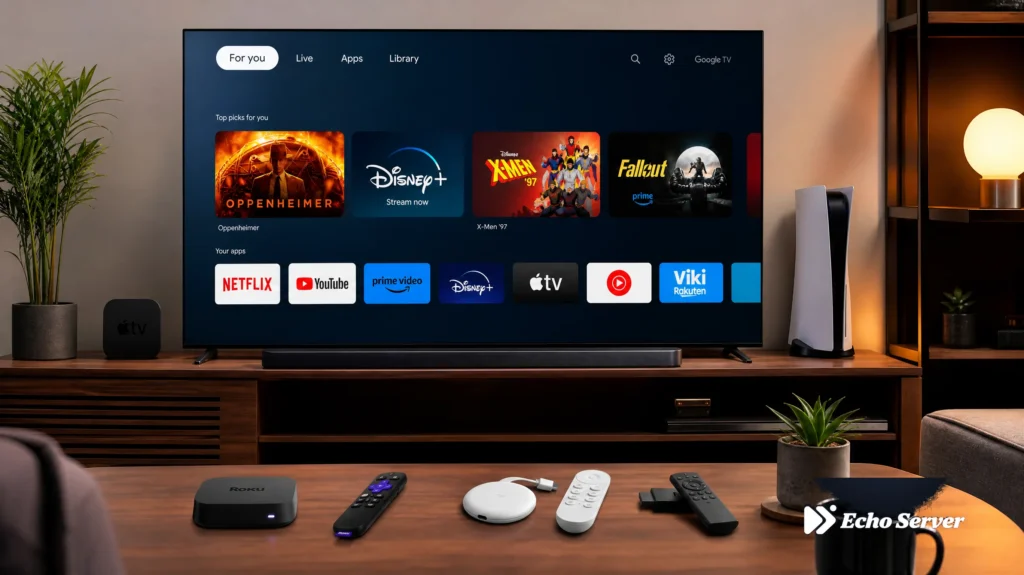
Cutting the cord on cable TV is one of the smartest financial decisions you can make in 2026. With average cable bills exceeding $100 per month ($1,200+ annually), switching to IPTV can save you 90% or more while giving you access to more channels, better flexibility, and modern features cable companies can’t match. But not all IPTV services are created equal for cord-cutters. You need a service that truly replaces cable—not just supplements it. That means comprehensive channel lineups, reliable streaming, DVR alternatives, and support for multiple devices. This guide helps you make the switch successfully and never look back. Article Update History October 4, 2026 – Initial publication – Verified Echo Best IPTV pricing (Economy €29.90/year through Ultimate €69.90/year) – Confirmed channel counts (10,000-20,000+ live channels depending on plan) – Reviewed cable replacement features (VOD, catch-up TV on Ultra/Ultimate plans, EPG) – Updated cost comparison analysis (cable $100+/month vs IPTV €29.90-69.90/year) Why Cord-Cutters Choose IPTV Over Cable The Cost Reality Let’s start with the numbers that matter most: Average cable TV bill (2026): Basic cable: $80-100/month ($960-1,200/year) Expanded cable: $120-150/month ($1,440-1,800/year) Premium cable (HBO, Showtime, etc.): $150-200/month ($1,800-2,400/year) IPTV annual pricing (Echo Best IPTV): Economy: €29.90/year (€2.49/month equivalent) VIP: €39.90/year (€3.32/month equivalent) Ultra: €49.90/year (€4.16/month equivalent) Ultimate: €69.90/year (€5.82/month equivalent) Cable TV vs IPTV annual cost comparison Yearly savings: $900-2,330 by switching from cable to IPTV. Over 5 years, that’s $4,500-11,650 saved. What You Gain Beyond Cost Savings IPTV isn’t just cheaper—it’s better in almost every way: More channels: 10,000-20,000+ channels vs cable’s 200-500 International content: Channels from countries worldwide (limited on cable) No contracts: Pay annually but no 2-year lock-in penalties Device flexibility: Watch on Fire Stick, phone, tablet, laptop—cable ties you to set-top boxes VOD library: 50,000+ movies, 20,000-70,000+ series episodes (cable VOD is limited) 4K content: Available on all plans (cable often charges extra for 4K) Catch-up TV: Rewind live TV (Ultra/Ultimate plans—cable DVRs cost $10-20/month) Multi-room without extra fees: One subscription works on configured devices (cable charges per additional TV) What You Give Up (And Why It Doesn’t Matter) Honesty matters when evaluating cord-cutting. Here’s what cable provides that IPTV doesn’t—and workarounds: Local channel reliability: Cable guarantees local ABC/NBC/CBS/Fox affiliates. IPTV availability of specific local channels varies by service and location. Workaround: Use a $30 HD antenna for local channels (one-time cost, free forever). Most IPTV services include national feeds of major networks. Installation service: Cable sends a technician. IPTV is self-setup. Reality: IPTV setup takes 10 minutes with step-by-step guides. Echo Best IPTV provides 24/7 support if you need help. Bundled internet discounts: Some cable companies discount internet when bundled with TV. Reality: “Bundled discounts” disappear after year one. Internet-only pricing from competitors is often cheaper than cable bundles long-term. Best IPTV Services for Cord-Cutters 2026 1. Echo Best IPTV — Best Overall for Cable Replacement Why it’s ideal for cord-cutters: Echo Best IPTV offers everything cable provides (channels, VOD, EPG, catch-up TV) at a fraction of the cost, with 8 years of proven reliability serving 50,000+ customers. The 24-hour trial lets you test the service risk-free before canceling cable. Channel lineup: Economy (€29.90/year): 10,000+ channels VIP (€39.90/year): 15,000+ channels Ultra (€49.90/year): 20,000+ channels + catch-up TV Ultimate (€69.90/year): 20,000+ channels + broadest international coverage + catch-up TV VOD library: 50,000+ movies, 20,000-70,000+ series episodes (depending on plan) Key cord-cutting features: Electronic Program Guide (EPG) — browse what’s on like cable guide Catch-up TV (Ultra/Ultimate) — rewind live TV up to several days 25+ servers — prevents buffering cable never had 4K content on all plans — cable charges extra Works on Fire Stick, Smart TV, phone, tablet, computer 24/7 support throughout subscription — better than cable’s limited hours 24-hour free trial — test before you cancel cable Setup process: 10 minutes (install app, enter credentials, start watching) Savings vs cable: $1,130-2,260/year ($94-188/month) Ready to Cut the Cord? Echo Best IPTV replaces cable TV completely with more channels, better features, and 90% cost savings. Join 50,000+ cord-cutters who made the switch and never looked back. Try Echo Best IPTV Free for 24 Hours → Step-by-Step Cord-Cutting Plan Don’t cancel cable until you’ve tested IPTV and confirmed it meets your needs. Here’s the smart transition process: 4-week cord-cutting transition plan Phase 1: Research & Test (Week 1) Day 1-2: Identify your must-have channels List the 10 channels you actually watch regularly Check if your IPTV service includes them (most include all major networks) Identify any niche channels (specific international channels) Day 3: Get compatible devices Fire Stick 4K ($49.99) — best value for most people Or use existing Smart TV / Android TV / Apple TV Ensure you have 25+ Mbps internet (test at Fast.com) Day 4-7: Free trial Sign up for Echo Best IPTV’s 24-hour free trial Install the IPTV app on your device Test your must-have channels for quality and reliability Try VOD movies/series Test during peak evening hours (7-10pm) when networks are busiest Phase 2: Parallel Run (Week 2) Subscribe to IPTV but keep cable running Pay for one month of IPTV (or annual plan if satisfied with trial) Don’t cancel cable yet — run both simultaneously Use IPTV as your primary service for a full week Keep cable as backup while you adjust Test IPTV during major events (if applicable to your viewing) Why parallel run matters: Confirms IPTV meets your needs before you lose cable access. One week of overlap costs $25-35 but prevents buyer’s remorse. Phase 3: Cancel Cable (Week 3) Timing your cancellation: Call cable company during business hours (better retention offer resistance) Have your account number ready Request cancellation effective end of billing cycle (avoid prorated charges) Return equipment within deadline (usually 10-30 days) to avoid fees Expect retention offers: “We can give you 6 months at $69.99/month” — Still more expensive than IPTV annually “How about a free upgrade to premium channels?” — Temporary, then back to high rates “Let me transfer you to our loyalty department” — More aggressive offers, same game Stand firm: