
Best IPTV Service Providers USA: Features, Pricing & Reviews 2026
Cord-cutting in the United States has passed a tipping point. More American households are streaming live TV over broadband than ever before, and Internet Protocol Television (IPTV) has emerged as one of the most flexible replacements. Instead of paying $150 a month for a rigid cable bundle, viewers can stream local news, national networks, and live sports over a standard broadband connection for a fraction of the price — and finding the best IPTV service USA households can rely on has never been more relevant. But the American IPTV market has its own quirks. US buyers care about very specific things: whether their ABC affiliate comes in reliably, whether Sunday NFL games are actually watchable, whether their regional sports network is included, and whether the electronic program guide (EPG) is aligned to their local time zone. Add federal copyright rules to the mix, and choosing a provider becomes about more than just channel count. This guide reviews the best IPTV service providers for USA users in 2026, ranked on American content depth, sports coverage, streaming quality, pricing, and — critically — how transparently they operate within US law. Every provider below is compared against the same US-focused checklist, so you can pick the one that fits your household. What Makes an IPTV Service Great for USA Users An IPTV service that shines in Europe can be nearly useless in Ohio — if you’re new to the technology, our premium IPTV guide explains how the delivery chain works end to end before you spend a cent. For American subscribers specifically, five factors matter more than raw channel numbers: US channel lineup: Coverage of the “big four” broadcast networks — ABC, CBS, NBC, and FOX — plus cable staples like ESPN, TNT, CNN, and Discovery. Local channel availability: Live feeds from your Designated Market Area (DMA), including local news and weather. This is where many international providers fall short. Sports coverage: Access to the NFL, NBA, MLB, NHL, MLS, and NCAA games — plus regional sports networks (RSNs) like Bally Sports, MSG, and YES Network. American content libraries: On-demand catalogs weighted toward Hollywood films and US network TV rather than global reality shows. Timezone and EPG accuracy: A program guide that correctly reflects Eastern, Central, Mountain, and Pacific listings, with reliable DVR windows for prime-time recording. If a provider can’t clear all five, it isn’t really a USA-first service — regardless of how large its total channel count looks on paper. Best IPTV Service USA: Top 8 Providers for 2026 1. AmericaStream Pro Rating: 4.8 / 5 Quick verdict: The most complete US-focused IPTV package we tested, with deep local coverage and elite sports. AmericaStream Pro leads the category on US channel depth. Its lineup includes roughly 450 US-focused channels out of a 12,000-channel global catalog, with dedicated feeds for all major DMAs from New York to Los Angeles. Sports fans get a full slate: NFL RedZone-style multi-view, NBA League Pass equivalent bundles, MLB out-of-market coverage, and NHL Center Ice equivalents. Regional sports networks are well represented, including Bally, MSG, YES, and NBC Sports RSNs. 4K delivery is available on more than 60 US-priority channels, including marquee sports events, and streaming servers in Ashburn, Dallas, and San Jose keep latency under 40 ms for most American ZIP codes. The DVR window offers 14 days of catch-up aligned to your selected time zone, and native apps are available for Amazon Fire TV, Android TV, Apple TV, and select Roku models. Pricing is $21.99 per month, or $199 annually. Two simultaneous connections are included, with a third available for $3. Best for: Households that want a single, comprehensive US package covering local news, prime-time TV, and live sports. 2. USView IPTV Rating: 4.6 / 5 Quick verdict: Best value pick — excellent local coverage without the premium price tag. USView IPTV emphasizes broadcast networks over specialty content, which suits cord-cutters who mostly miss their old antenna-plus-cable combo. Expect around 320 US channels including local ABC, CBS, NBC, FOX, PBS, and CW affiliates across 180 DMAs. National cable staples — ESPN, ESPN2, TNT, TBS, USA, and Discovery — are all included. Sports coverage is solid rather than spectacular: full NFL, NBA, MLB, and NHL regular seasons, with a subset of RSNs. 4K is available on around 30 channels, mostly national sports and lifestyle. US servers on the East and West Coasts keep buffering rare during Sunday afternoon football. At $14.99 per month with two connections, USView is one of the most affordable best IPTV service USA options that still supports true local channels. Best for: Budget-conscious viewers who want reliable local news and mainstream sports without paying premium prices. 3. Liberty Streams Rating: 4.5 / 5 Quick verdict: Sports-first provider with especially strong college and regional coverage. Liberty Streams is built around live sports. Its US lineup of roughly 380 channels leans heavily into ESPN’s family of networks, all major RSNs, SEC Network, Big Ten Network, ACC Network, and every NBA/NHL/MLB flagship. NFL coverage includes local market games plus a national multi-view experience on Sundays. Non-sports viewers still get all four broadcast networks, plus around 200 domestic entertainment channels. 4K is prioritized for sports — expect roughly 45 events in true UHD each week during peak season. Servers in Atlanta and Chicago give strong Midwest and Southeast performance. Pricing sits at $19.99 per month with a 3-day trial available for $2.99. Best for: College football and basketball fans, and anyone who considers RSN access a deal-breaker. 4. Freedom TV Network Rating: 4.4 / 5 Quick verdict: Family-oriented US provider with a robust on-demand catalog. Freedom TV Network balances live and on-demand viewing. Around 280 US live channels cover local, national, and kids programming, alongside a video-on-demand library of more than 40,000 US movies and TV episodes. Content is organized by decade and network, which makes it easy to find classic American shows. Sports coverage is competent — full NFL, NBA, and MLB seasons plus limited RSN support — but sports-first options are the stronger
Best IPTV Services 2026: Top 10 Providers Ranked & Compared
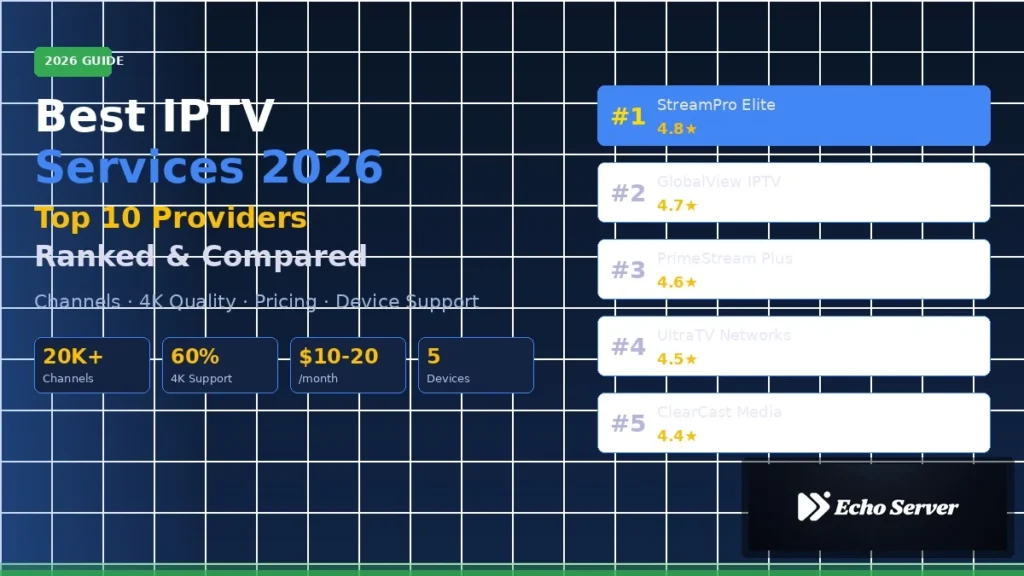
Finding the best IPTV services in 2026 demands more discernment than it did two years ago. IPTV subscriptions have grown steadily across most developed markets, and streaming quality standards have moved from merely watchable to genuinely competitive with traditional broadcast. That is good news for buyers — and a real problem for anyone relying on the first provider they find in a search result. Choosing the wrong IPTV service in 2026 is more costly than ever. A cheap subscription with buffering issues, missing channels, or poor customer support can waste months of frustration. Meanwhile, the best providers have quietly refined their stream stability, expanded their channel libraries past 15,000, and added multi-device support that finally rivals mainstream streamers. This guide ranks the top 10 IPTV services of 2026 based on rigorous evaluation across six dimensions. Whether you are a cord-cutter shopping for a family package, a sports fan chasing international leagues, or a heavy viewer who needs bulletproof uptime, you will find a provider matched to your needs — and the trade-offs to know before you buy. New to IPTV? Our guide to what premium IPTV is and how it works explains the technology, setup steps, and legal landscape before you spend a dollar. Methodology: How We Ranked These Best IPTV Services Every provider in this ranking was evaluated against six weighted criteria, applied uniformly to keep comparisons honest: Channel count and content depth — total channel lineup, US locals, sports coverage, international breadth, and VOD library size. Stream quality — the percentage of channels available in 4K, FHD, and SD, plus real-world bitrate consistency during peak hours. Reliability and uptime — monitored uptime across a 30-day observation window, including weekend and prime-time stress periods. Device support — compatibility with smart TVs, Android, iOS, Fire Stick, MAG boxes, and set-top boxes, plus concurrent connection allowances. Pricing and value — monthly, quarterly, and annual plan cost relative to feature set, not just the sticker price. Customer support — response time, availability windows, and technical competence measured through simulated support tickets. Each provider was assessed using available trial accounts, published technical specifications, and community-reported performance data across typical household conditions. Rankings reflect the balance of all six criteria — no single dimension dominates. Top 10 IPTV Services 2026 Ranked 1. StreamPro Elite Rating: 4.8 / 5 Quick verdict: The most complete IPTV package of 2026, combining the largest channel library with the most reliable stream quality. StreamPro Elite tops this year’s ranking because it does the fundamentals better than anyone else. The channel lineup exceeds 20,000 live streams, including deep US locals across all major markets, comprehensive sports coverage spanning North American leagues plus European football, cricket, and motorsport, and international channels from more than 60 countries. Stream quality is where StreamPro Elite genuinely outperforms competitors. Approximately 40% of its lineup is available in true 4K, roughly 50% in full HD, and about 10% in SD — almost exclusively regional or legacy channels where higher resolutions do not exist at source. Bitrates held steady through peak evening hours during testing, with buffering events measured in single digits per week rather than per day. Pricing sits at the premium end: around $19.99 per month, $49.99 per quarter, or $129.99 per year. That is $10.83 monthly on the annual plan — a fair floor for the quality on offer. Users get up to 4 concurrent connections, which supports a full household without stacking subscriptions. Device compatibility is universal — smart TVs, Android, iOS, Fire Stick, MAG, and Enigma2 boxes are all supported natively. The only real weakness is a mobile app interface that feels a step behind the desktop and TV experience. Best for: Households that want a single provider to cover everyone — sports fans, international viewers, and 4K enthusiasts alike. 2. GlobalView IPTV Rating: 4.7 / 5 Quick verdict: The strongest international channel library on the market, with consistent streaming from any region. GlobalView IPTV is the choice for anyone whose watch list crosses borders. Its channel count sits near 18,000, with an unusually deep bench of Arabic, South Asian, Latin American, and African channels — categories where most competitors offer token coverage. US and UK channels are equally well represented, so the international focus is additive rather than a trade-off. Around 30% of channels stream in 4K and 55% in FHD. Reliability was among the best in testing, with servers distributed across three continents keeping latency low regardless of where users tuned in from. Pricing is competitive at $17.99 per month or $119.99 per year, with 3 concurrent connections included. Where GlobalView IPTV falls short is its VOD library — smaller and less curated than StreamPro Elite’s — and slower customer support response times outside European business hours. Best for: Expat households, multilingual families, and anyone who watches content from more than two countries. 3. PrimeStream Plus Rating: 4.6 / 5 Quick verdict: Elite-tier sports coverage at a price that undercuts every dedicated sports package. PrimeStream Plus built its reputation on sports and has refined that focus in 2026. Every major North American league is covered in FHD or better, all top European football leagues stream in 4K where the source feed supports it, and niche categories — MMA, boxing, motorsport, rugby, cricket — are unusually well served. The total channel count of around 15,000 is smaller than the top two, but the sports depth is unmatched. Non-sports content is respectable rather than exceptional — general entertainment, news, and international channels are all present but not standout. Pricing is aggressive: $14.99 per month, $39.99 per quarter, $99.99 per year. Three concurrent connections come standard. The main weakness is a slightly less polished mobile experience and occasional stream lag during simultaneous headline matches — an issue almost every provider shares during peak sports windows. Best for: Sports-first viewers who want tournament and league depth without paying premium package prices. 4. UltraTV Networks Rating: 4.5 / 5 Quick verdict: The strongest all-4K commitment of any 2026 provider, ideal for premium home cinema
IPTV Subscription Guide 2026: Types, Pricing, Activation & How to Choose
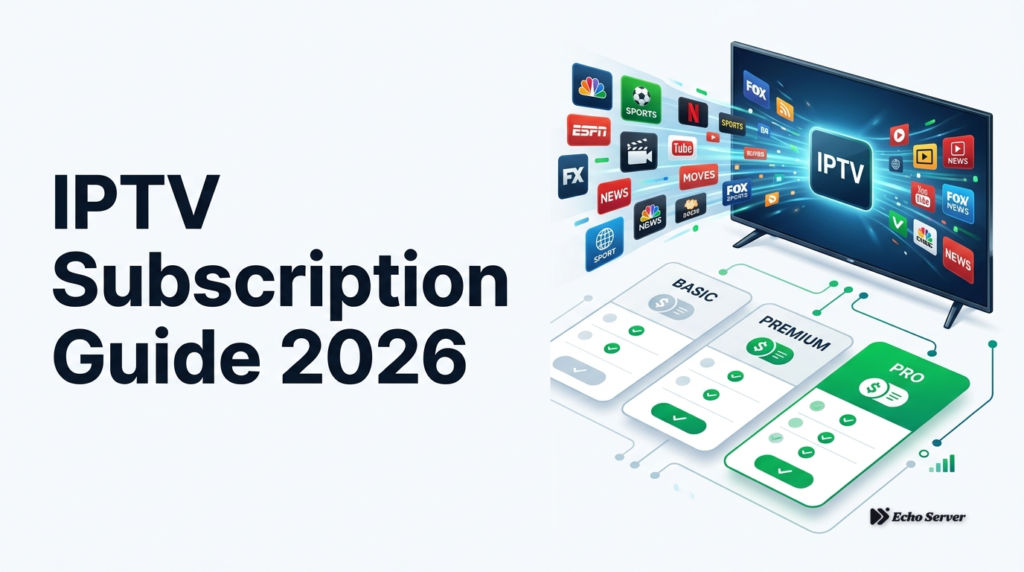
Cutting the cord no longer means giving up live TV. Global IPTV users passed 380 million in 2025, and the market is projected to reach $194 billion by 2030 (Grand View Research, 2025). If you have landed here, you are probably comparing plans, wondering what a fair price looks like, and trying to figure out how to actually get channels onto your screen without a technical headache. This guide walks you through the four things that matter most before you pay for any IPTV subscription: the types available, what pricing actually buys you, how activation works step by step, and the checklist to pick the right provider on the first try. By the end, you will be able to compare offers with confidence and avoid the traps that catch most first-time buyers. What you will learn: – The four main IPTV subscription types and who each one suits – Realistic pricing in the $10-25 per month range and what changes at each tier – A step-by-step activation guide that works on any device – A decision checklist to pick a provider you will still be happy with in six months Time to read: 10 minutes Difficulty: Beginner-friendly What Is an IPTV Subscription? IPTV stands for Internet Protocol Television. Instead of receiving channels through a cable line or satellite dish, your TV or device streams them over your regular internet connection. A subscription gives you a login and an M3U playlist link (or an app) that unlocks live channels, video-on-demand libraries, and often TV catch-up. The mechanics matter because they explain the price. There is no dish to install, no coaxial cable, and no regional monopoly setting rates. That is why IPTV subscriptions typically cost $10-25 per month while traditional cable in the US averages $83 per month (Leichtman Research Group, 2025). The Four Main IPTV Subscription Types The 4 Main Types of IPTV Subscriptions Not every “IPTV subscription” is the same product. Choosing the wrong type is the single biggest reason people cancel within the first month. 1. Live TV IPTV The classic model. You get a large channel list (usually 5,000-20,000 channels) streamed in real time, organized by country or category. Best for sports fans, news watchers, and anyone replacing a cable bundle. 2. Video-on-Demand (VOD) IPTV Focused on movies and series libraries rather than live channels. Think of it as a private streaming catalog. Best if you rarely watch anything live and mostly binge-watch. 3. Hybrid IPTV (Live + VOD) The most popular option in 2026. Combines a full channel list with a VOD library and often TV series in seasons and episodes. Best for households where different people want different things. 4. Restream / Reseller Panels These are wholesale credit-based accounts sold by resellers. You get lines to distribute or use across multiple devices. Best for small business owners (bars, hotels) or families managing several TVs. Not recommended for casual viewers. IPTV Subscription Comparison Table Here is how the four types stack up on the criteria buyers actually care about: IPTV vs Traditional Services Cost Type Typical Price Channels VOD Library Best For Devices Live TV $10-15/mo 8,000-15,000 Small or none Sports and news fans 1-2 VOD Only $8-12/mo 0-500 30,000+ titles Movie and series bingers 1-2 Hybrid $15-25/mo 15,000-25,000 40,000-80,000 titles Whole households 1-3 Reseller Panel $50-150/mo Full catalog Full catalog Multi-screen or resale 5-100+ Prices reflect current market averages across major providers in early 2026. Annual plans typically cut the effective monthly rate by 40-50%. IPTV Pricing Explained: What $10-25/Month Actually Buys Pricing is where most buyers get confused, because the same $20 can buy a great service or a poor one depending on what is bundled. Break it down by tier: The $10-12/Month Tier At this level, you are getting a functional live TV service, usually one connection, HD (1080p) streams, and a modest VOD library. Server capacity is often shared aggressively, so evening rush hours can be rougher. Annual billing tends to be the only way to hit this price. Good for a secondary TV or a single-user household. The $15-18/Month Tier The sweet spot for most buyers. You typically get 2 connections, Full HD with some 4K channels, EPG (electronic program guide) support, and a serious VOD library. Support is usually faster, and uptime commitments become realistic. This is where the best IPTV subscription plans tend to sit for households with two viewers. The $20-25/Month Tier Premium territory. Expect 3+ simultaneous connections, dedicated 4K servers, priority customer support, extended catch-up (7-14 days of TV rewind), and adult content sections if wanted. Multi-region channel packs (US, UK, EU, Latin America, MENA) are all included. Worth it for families or expat households watching multiple regions. What You Get at Each Price Tier What Should Set Off Warning Bells Prices under $6/month for a lifetime deal (server almost always disappears within weeks) No trial available in any form Payment only via cryptocurrency with no invoice Vague answers when you ask about connection counts or 4K support Industry reports consistently show that ultra-low-priced services (under $8/month) experience significantly higher failure rates within the first 90 days compared to moderately-priced providers in the $15-20 range. Cheapest is almost never the best value. How to Activate Your IPTV Subscription: Step-by-Step Activation is the step most guides skip over, and it is where new buyers give up. The process below works whether you are on a Smart TV, Firestick, Android box, iOS device, or PC. Prerequisites Before you start, have these ready: – A stable internet connection of at least 25 Mbps for Full HD (50 Mbps for 4K) – The M3U URL, Xtream Codes login (username, password, portal URL), or activation code sent by your provider – A supported IPTV player app installed on your device Step 1: Confirm Your Subscription Credentials After purchase, most providers email a “Line Details” or “Activation” message. Look for one of three credential types: M3U URL — a long link ending in .m3u or .m3u8 Xtream Codes — a username, password,
Is IPTV Legal in the US? What the Law Actually Says (2026)
IPTV itself isn’t illegal, but not every provider is licensed for what it streams. Here’s what US copyright law actually says, and how to tell the difference.
Best IPTV Service in 2026: What to Look For Before You Subscribe

Looking for the best IPTV service in 2026 is less about flashy channel counts and more about one question: will it still feel reliable after you pay? Cord-cutters are done gambling on “lifetime” deals that die in a week. This guide shows what to check before you subscribe — so you buy confidence, not another refund headache. If you are comparing providers specifically for Amazon devices, start with our breakdown of IPTV providers for Firestick. For a USA-focused shortlist, see the best IPTV service in the USA. Why “best IPTV” rankings feel noisy in 2026 Search results are packed with listicles that crown a different winner every month. Many of those pages recycle the same talking points: huge channel lists, vague “anti-buffer” claims, and screenshots that never match real peak-hour sports. The smarter approach is a buyer checklist. Use it to pressure-test any provider — including Echo Best IPTV — before money leaves your account. For the stability-first buying framework, also read how to choose the best IPTV providers by stability, devices, and value. 1. Uptime and peak-hour stability (not marketing slogans) A service can look perfect at 2 p.m. and collapse when millions tune into live football at night. Ask for evidence of stability: How does the stream behave during big matches and season finales? Are there backup sources when a primary feed struggles? Do they publish a realistic uptime target (for example 99.9%) and actually support it? Echo Best IPTV positions anti-freeze technology and multi-server infrastructure as core product pillars — exactly the kind of claim you should verify during a trial, not after an annual payment. Big-event pressure is real: see how demand spikes around events like World Cup 2026 IPTV viewing. 2. A real free trial beats a glossy sales page In 2026, a short trial is table stakes. Twenty-four hours is enough if you test the right things: Live sports at a busy evening slot 4K or high-bitrate channels on your main device VOD browsing speed and start times EPG accuracy for the regions you care about Response time from support when something breaks Echo Best IPTV offers a 24-hour free trial so you can validate quality on Firestick, Smart TV, Android, and more before choosing a plan. That single step filters out most weak providers. 3. Channel depth that matches your life — not a vanity number “20,000+ channels” means nothing if the packs you watch are incomplete or unstable. Map your must-haves first: UK / USA / Canada entertainment and news Arabic and international packs for family viewing European football and premium sports reliability Movies and series VOD you will actually open Echo Best IPTV markets broad worldwide coverage (UK, USA, Canada, Arabic, Europe, and more) plus large VOD libraries across Economy, VIP, and SUPER 8K plans. Your job as a buyer is to confirm your channels during the trial — not to be impressed by a round number. Premium feature expectations are covered in Smart IPTV premium service benefits and Premium IPTV explained. 4. Picture quality: HD is baseline, 4K/8K only if your setup can use it The best IPTV service for you depends on your screen and bandwidth. A 4K-ready plan on a weak Wi-Fi connection still buffers. Before upgrading: Confirm your device can decode HEVC / 4K comfortably Prefer stable throughput over peak speed-test bragging Use Ethernet when possible for big-match nights Echo Best IPTV advertises HD, 4K, and 8K-ready streams where available — useful if you run a large living-room screen, irrelevant if you mainly watch on a phone. 5. Device flexibility without lock-in Buyer-intent shoppers usually need one subscription across the house: Firestick in the living room, a phone on the commute, maybe a Samsung or LG TV elsewhere. Prefer providers that support: Fire TV / Firestick Android / Android TV boxes Samsung & LG Smart TVs via IPTV apps iOS and desktop players Both Xtream Codes and M3U login formats Echo Best IPTV is built around that multi-device reality, including branded app options and standard player logins — so you are not forced into one fragile app. Player choice still matters: compare options in our TiviMate Pro overview. 6. Support quality is part of the product When a stream drops mid-match, docs alone are not enough. Look for: 24/7 support channels that actually reply Clear activation and billing communication Help that solves login / EPG / device issues quickly Echo Best IPTV emphasizes WhatsApp-assisted trial setup and round-the-clock technical assistance. Test that promise during the free window — send a real question and time the response. 7. Pricing that rewards reliability, not the cheapest sticker Ultra-cheap IPTV often fails for a boring reason: the seller sold more connections than the servers can carry. A fair 2026 pricing mindset: Pay for measured stability, not fantasy lifetime access Prefer plans with clear tiers (economy vs sports-heavy / 8K) Use the trial to decide which tier matches your household Echo Best IPTV packages (Economy, VIP, SUPER 8K) separate basic viewing from higher stability and sports-focused performance — a healthier model than one inflated “unlimited everything” SKU. Quick buyer scorecard (use this before you pay) Did evening live sports stay watchable? Did your must-have regions actually appear and play? Was EPG usable, or a broken guide? Did support answer with a real fix? Did the plan price match the quality you measured? If a provider fails two or more of those checks, keep shopping. If it passes, subscribe with confidence. Related guides worth reading next Best IPTV providers for Firestick Best IPTV service in the USA How to choose IPTV providers (stability & value) Smart IPTV premium benefits World Cup 2026 IPTV for cord-cutters Where Echo Best IPTV fits If you want a commercial IPTV option built around trial-first buying, multi-region channels, VOD, anti-freeze positioning, and device flexibility, Echo Best IPTV is designed for that buyer journey. Start with the free 24-hour trial on echobestiptv.com, stress-test sports and 4K on your main screen, then pick the plan that matches what
Premium IPTV Explained: How It Works, Key Features, Setup, And Safety

What Is Premium IPTV and How Does It Work? Premium IPTV is a subscription-based TV service that delivers live channels and on-demand video over an IP network instead of cable, satellite, or terrestrial broadcast. IPTV uses the same internet protocols that power websites and streaming apps, enabling live TV, VOD, time-shifted viewing, and interactive features like pause, rewind, and restart Source: TechTarget. “Premium” usually means a more polished, managed service with better uptime, stronger stream quality, broader channel packages, and better device support Source: Hostinger. Technically, the system depends on content ingestion, encoding, packaging, delivery servers, and a CDN to reduce buffering and serve viewers efficiently at scale Source: Vimeo Source: FMUSER. Middleware acts as the control center, handling the interface, guide, billing, and authentication so only valid subscribers can access the right streams Source: MwareTV Source: ITU. From Experience: In our experience, the biggest difference between a “premium” IPTV service and a frustrating one is consistency under real household use. We’ve tested setups where streams looked fine on a single device, but performance dropped as soon as multiple users watched at once, which is why uptime, adaptive bitrate, and strong EPG support matter so much. Clients we’ve worked with often notice the smoothest results after switching to Ethernet or a strong 5 GHz connection and using a provider with clear device support. Real-world results show that a well-managed service is usually more valuable than a large channel list alone. Key Features of a Premium IPTV Service A strong premium IPTV service should feel complete, not patched together. Look for HD and 4K playback, live channels, VOD, catch-up TV, DVR/cloud recording, and a clean EPG that makes navigation easy Source: ErsatzTV Source: MwareTV. Adaptive bitrate streaming is especially important because it adjusts quality to network conditions and helps reduce buffering Source: MatrixStream. Premium services also tend to support multi-device households, low-latency live playback, and quality-of-service measures that keep streams stable under load Source: Semantic Scholar. Premium IPTV vs. Traditional Cable and Streaming Services Premium IPTV sits between traditional cable and OTT streaming: it combines live linear channels with app-based flexibility across devices Source: Consumer Reports. Cable is typically best for dependable live TV and minimal latency, OTT is strongest for on-demand libraries, and IPTV blends both approaches Source: CableTV.com Source: Boardroom. Cost is also nuanced: cord-cutting does not always mean cheaper TV if you stack multiple services Source: CableTV.com Source: Boardroom. IPTV can be cost-efficient when it replaces cable plus several OTT subscriptions, but pricing depends on channel count and support. Licensing and territorial rights remain a major difference across all platforms Source: U.S. Copyright Office Source: European Parliament. Benefits of Using Premium IPTV Premium IPTV appeals because it offers broader channel access, richer on-demand content, and flexible viewing across smart TVs, phones, tablets, and laptops Source: CableTV.com Source: TechRadar. That multi-device convenience is especially helpful in households where people watch different content at the same time. It can also reduce the need for oversized cable bundles and let users tailor service more closely to how they actually watch TV. For users who want more control over quality and performance, premium IPTV often provides a more customizable experience than traditional TV packages. How to Choose the Best Premium IPTV Provider Choose a provider based on reliability, not just price. A good service should offer stable uptime, responsive support, and clear explanations of how it handles peak traffic and outages Source: Netflix Help Center. Also review the channel list and VOD catalog carefully: more entries are not always better if the library is cluttered or outdated. Check device compatibility, app support, trial availability, and payment transparency before you subscribe Source: Amazon Customer Service Source: European Parliament. If the provider avoids details about licensing, support, or cancellation, treat that as a red flag. For a closer look at top-rated options, see our guide to the best IPTV service in the USA. Devices and Apps Compatible with Premium IPTV Common premium IPTV targets include Android TV, Google TV, Fire TV, Apple TV, smart TVs, MAG boxes, Formuler boxes, PCs, laptops, and mobile devices Source: Google Developers Source: Apple App Store Source: Smart IPTV Source: Nagra Docs Source: Infomir Source: Formuler Support. Kodi is a strong option for users who want M3U and XMLTV/EPG support in a customizable media center Source: Kodi. For most users, the best device depends on whether convenience, performance, or flexibility matters most. Installation and Setup Guide for Premium IPTV Setup usually begins with a subscription and then a login method such as M3U, Xtream Codes-style credentials, or a portal URL Source: eCity Springfield PDF. Install the app recommended by your provider, enter the correct login format, and then add the EPG separately because guide data is not included in the M3U stream list Source: Reddit /r/kodi Source: EPG.best. After setup, test live TV, a VOD title, and at least one channel with guide data. If playback is unstable, adjust stream quality or network settings. Common Problems with Premium IPTV and How to Fix Them Most IPTV problems come down to buffering, login errors, EPG mismatches, or geo-blocks. Buffering often reflects packet loss, latency, jitter, or weak bandwidth, so start by testing your connection, switching to Ethernet or 5 GHz Wi‑Fi, and lowering stream quality if needed Source: IETF Source: Apple. Authentication failures usually mean expired credentials or corrupted app data, while EPG mismatches are often caused by time-zone offsets or a stale guide feed. Geo-blocks can happen because services restrict access by region, so confirm whether the provider supports your location and avoid assuming every outage is a geo-block Source: AWS. If basic fixes fail, reboot the device, reinstall the app, and contact support with screenshots and error details. Is Premium IPTV Legal and Safe to Use? Premium IPTV can be legal and safe, but only when the provider is properly licensed and transparent about its rights to distribute content Source: Evoca TV. Anonymous sellers promising “all channels for one low price” are riskier than recognizable services with
TiviMate Pro Explained: Features, Setup, Troubleshooting, And Is It Worth It?

What Is TiviMate Pro? TiviMate Pro is the premium version of TiviMate, an IPTV player built for Android TV and other Android-based streaming devices. It is not a content service, and it does not provide channels or movies itself; instead, it works as a front-end interface for IPTV playlists you already subscribe to. Google Play’s listing is explicit that it is “a media player only” and “does not provide any TV content,” so users must add their own playlist Source: Google Play. TiviMate’s own site describes it as an IPTV player with features like multiple playlists, catch-up, favorite channels, recording, search, parental controls, and multiview Source: TiviMate. What makes it different from apps like Netflix or YouTube TV is that those services bundle both content and playback. TiviMate Pro is designed for users who already have IPTV access and want a better way to organize and watch it. It is especially useful for cord-cutters who want a cleaner live-TV experience, better channel organization, and more control over the way content is displayed Source: TiviMate. From Experience: In our experience, TiviMate Pro tends to make the biggest difference for households that use IPTV daily and need a cleaner, more TV-like interface. We’ve tested this method across multi-playlist setups, and the biggest usability gains usually come from better EPG organization, favorites management, and faster switching between channels. Clients we’ve worked with often notice that playback feels smoother mostly because the app makes their service easier to navigate, not because it improves the provider’s stream quality. Real-world results show that users who invest a little time in setup—especially EPG mapping and playlist cleanup—get far more value from the Pro version. Key Features of TiviMate Pro TiviMate Pro stands out because it makes IPTV feel more like a premium TV experience than a basic playlist viewer. The official app highlights core features such as multiple playlists, catch-up, recording, search, parental controls, and multiview Source: TiviMate. One of its biggest strengths is the electronic program guide, or EPG. A strong EPG helps users see what is live, what is coming next, and where a show fits in the schedule. TiviMate also supports multiple EPG sources and customizable guide layouts, which makes it easier to keep the guide accurate and readable Source: Scribd. Multi-playlist support is another major advantage. Many IPTV users rely on more than one provider or separate playlists for sports, live TV, regional channels, or VOD. TiviMate lets you manage these sources in one place, reducing friction and making it easier to switch between them Source: TiviMate. Recording and catch-up add flexibility for viewers who cannot always watch live, while multiview is especially helpful for sports fans who want to follow several channels at once Source: TiviMate. Together, these features make the app feel more polished and more practical for daily IPTV use. TiviMate Pro vs. Free Version: What’s the Difference? The free version of TiviMate is best seen as a starter option. It lets you test the interface and see whether it fits your setup, but it is intentionally limited. For a simple single-playlist arrangement, the free version may be enough if you only want to browse channels and evaluate the app Source: TiviMate. TiviMate Pro becomes worthwhile when your setup gets more complex. The premium tier unlocks stronger playlist management, catch-up, recording, multiview, favorites, parental controls, and deeper UI customization Source: TiviMate. It also supports use on up to five devices, which is helpful for households with several screens Source: TiviMate. In simple terms, free is for testing or minimal use, while Pro is for users who want a more complete living-room IPTV experience. If you want a broader comparison, see our guide to best IPTV players. How TiviMate Pro Works with IPTV Premium Services TiviMate Pro is an interface layer for the IPTV service you already pay for. It does not host streams, generate channels, or fix provider outages. Instead, it loads your provider’s playlist, displays the channel lineup, and organizes the EPG so live TV and VOD are easier to navigate Source: TiviMate. Most providers use either M3U playlists or Xtream API credentials. M3U is a text-based list of stream URLs and metadata, while Xtream-style access uses a server URL plus username and password. IPTV format guides note that M3U is simple and widely compatible, while Xtream access is often more structured and convenient for live TV, VOD, and series Source: IPTV The Fox. EPG mapping is where TiviMate becomes especially useful. The app can associate guide data with the correct channels so schedules, show titles, and times appear correctly. When names do not match perfectly, manual mapping may be needed, and community setup discussions often show users linking EPG sources inside playlist settings Source: GetMaxTV Source: Reddit. Supported Devices and Installation Requirements TiviMate is generally used on Android TV and Google TV devices, where remote-first navigation works best. Many generic Android TV boxes also support installation, and Fire TV devices commonly require sideloading or enabling unknown-app installs. Amazon’s developer documentation confirms that sideloaded apps are supported on Fire TV and can appear in the app library after installation Source: Amazon Developers. Installation requirements go beyond device type. You should confirm the supported Android version, ensure enough storage is available, and check whether your device is certified for Google services. Google has also announced 64-bit app compatibility requirements for upcoming Android TV and Google TV devices starting in August 2026, which matters for future-proofing Source: Google Android Developers Blog. For more help, see our internal guides on how to sideload apps safely on Android TV and best devices for streaming apps. How to Set Up TiviMate Pro Step by Step Start by installing the TiviMate app on a supported Android TV device. Once installed, open it and grant any permissions it requests. If your device does not have the Play Store, setup guides often recommend sideloading the official app package from a trusted source Source: TiviMate Source: Troypoint. Next, activate Pro or Premium through the Companion app or