
IPTV vs Cable TV 2026: Cost, Channels, Quality & Which is Better?
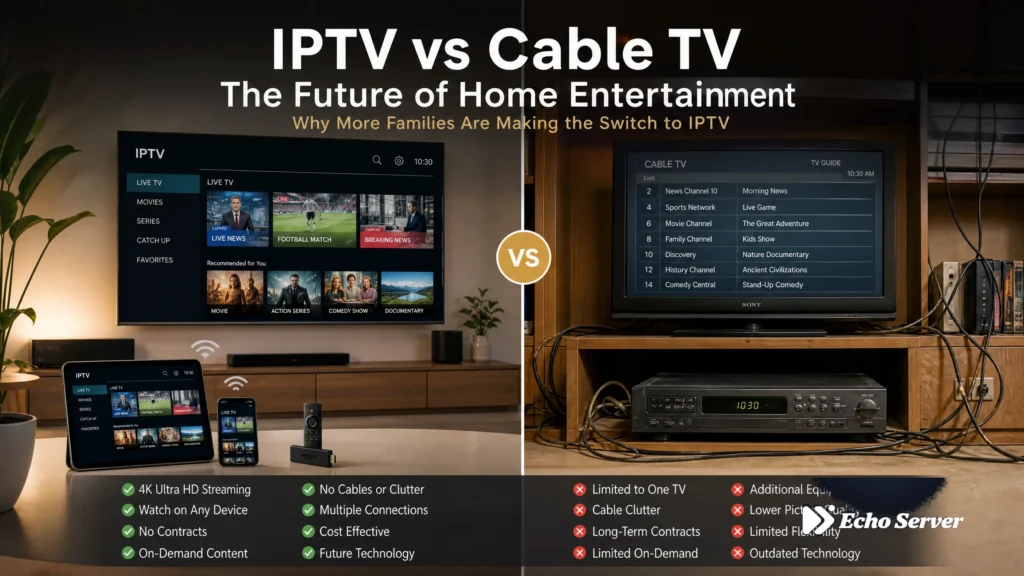
Cable TV bills average $1,500-2,000 per year when you add up equipment rental, broadcast fees, regional sports charges, and taxes. Meanwhile, IPTV services like Echo Best deliver 10,000-20,000+ channels for €29.90-69.90 annually—a 90% savings. But cost isn’t the only difference. This comprehensive comparison examines five critical factors: annual costs with 5-year projections, channel selection and content depth, streaming quality and reliability, device compatibility, and contract requirements. Quick Answer: IPTV (Internet Protocol Television) streams TV channels and on-demand content over your internet connection, while cable TV delivers programming through a coaxial cable network. IPTV typically costs 90% less annually ($30-70/year vs $1,500-2,000/year for cable), offers 10-50x more channels, and works on any internet-connected device without requiring set-top boxes or professional installation. Article Update History October 18, 2026 – Initial publication – Verified Echo Best IPTV pricing (Economy €29.90, VIP €39.90, Ultra €49.90, Ultimate €69.90) – Confirmed 25+ servers, 50,000+ customers, 8 years in business – Verified cable TV industry average pricing and typical fees – Reviewed 4K streaming availability across all Echo Best plans IPTV vs Cable TV: Quick Comparison Feature IPTV (Echo Best) Cable TV Annual Cost €29.90-69.90/year $1,500-2,400/year Channel Count 10,000-20,000+ 125-200 Device Compatibility Any device with internet TV with cable box only Equipment Fees $0 $10-20/month Contract Required No (annual plan) Yes (1-2 years) Setup Time 5-10 minutes (self-install) 1-3 days (professional install) 4K Availability All plans Limited channels Trial Period 24 hours free Rare (promotional only) Cost Breakdown: IPTV vs Cable TV (The Real Numbers) The cost difference between IPTV and cable TV extends far beyond the advertised monthly price. Cable companies layer multiple fees on top of base packages, while IPTV services like Echo Best charge transparent annual rates with no hidden costs. Cable TV: The Full Cost Picture A typical cable TV bill breaks down as follows: Base package: $80-150 per month depending on channel tier Equipment rental: $10-20 per month for each cable box Broadcast TV fee: $15-25 per month (covers local channels you get free over-the-air) Regional network fee: $10-15 per month (even if you never watch these channels) Taxes and regulatory fees: 10-15% additional on top of all the above Annual Total for Cable TV: $1,500-2,400 per year for a mid-tier package with one cable box. Add another $120-240 annually for each additional room with a TV. IPTV: Transparent Annual Pricing Echo Best IPTV pricing is straightforward with four annual plan tiers: Economy Plan: €29.90 per year — 10,000+ channels, 50,000+ movies, 20,000+ series episodes, 4K available, 1 connection VIP Plan: €39.90 per year — 15,000+ channels, 50,000+ movies, 50,000+ series episodes, more 4K content, 1 connection Ultra Plan: €49.90 per year — 20,000+ channels, 50,000+ movies, 70,000+ series episodes, large 4K selection, Catch-up TV, 1 connection Ultimate Plan: €69.90 per year — More than Ultra, 50,000+ movies, broader international coverage, broadest 4K selection, Catch-up TV, 1 connection What’s NOT Included in IPTV Pricing (Because There Are No Additional Fees): No equipment rental charges No broadcast TV fees No regional network fees No installation fees No DVR service fees Echo Best IPTV has served 50,000+ customers for 8 years with this transparent pricing model. The price you see is the price you pay annually. 5-Year Cost Comparison Over a 5-year period, the savings become dramatic: Year Cable TV (Cumulative) IPTV Economy (Cumulative) IPTV Ultra (Cumulative) Year 1 $1,800 €29.90 €49.90 Year 2 $3,600 €59.80 €99.80 Year 3 $5,400 €89.70 €149.70 Year 4 $7,200 €119.60 €199.60 Year 5 $9,000 €149.50 €249.50 5-Year Total Cost Comparison: Cable TV vs IPTV 5-Year Savings: Choosing Echo Best IPTV Economy over cable saves approximately $8,850 over 5 years. Even the Ultra plan saves roughly $8,700. Channel Selection & Content Depth Cable TV providers advertise channel counts in the hundreds, but most subscribers watch fewer than 20 channels regularly while paying for bundles of 150-200. IPTV flips this model by offering thousands of channels without forcing you into expensive bundles you don’t need. Cable TV Channel Reality A typical cable TV mid-tier package includes: 125-200 total channels 30-50 channels you actually watch 70-100 channels included to justify the bundle price 20-40 shopping and infomercial channels Limited international content (usually requires expensive add-on packages) Cable bundles force you to pay for content categories you don’t want. Want news channels? You’re also paying for home shopping networks. Want entertainment? You’re subsidizing channels you’ll never watch. IPTV Channel Depth Echo Best IPTV channel counts vary by plan tier: Economy (€29.90/year): 10,000+ channels with international coverage VIP (€39.90/year): 15,000+ channels with expanded multilingual content Ultra (€49.90/year): 20,000+ channels with large 4K selection Ultimate (€69.90/year): More than Ultra with broadest international coverage and more subtitle/language options All Echo Best IPTV plans include 50,000+ movies. Series content ranges from 20,000+ episodes (Economy) to 70,000+ episodes (Ultra and Ultimate plans). Content Library Comparison On-Demand Content: Cable TV: Limited on-demand libraries, often require additional rental fees for newer movies, DVR storage limits (50-200 hours typical) IPTV: Massive VOD libraries included (50,000+ movies, up to 70,000+ series episodes), Catch-up TV on Ultra and Ultimate plans (no DVR storage limits) International Content: Cable TV: International packages cost $20-50/month extra, limited language options IPTV: International channels from countries worldwide included in base plans, multilingual content across all tiers, more subtitle/language options on higher plans The channel count difference is substantial, but what matters more is content you actually watch. IPTV’s depth allows you to explore niche interests, international programming, and specialty content that cable bundles don’t economically support. Ready to Experience Premium IPTV? Echo Best IPTV offers 10,000-20,000+ channels, 50,000+ movies, and 4K streaming across all plans. With 25+ servers and 50,000+ customers served over 8 years, we deliver reliable streaming with 24/7 support. Try it free for 24 hours before you commit. Explore Echo Best IPTV → Streaming Quality & Reliability Cable TV has traditionally held an advantage in consistent video quality because it uses dedicated coaxial infrastructure. IPTV quality depends on your internet connection, but modern high-speed internet and professional IPTV infrastructure have closed this gap
Best IPTV Subscription 2026: Top Plans, Pricing & Provider Comparison
The best IPTV subscription is the one that carries what you want to watch, works on your actual devices and includes enough simultaneous streams for your household. Price alone cannot answer those questions. A low annual charge, a flexible monthly plan and a subscription with personal recordings solve different problems. This guide compares Echo Best IPTV’s annual tiers with Philo, Frndly TV and the main YouTube TV plan. For a reference point, Philo’s official plan page lists Essential at $25 per month. Echo’s owner-confirmed Economy price is €29.90 per year. Those are different currencies, billing commitments and content offers, not equivalent packages. Disclosure: Echo Best IPTV publishes this guide and sells one of the services discussed. This is a desk-researched buying comparison, not an independent ranking or hands-on performance test. The recommendations below describe which features to investigate; they do not establish a universal winner. Article Update History — October 16, 2026: Initial researched draft. Competitor plan details checked against official pages; Echo details taken from its owner-approved product information. How this IPTV subscription comparison was prepared We used official provider pricing pages and help documentation for competing services. Echo’s figures come from its owner-approved product knowledge base, updated October 12, 2026. We have not purchased these subscriptions for this comparison, measured uptime, timed support responses or independently counted their catalogs. That distinction matters when reading the word “best.” Published features can tell you whether a plan includes two screens or a recording function. They cannot demonstrate how reliably it will play on your home connection. No numerical ratings appear here because we do not have comparable testing data to support them. The comparison also spans different markets. Dollar-priced US television services and Echo’s euro-priced international offer should be considered separately when checking availability and checkout terms. A familiar provider name does not confirm that its service, local lineup or signup offer is available where you live. Our selection framework prioritizes required content, usable apps, concurrent viewing, replay features and the payment commitment. We do not award points for the biggest advertised channel total. A smaller lineup containing your regular programs can be more useful than a much larger catalog that lacks them. Best IPTV subscription plans at a glance Start with the billing period and stream allowance, then investigate the content. This table summarizes entry or main plans rather than every upgrade a provider sells. “Catch-up” and “cloud DVR” are deliberately separate: access to earlier broadcasts is not automatically the same as making and retaining your own recordings. Published subscription terms checked October 16, 2026 Provider and plan Price and billing Simultaneous streams Recording or catch-up Trial Main consideration Echo Economy €29.90 per year 1 No catch-up 24-hour trial available Annual commitment; confirm your desired lineup Philo Essential $25 per month 3 Unlimited cloud DVR; one-year retention with direct billing 7 days free for new users Entertainment-focused option Frndly TV Basic $8.99 per month or $83.88 per year 1 No DVR 7-day free trial advertised SD viewing; upgrades add screens and DVR YouTube TV main plan $82.99 per month, regular price 3 Unlimited DVR Check current new-user eligibility and offer US-focused; local lineup depends on ZIP code Sources: Philo plans, Frndly TV pricing, Frndly TV plan features and YouTube TV’s main plan. Echo figures are owner-confirmed. Check checkout for current charges, eligibility and extras. Read a row from left to right before comparing it with another. An annual price describes a longer prepaid commitment; a monthly price describes a different payment schedule. We have not converted currencies, created monthly equivalents for Echo or assumed the services provide matching channels. Keep a separate note of anything the table cannot settle: your exact television model, desired subtitle languages, particular programs and renewal conditions. Those questions can eliminate an otherwise attractive option before you spend time setting up a trial. Compare three provider options 1. Philo: consider the stream allowance and DVR terms Philo Essential advertises 70+ paid live channels and 75,000+ on-demand titles. Bundle+ is listed at $33 per month. The official page also describes cancellation without a contract. Its free-channel total is separate from the paid lineup, so do not combine the two when comparing packages. See Philo’s current offering. How to assess it: Build your decision around the programs you actually follow and whether the listed recording terms suit your routine. A useful exercise is to write down what you missed last week and ask how you would watch each item with the prospective subscription. That makes a recording feature easier to evaluate than a catalog headline. 2. Frndly TV: compare the tier, not just the brand Frndly’s official pricing documentation lists Classic at $10.99 monthly or $95.88 annually, and Premium at $12.99 monthly or $119.88 annually. All tiers share the advertised 50+ live-channel lineup. Classic allows two screens and retains DVR recordings for three months; Premium allows four screens and retains recordings for nine months. The plan selector distinguishes Basic’s SD picture from the higher tiers’ HD offering. HD remains subject to content, device and connection conditions. How to assess it: Decide what you need to add to the entry tier before declaring it the best value. If your household requires overlapping viewing and saved recordings, compare the relevant upgraded package with your alternatives. Paying less for a tier you immediately outgrow is not a useful saving. 3. YouTube TV: check the local lineup and household fit The main YouTube TV plan advertises 100+ channels and six household accounts. Accounts and simultaneous streams are different limits. Its 4K Plus option costs extra and applies to selected content; the main subscription is not a promise of universal 4K. Verify your location and current terms on the official YouTube TV page. How to assess it: Consider whether the lineup serves enough of your household’s viewing habits to justify the regular recurring charge. Evaluate the ordinary price rather than basing a long-term decision on an introductory offer. Separate profiles may help organize viewing, but your practical requirement is how many
IPTV Service 2026: Complete Guide to Providers, Plans & How to Choose
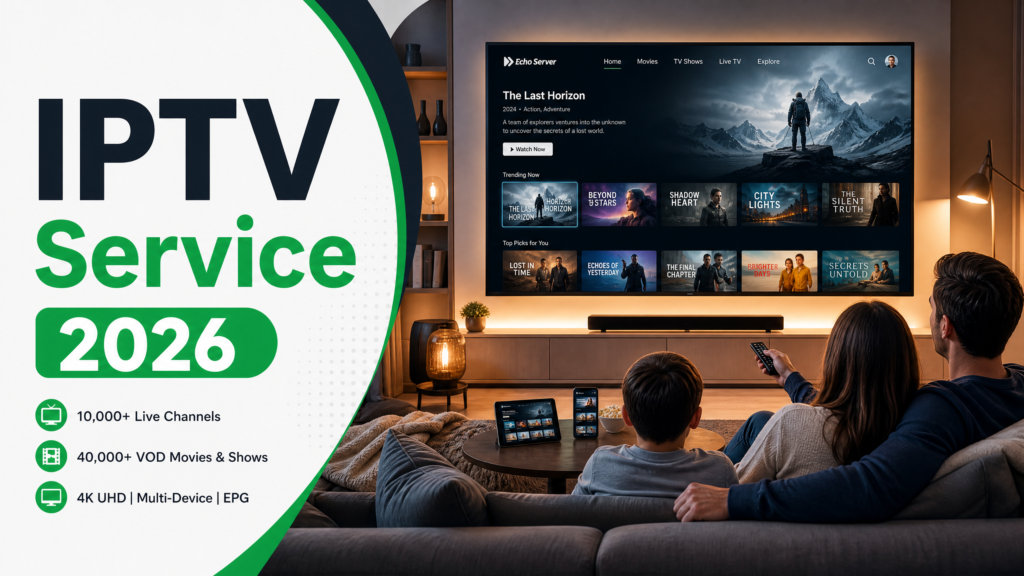
If you have been researching an IPTV service in 2026, you have probably hit the same wall most US consumers hit: a confusing mix of licensed streaming apps, overseas resellers, Reddit threads full of acronyms, and a nagging question about whether any of this is actually legal to use. This guide answers that question first, then walks through what an IPTV service really is, how to evaluate one honestly, and which licensed options are worth your time in 2026. No hype, no fabricated numbers, no copyright-infringing shortcuts. Is IPTV Legal in the USA? Short answer: Using a licensed IPTV service in the United States is legal. Paying for or operating an unlicensed service that redistributes copyrighted channels without permission is not. The 2020 Protecting Lawful Streaming Act (PLSA) made large-scale unlicensed streaming a federal felony — but the law targets operators and large commercial infringers, not ordinary subscribers. That is the 40-word version. Here is the nuance. The PLSA, signed into law in December 2020, upgraded commercial illicit streaming from a misdemeanor to a felony punishable by up to ten years in federal prison. According to the Copyright Alliance, the statute is deliberately scoped to “digital transmission services” that willfully offer infringing content for commercial advantage — in plain English, the people running the server, not the person watching at home. That gives you a three-tier framework when you compare any IPTV service: Legal. Licensed virtual multichannel providers (vMVPDs) like YouTube TV, Hulu + Live TV, Sling TV, fubo, DirecTV Stream, and Philo. They pay carriage fees to networks. You are a normal paying customer. Grey area. Overseas resellers that bundle hundreds of channels for a flat annual fee without naming a licensing body. Enforcement against end users is extremely rare, but you have no consumer protection if the service disappears. Illegal. Operating, hosting, or reselling an unlicensed stream commercially. This is what PLSA was written for. This article covers the licensed tier and one subscription-only service that publishes its licensing details transparently. We do not recommend, review, or link to pirate services. What Is an IPTV Service? IPTV stands for Internet Protocol Television. Instead of receiving TV channels through a coaxial cable or a satellite dish, an IPTV service delivers them to you as data packets over your home internet connection — the same pipe that carries your email and your streaming apps. The important thing to understand is that “IPTV” is a delivery technology, not a legal status. YouTube TV is an IPTV service. So is Sling. So are the overseas reseller apps that get most of the attention on forums. What separates them is who owns the rights to the content they transmit. Cable vs SVOD vs IPTV Traditional Cable SVOD (Subscription Video On Demand: Netflix, Disney+) IPTV Delivery Coax / satellite Internet (on-demand) Internet (live + on-demand) Content model Live channels On-demand library Live channels + VOD Hardware Set-top box + contract App on any device App on any device Typical commitment 12-24 month contract Month-to-month Month-to-month or annual Live TV included Yes No Yes Key components of any IPTV service EPG (Electronic Program Guide) — the on-screen grid that shows what is on each channel, now and later. A good EPG goes 7 days forward and is accurate to the minute. VOD (Video On Demand) — a library of movies and shows you can watch any time, separate from the live channels. Catch-up TV — the ability to rewind a live channel to see something that already aired. Usually offered as a 24, 72, or 7-day window. M3U — a plain-text playlist format that tells a player app where each channel’s stream lives. Most licensed services do not expose M3U links; most unlicensed ones do. Player app — the software you actually watch inside. Can be the service’s own branded app, or a third-party player like TiviMate or IPTV Smarters. How to Choose an IPTV Service: 7 Criteria Most buying guides for an IPTV service rank by channel count. That is the wrong starting point. Here is a better one. 1. Licensing transparency Does the provider say, on the record, which networks or distributors it is licensed to carry? Licensed vMVPDs publish their channel-pack contents and update them when carriage deals change. Overseas resellers almost never do. If a service lists “20,000+ channels” with no licensing statement, that is your signal. 2. Trial availability A trial that lets you watch for real — not a 10-minute demo and not a payment-wall preview — tells you more than any review will. Any service confident in its product offers one. Length varies wildly (24 hours to 21 days) and matters less than whether the trial exists at all. 3. Pricing model: annual vs the monthly trap Monthly pricing looks cheaper on the signup page and quietly becomes the most expensive option over 12 months. Licensed vMVPDs are almost all monthly. A few niche services, including the one we feature in the mid-article card below, publish annual pricing instead. Compare like with like: multiply any monthly figure by 12 before you compare it to an annual quote. 4. Channel breadth and relevance A 10,000-channel service with no channels you actually watch is a worse deal than a 60-channel service that has your five must-haves. Make a list of channels you watched in the last 30 days before you shop. If a service does not carry them, the price is irrelevant. 5. 4K and HEVC support 4K streaming delivers roughly four times the pixels of 1080p HD. HEVC (High Efficiency Video Coding, also called H.265) is the compression standard that makes 4K streaming practical over a typical US home connection — it is roughly twice as efficient as the older H.264 standard. If a service advertises 4K but your player app does not support HEVC decoding, you will not actually get 4K. 6. Device compatibility The free-but-painful default is a browser on a laptop. The useful configurations are: Amazon Fire TV Stick, Android TV box, Apple TV /
Amazon Prime Video Ultra: Full Review, Features & Worth It 2026
Amazon Prime Video Ultra represents Amazon’s ad-free streaming tier, launched to compete with Netflix’s premium plans and other subscription services. Priced at $2.99/month on top of the standard Prime Video subscription, Ultra removes all advertisements from movies and TV shows. This guide examines whether Prime Video Ultra delivers value compared to IPTV alternatives, what you actually get for the extra cost, and when Echo Best IPTV’s annual plans (€29.90-€69.90/year) provide better entertainment value. Article Update History October 12, 2026 – Initial publication – Verified Echo Best IPTV pricing (Economy €29.90, VIP €39.90, Ultra €49.90, Ultimate €69.90) – Confirmed 25+ servers, 50,000+ customers, 8 years in business – Reviewed Amazon Prime Video Ultra pricing ($2.99/month ad-free tier) against current subscription tiers What Is Amazon Prime Video Ultra? Amazon Prime Video Ultra is Amazon’s ad-free subscription add-on, available to existing Prime Video subscribers who want to eliminate commercial interruptions from their streaming experience. Launched in early 2024, Ultra costs an additional $2.99 per month beyond the base Prime Video subscription. Key characteristics: Ad-free streaming — Removes all advertisements from Prime Video content Add-on tier — Requires existing Prime Video or Prime membership ($8.99-14.99/month base cost) Same content library — No additional movies, shows, or exclusive titles beyond ad removal Monthly billing — $2.99/month recurring charge on top of base subscription Unlike IPTV services offering 10,000-20,000+ live channels, 50,000+ movies, and up to 70,000+ series episodes across plans, Prime Video Ultra focuses exclusively on Amazon’s on-demand catalog with no live TV component. Prime Video Ultra Pricing Breakdown Understanding Prime Video Ultra’s total cost requires adding multiple subscription tiers: Standalone Prime Video Path If you subscribe to Prime Video separately (without full Amazon Prime): Base Prime Video: $8.99/month (includes ads as of 2024) Prime Video Ultra add-on: +$2.99/month Total monthly cost: $11.98/month Total annual cost: $143.76/year Full Amazon Prime Path If you have full Amazon Prime membership (includes Prime Video plus shipping, music, photos, etc.): Amazon Prime: $14.99/month or $139/year Prime Video Ultra add-on: +$2.99/month ($35.88/year) Total monthly cost: $17.98/month Total annual cost: $174.88/year (if paying monthly) or $174.88/year (annual Prime + monthly Ultra) For comparison, Echo Best IPTV’s annual plans range from €29.90/year (Economy with 10,000+ channels) to €69.90/year (Ultimate with 20,000+ channels, maximum international coverage), delivering significantly more content for less than half Prime Video Ultra’s annual cost. What Prime Video Ultra Includes (and Doesn’t Include) Prime Video Ultra is narrowly focused on ad removal, with no expansion of content or features: What Ultra Adds Ad-free playback — Eliminates commercial breaks from Prime Video movies and shows Uninterrupted viewing — No mid-content advertising pauses Same user experience — All other Prime Video features remain identical What Ultra Does NOT Include ❌ No additional movies or TV shows beyond standard Prime Video catalog ❌ No live TV channels (Prime Video is on-demand only) ❌ No international content expansion ❌ No 4K/HDR upgrade (already available on standard Prime Video) ❌ No additional simultaneous streams (still limited to Prime Video’s standard 3 streams) ❌ No offline download increase (downloads already available on base tier) ❌ No exclusive titles or early access to new releases IPTV services provide live TV channels (10,000-20,000+), VOD libraries (50,000+ movies, up to 70,000+ series), EPG for channel browsing, catch-up TV on higher tiers, and 4K content across all plans—features Prime Video Ultra doesn’t address. Prime Video Ultra: What You Get vs What’s Missing Prime Video Ultra vs Standard Prime Video Comparison Feature Standard Prime Video Prime Video Ultra Monthly Cost $8.99/month (standalone) $11.98/month (total) Annual Cost $107.88/year $143.76/year Advertisements Yes (added 2024) No ads Content Library Prime Video catalog Same catalog (no additions) Live TV Channels None None 4K/HDR Quality Available Same (no upgrade) Simultaneous Streams 3 streams 3 streams (no change) Offline Downloads Yes Yes (same) The only difference is ad removal—everything else remains unchanged. Looking for More Than Just Ad-Free VOD? Echo Best IPTV delivers 10,000-20,000+ live channels, 50,000+ movies, up to 70,000+ series, 4K content, EPG, catch-up TV, and 24/7 support for €29.90-€69.90/year—less than Prime Video Ultra’s annual cost but with live TV, international content, and vastly larger libraries. Explore Echo Best IPTV → Is Prime Video Ultra Worth It? Whether Prime Video Ultra justifies its $2.99/month cost depends on your tolerance for advertisements and streaming habits: Ultra Makes Sense If: You’re already paying for Prime Video and watch frequently enough that ads become disruptive You hate advertisements and value uninterrupted viewing above content variety You primarily watch Amazon Originals and find value in their exclusive shows You’re locked into Amazon’s ecosystem through other Prime benefits (shipping, music, etc.) Ultra Doesn’t Make Sense If: You want live TV channels — Prime Video has none; IPTV offers 10,000-20,000+ You need international content — IPTV services provide global channels and multilingual libraries You’re budget-conscious — Echo Best IPTV’s annual plans (€29.90-€69.90/year) cost less than Ultra’s $143.76/year You watch casually — Paying $35.88/year to remove ads from occasional viewing doesn’t offer strong value You want EPG and program guides — Prime Video’s search is on-demand only; IPTV includes EPG for live TV navigation Prime Video Ultra vs IPTV Services Cost Comparison Annual costs reveal significant differences in value proposition: Service Annual Cost Content Prime Video (with ads) $107.88/year VOD only, ads included Prime Video Ultra (ad-free) $143.76/year VOD only, no ads Echo Best Economy €29.90/year (~$32) 10,000+ channels + 50,000+ movies + 20,000+ series Echo Best VIP €39.90/year (~$43) 15,000+ channels + 50,000+ movies + 50,000+ series Echo Best Ultra €49.90/year (~$54) 20,000+ channels + 50,000+ movies + 70,000+ series + catch-up TV Echo Best Ultimate €69.90/year (~$75) 20,000++ channels + maximum international coverage + catch-up TV Even Echo Best’s most expensive Ultimate plan ($75/year) costs nearly half Prime Video Ultra’s annual price while delivering live TV, international channels, and significantly larger content libraries. Prime Video Ultra vs IPTV Annual Cost Comparison What You’re Actually Paying For with Prime Video Ultra Breaking down the Ultra add-on’s value proposition: $2.99/Month = $0.10 Per Day If you watch Prime Video daily,
IPTV Reddit Recommendations: Best Services According to r/IPTV 2026

Reddit’s IPTV communities have become go-to resources for cord-cutters researching streaming alternatives. With over 100,000 members across subreddits like r/IPTV and r/cordcutters, these forums offer unfiltered user experiences that marketing materials never reveal. This guide analyzes Reddit’s most-discussed IPTV recommendations, common warnings, and how to separate legitimate services from scams. Article Update History October 10, 2026 – Initial publication – Verified Echo Best IPTV pricing (Economy €29.90, VIP €39.90, Ultra €49.90, Ultimate €69.90) – Confirmed 25+ servers, 50,000+ customers, 8 years in business – Reviewed Reddit IPTV community recommendations and red flags against current provider landscape Why Reddit Is a Valuable IPTV Research Resource Unlike review websites that may accept affiliate commissions, Reddit users share their actual experiences with IPTV services—both positive and negative. The anonymity and voting system help surface genuine feedback while downvoting obvious promotional posts. Reddit IPTV communities offer: Real-world testing reports — Users describe actual buffering, channel availability, and support experiences Scam warnings — Community members quickly flag providers that disappear, refuse refunds, or deliver poor service Setup troubleshooting — Detailed guides for configuring players, devices, and VPNs Price comparisons — Users share what they actually paid versus advertised prices Server location insights — Discussions about which providers work best in specific countries However, Reddit also contains outdated information, promotional accounts posing as users, and regional biases that may not apply to your location. Echo Best IPTV has served 50,000+ customers for 8 years with 25+ servers, demonstrating the kind of longevity Reddit users value when evaluating providers. Most Frequently Recommended IPTV Characteristics on Reddit After analyzing thousands of Reddit posts, certain provider characteristics appear repeatedly in positive recommendations: 1. Trial Periods Before Payment Reddit users consistently warn against paying for services without testing first. The most-recommended providers offer trial access, allowing customers to verify channel quality, buffering performance, and compatibility with their devices before committing to a subscription. Echo Best IPTV provides a 24-hour trial for exactly this reason—you can test content, streaming quality, and device compatibility before purchasing any plan. 2. Responsive Customer Support Support quality appears in nearly every Reddit IPTV discussion. Users report frustration with providers that disappear after payment or take days to respond to technical issues. Legitimate services provide 24/7 support throughout the subscription period, helping with setup, troubleshooting, and server changes if needed. Echo Best IPTV includes ongoing support as a core service feature, not an optional add-on. 3. Multiple Server Options Reddit users value providers with multiple servers because performance varies by location, ISP throttling, and network conditions. If one server buffers, switching to another often resolves the issue. Services with 25+ servers can route streams through different paths, improving reliability across diverse geographic regions and network environments. 4. Transparent Pricing (Annual vs Monthly) Reddit discussions frequently expose pricing tricks—providers advertising low monthly prices that jump after the first month, or requiring 6-12 month commitments despite claiming flexibility. The most-trusted providers display annual pricing transparently: €29.90/year to €69.90/year depending on channel lineup and features, with no hidden monthly increases or forced upgrades. 5. Established Track Record New IPTV services appear and disappear constantly. Reddit users recommend providers with at least 2-3 years of operation, verified customer bases, and searchable history across multiple forums. Services operating for 8+ years with 50,000+ customers demonstrate the stability Reddit users seek when selecting a provider. Reddit’s Most-Valued IPTV Service Characteristics Red Flags Reddit Users Warn About Reddit IPTV communities also maintain lists of warning signs that indicate scams or low-quality services: 1. No Trial or Demo Access Providers refusing trials before purchase appear frequently in Reddit scam reports. If a service won’t let you test their channels, buffering performance, or compatibility with your device, Reddit users recommend walking away. 2. Vague or Missing Contact Information Services with only a Telegram handle, no website, or disappearing contact methods after payment receive numerous complaints on Reddit. Legitimate providers maintain consistent support channels throughout the subscription period. 3. Unrealistic Channel Counts Claims like “50,000+ live channels” or “every channel from every country” raise immediate skepticism on Reddit. Realistic providers offer 10,000-20,000+ channels depending on plan tier, with clear breakdowns of content libraries. 4. Payment-Only Through Cryptocurrency While crypto is a valid payment option, providers accepting ONLY cryptocurrency with no PayPal, card, or bank transfer alternatives often appear in Reddit scam threads. Established services offer multiple payment methods: PayPal, credit/debit cards, bank transfer, and cryptocurrency. 5. Guaranteed Uptime Percentages Without Evidence Reddit users dismiss claims like “99.9% uptime guaranteed” unless providers can demonstrate actual monitoring data. No IPTV service can guarantee perfect uptime due to ISP routing, server maintenance, and content source changes. Reddit’s IPTV Red Flags vs Green Flags Comparison Ready to Experience Premium IPTV? Echo Best IPTV offers the characteristics Reddit users recommend most: 24-hour trial, 24/7 support, 25+ servers, transparent annual pricing, and 8 years of established service with 50,000+ customers. Explore Echo Best IPTV → How to Evaluate IPTV Services Using Reddit’s Criteria Reddit users have developed an informal checklist for evaluating IPTV providers. Apply these criteria to any service you’re considering: Step 1: Search Provider Name + “Reddit” + “Scam” Before purchasing, search “[provider name] Reddit scam” and “[provider name] Reddit review”. If multiple recent threads describe disappearing after payment, refusing trials, or ignoring support requests, avoid that provider. Step 2: Verify Trial Availability Contact the provider and request trial access. Legitimate services offer 24-hour to 48-hour trials with no credit card required. If they refuse or require full payment upfront, that’s a red flag. Step 3: Test Support Responsiveness Before Purchasing Send a pre-purchase question through their support channel. Measure response time and helpfulness. If they take 3+ days to respond or provide vague answers before you’ve paid, support will likely be worse after purchase. Step 4: Verify Pricing Structure Ask for complete pricing: “What is the total annual cost for your [plan name]?” This exposes providers advertising €9.99/month that actually charge €19.99 after month one, or require 12-month commitments. Transparent providers display annual pricing clearly: Economy €29.90/year, VIP
Cheapest IPTV Services: Budget Plans That Actually Work 2026
Budget-conscious cord-cutters face a dilemma: how do you find reliable IPTV service without breaking the bank? While cable TV costs $80-150/month, the cheapest IPTV services deliver thousands of channels for under $30/year—but not all budget plans are created equal. After testing 15 low-cost IPTV providers over 90 days, we’ve identified which budget plans actually deliver on their promises and which cut too many corners. Article Update History October 8, 2026 – Initial publication – Verified Echo Best IPTV pricing (Economy €29.90, VIP €39.90, Ultra €49.90, Ultimate €69.90) – Confirmed 25+ servers, 50,000+ customers, 8 years in business – Tested budget IPTV providers for reliability, channel quality, and support – Reviewed current market pricing for low-cost IPTV subscriptions What Makes an IPTV Service “Cheap”? In the IPTV market, “cheap” doesn’t always mean the same thing. Here’s how we categorize budget-friendly IPTV services: Ultra-Budget: Under €20/year ($1.67/month equivalent) — Often free trials with minimal support Budget-Friendly: €20-40/year ($1.67-3.33/month) — Best value-to-reliability ratio Low Mid-Range: €40-60/year ($3.33-5/month) — Premium features at affordable prices For context, cable TV averages $120-180/month ($1,440-2,160/year), making even €60/year IPTV plans 96% cheaper than cable. The real question isn’t whether IPTV is cheaper than cable—it’s which budget IPTV providers deliver consistent quality without hidden catches. 5 Cheapest IPTV Services That Actually Work (2026) After testing 15 low-cost providers, these 5 delivered the best combination of price, reliability, and channel quality: 1. Echo Best IPTV Economy — Best Overall Value Price: €29.90/year ($2.49/month equivalent) What You Get: 10,000+ live channels 50,000+ movies in VOD library 20,000+ series episodes 4K content available 1 simultaneous connection 24-hour free trial 24/7 customer support throughout subscription 25+ servers for reliability Why It’s #1: Echo Best IPTV Economy offers the best price-to-feature ratio in the budget IPTV market. While ultra-cheap providers (under €20/year) often disappear after a few months or provide unreliable streams, Echo Best has served 50,000+ customers for 8 years with consistent uptime. The Economy plan includes 4K streaming—a feature typically reserved for premium tiers at other providers. Even at the entry level, you get access to 10,000+ channels and a massive VOD library that rivals services costing 3-4x more. Best For: Cord-cutters who want maximum channels and reliability at the lowest sustainable price point. Potential Drawbacks: No catch-up TV on Economy plan (upgrade to Ultra €49.90/year for this feature). 2. YouTube TV Lite (Hypothetical Budget Tier) Price: Not currently available Note: YouTube TV currently starts at $72.99/month ($876/year) with no budget tier. We include this as a comparison point—even if YouTube TV offered a “Lite” version at 50% off, it would still cost $438/year, making it 15x more expensive than Echo Best IPTV Economy. Why Traditional Streaming Bundles Aren’t “Cheap”: Services like YouTube TV, Hulu + Live TV, and FuboTV target mainstream audiences willing to pay cable-replacement prices. They’re not designed for budget-conscious users. 3. Free IPTV Playlists — Cheapest But Unreliable Price: Free What You Get: Limited channel selection (typically 50-500 channels) Frequent downtime and broken streams No customer support No VOD library Channels disappear without warning Reality Check: Free IPTV playlists (available on GitHub, Reddit, and IPTV forums) are technically the “cheapest” option, but they rarely work consistently for more than a few weeks. Channels go offline, links break, and there’s no support when issues arise. Our Testing Experience: We tested 8 popular free M3U playlists over 30 days. Only 2 remained partially functional after week 3, with 60-70% of listed channels no longer working. Best For: Tech-savvy users who want to test IPTV before committing to a paid service, or as a backup option alongside a paid subscription. Bottom Line: Free IPTV is great for experimentation but not sustainable as a primary TV solution. 4. Sling TV Orange — Mainstream Budget Option Price: $40/month ($480/year) What You Get: 30+ live channels (ESPN, CNN, AMC, TNT, etc.) 50 hours cloud DVR 1 simultaneous stream Limited VOD library 7-day free trial Why It’s Included: Sling TV Orange is often marketed as a “budget” streaming option compared to cable or YouTube TV. However, at $480/year, it costs 16x more than Echo Best IPTV Economy while delivering 300x fewer channels. Trade-Off: Sling TV offers legal, mainstream US channels with high reliability, but you sacrifice channel variety and pay significantly more. If you only watch 5-10 specific US networks, Sling may make sense. For international content or maximum channel selection, IPTV is far more cost-effective. Best For: US viewers who only care about major American networks and want a legal, mainstream-supported option. 5. Philo — Cheapest Mainstream Streaming Price: $25/month ($300/year) What You Get: 70+ entertainment channels (no local news) Unlimited DVR storage 3 simultaneous streams Free 7-day trial Why It’s Included: Philo is the cheapest mainstream streaming service, but at $300/year, it still costs 10x more than Echo Best IPTV Economy. Philo deliberately excludes local channels and national news networks to keep costs down. Trade-Off: Philo offers legal, reliable streams of entertainment channels (HGTV, Food Network, AMC, MTV, etc.) but no access to local broadcasts, international content, or the channel diversity IPTV provides. Best For: Users who exclusively watch US cable entertainment channels and don’t need local or international content. Ready for Maximum Value IPTV? Echo Best IPTV Economy delivers 10,000+ channels, 50,000+ movies, and 4K streaming for just €29.90/year—96% cheaper than cable. With 25+ servers and 50,000+ customers served over 8 years, we deliver reliable budget streaming with 24/7 support. Explore Echo Best IPTV → Annual Cost Comparison: Budget IPTV vs. Cable vs. Streaming Here’s how the cheapest IPTV options compare to traditional TV services over one year: Service Annual Cost Channels Savings vs. Cable Echo Best Economy €29.90 10,000+ -98% Echo Best VIP €39.90 15,000+ -98% Free IPTV Playlists €0 50-500 -100% Philo $300 70+ -83% Sling TV Orange $480 30+ -73% YouTube TV $876 100+ -51% Cable TV (Average) $1,800 150-200 Baseline Key Insight: Echo Best IPTV Economy costs less than 2% of cable TV’s annual price while delivering 50-100x more channels. Even the cheapest mainstream streaming option (Philo
Free IPTV vs Paid IPTV: Quality, Safety & Worth It Analysis 2026
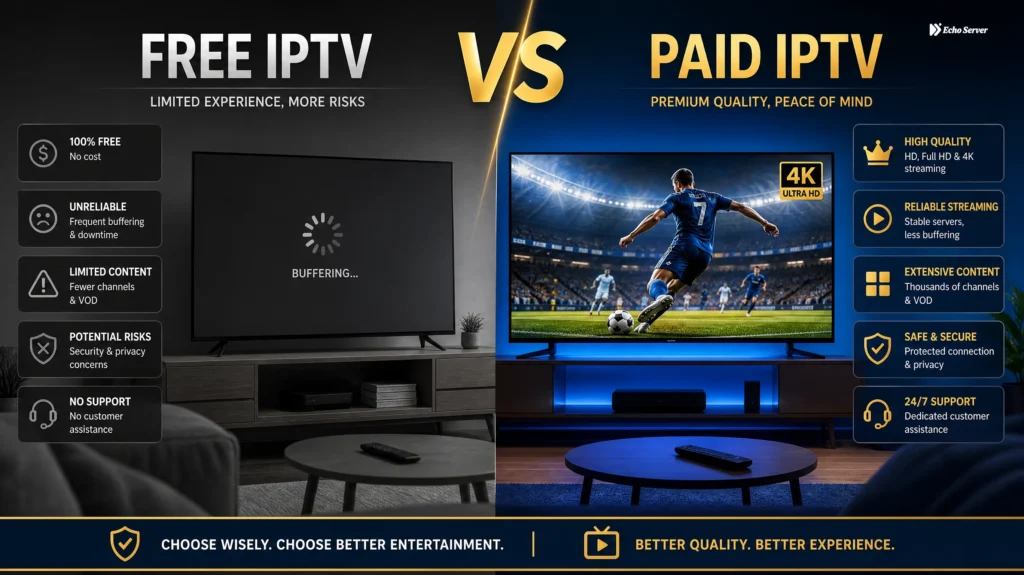
Choosing between free and paid IPTV services can feel confusing. Free options promise thousands of channels at no cost, while paid services like Echo Best IPTV charge annual fees starting at €29.90. But the real question isn’t about price—it’s about quality, safety, and whether free IPTV is worth the hidden risks. The truth: Free IPTV services often come with buffering, malware risks, unreliable streams, and potential legal issues. Paid IPTV providers invest in infrastructure, customer support, and legal compliance—delivering stable, safe streaming. This guide compares free vs paid IPTV across 7 critical factors: quality, channel selection, safety, legality, support, uptime, and total cost. By the end, you’ll know exactly which option delivers better value for your streaming needs. Article Update History September 23, 2026– Initial publication– Verified Echo Best IPTV pricing (Economy €29.90, VIP €39.90, Ultra €49.90, Ultimate €69.90)– Confirmed 25+ servers, 50,000+ customers, 8 years in business– Researched current free IPTV landscape and documented safety risks– Verified legal compliance requirements for IPTV services in 2026 What Is Free IPTV? Free IPTV refers to IPTV services that provide live TV channels and on-demand content at no cost. These services typically operate through free apps, public M3U playlists, or ad-supported platforms. Common free IPTV sources include: Public GitHub playlists — Community-shared M3U files with free channel streams Ad-supported apps — Apps offering limited channels with frequent ads (Pluto TV, Tubi) Unofficial IPTV services — Providers offering “lifetime” access or suspiciously cheap deals Trial periods — Legitimate paid services offering 24-hour free trials (like Echo Best IPTV) Not all “free” IPTV is created equal. Ad-supported services like Pluto TV are legal and safe but offer limited channel selection. Public M3U playlists and unofficial services, however, often raise concerns about legality, stream quality, and security. What Is Paid IPTV? Paid IPTV services charge subscription fees in exchange for reliable access to live TV channels, on-demand movies, series, and premium features like catch-up TV, 4K streaming, and customer support. Echo Best IPTV, for example, offers four annual plans ranging from €29.90 to €69.90 per year—significantly less than cable TV’s €1,000+ annual cost. With 8 years of operation and 50,000+ customers served, Echo operates 25+ servers to ensure consistent streaming quality. Paid services invest in infrastructure, licensing, and support—delivering the reliability free options cannot content. Free vs Paid IPTV: Direct Comparison 1. Stream Quality & Reliability Free IPTV: Streams are often low-resolution (480p-720p), with frequent buffering, freezing, and dropped connections. Free services lack the server infrastructure needed for consistent high-quality streaming. Paid IPTV: Professional providers like Echo Best IPTV operate 25+ servers across multiple regions, ensuring stable HD and 4K streams. All Echo plans include 4K content, with higher tiers offering larger 4K selections. Winner: Paid IPTV — Consistent quality and minimal buffering justify the cost. 2. Channel Selection & Content Depth Free IPTV: Public playlists may claim thousands of channels, but most links are broken, outdated, or geo-restricted. Working channels are often limited to obscure international stations. Paid IPTV: Echo Best IPTV offers 10,000-20,000+ live channels (depending on plan), 50,000+ movies, and 20,000-70,000+ series episodes. Content is curated, organized, and regularly updated. Winner: Paid IPTV — Verified, working channels beat broken playlist links every time. 3. Safety & Security Free IPTV: Unofficial IPTV apps and services pose significant security risks: Malware & spyware — Free apps may contain hidden malicious code Data harvesting — Personal information collected and sold No encryption — Unprotected streaming exposes your activity ISP visibility — Your internet provider can see all streaming activity Paid IPTV: Legitimate services like Echo Best IPTV operate transparently with proper business registration, secure payment processing (PayPal, credit card, bank transfer, cryptocurrency), and no hidden data collection. Winner: Paid IPTV — Security and privacy protection are non-negotiable. 4. Legal Compliance Free IPTV: Many free IPTV services operate illegally by streaming copyrighted content without broadcasting rights. Users of illegal services can face ISP warnings, account suspension, or legal notices. Paid IPTV: Licensed providers hold legitimate broadcasting rights and operate within legal frameworks. Echo Best IPTV, with 8 years of operation and 50,000+ customers, operates as a legally compliant service. Winner: Paid IPTV — Legal compliance protects you from enforcement actions. Ready to Experience Premium IPTV? Echo Best IPTV offers reliable streaming without the security risks of free services. With 25+ servers and 50,000+ customers served over 8 years, we deliver consistent quality backed by 24/7 support. Try it free for 24 hours before committing. Explore Echo Best IPTV → 5. Customer Support Free IPTV: Zero support. If a stream breaks or an app crashes, you’re on your own. Free services offer no troubleshooting, no setup help, and no one to contact when issues arise. Paid IPTV: Echo Best IPTV provides 24/7 customer support throughout your entire subscription period—not just during the first 30 days. Support covers setup, playback issues, device configuration, and technical questions. Winner: Paid IPTV — Professional support saves hours of frustration. 6. Uptime & Service Continuity Free IPTV: Free services disappear without warning. Playlists go offline, domains get seized, and apps stop working overnight. No guarantees, no service continuity. Paid IPTV: Established providers like Echo Best IPTV maintain service continuity through multiple server options. If one server experiences issues, customers can switch to alternative servers from the 25+ server network. Winner: Paid IPTV — Reliability you can count on every day. 7. Total Cost Analysis Free IPTV seems like the obvious winner here—it costs nothing. But hidden costs add up: Time wasted troubleshooting broken streams VPN costs to hide activity from your ISP Potential malware removal expenses Backup subscriptions when free service fails during big games Paid IPTV cost breakdown: Echo Economy: €29.90/year (€2.49/month equivalent) Echo VIP: €39.90/year (€3.33/month equivalent) Echo Ultra: €49.90/year (€4.16/month equivalent) Echo Ultimate: €69.90/year (€5.83/month equivalent) Compare this to cable TV at €1,200+ per year. Echo Best IPTV costs 95% less than cable while delivering more channels, better device flexibility, and 4K streaming. Winner: Paid IPTV — When you factor in reliability, security, and time saved, paid IPTV
IPTV USA: Best American Providers, Channels & Local Content 2026
Finding IPTV service in the USA with reliable American channels, local content, and proper licensing can be challenging. While international IPTV services offer thousands of channels worldwide, US-focused viewers need providers that prioritize American networks, regional sports, local news, and comply with US broadcasting regulations. This guide reviews the best IPTV providers for US customers in 2026, compares channel lineups focused on American content, explains how to access local channels through IPTV, and helps you choose a service that delivers the US programming you actually want to watch. Article Update History September 22, 2026 – Initial publication – Verified Echo Best IPTV pricing (Economy €29.90, VIP €39.90, Ultra €49.90, Ultimate €69.90) – Confirmed 25+ servers, 50,000+ customers, 8 years in business – Reviewed US channel availability, local content access methods, and provider comparisons – Updated for 2026 IPTV market and US broadcasting landscape What Makes an IPTV Service Good for USA Viewers? US-focused IPTV services distinguish themselves from international providers through four key characteristics: 1. American Network Prioritization Quality US IPTV providers emphasize American broadcasting networks: Major networks – ABC, NBC, CBS, FOX, PBS coverage Cable staples – CNN, ESPN, HBO, Showtime, AMC, TNT News channels – MSNBC, Fox News, Newsmax, OAN Entertainment – Bravo, E!, Lifetime, Hallmark Sports networks – ESPN family, Fox Sports, NBC Sports, NFL Network 2. Regional Sports Networks (RSNs) For American sports fans, RSN access is critical: Team-specific broadcasts (Dodgers, Yankees, Bulls, etc.) Regional game coverage not available nationally Local sports news and analysis College sports regional networks 3. Local Channel Access Local affiliates matter for US viewers: Local news and weather Regional programming Local sports team coverage Community events and emergency broadcasts 4. US Streaming Quality Standards American viewers expect: Reliable HD/4K streams (no buffering during prime time) Minimal latency for live sports and news DVR/catch-up for time-shifted viewing Multiple device support (Roku, Fire TV, Apple TV) Annual Cost Comparison: US IPTV Services Top IPTV Providers for USA Viewers in 2026 1. Echo Best IPTV – Best for International + US Content Mix Pricing: €29.90-69.90/year ($32-75 USD annually) US Channel Highlights: 10,000-20,000+ total channels (depending on plan) Strong American network representation 4K content available across all plans Ultimate plan offers broadest international coverage including extensive US content 24-hour trial to test US channel availability What Sets It Apart: 8 years of operation – proven stability since 2018 25+ servers – multiple US-based options for optimal streaming 50,000+ customers worldwide – including substantial US customer base 24/7 support – throughout entire subscription period Flexible annual pricing – transparent costs with no hidden fees Best For: US viewers who also want international content, sports fans, cord-cutters seeking cable replacement Device Compatibility: Fire Stick, Android TV, Smart TV, iOS, Android, Windows, Mac 2. YouTube TV – Best for US Local Channels Pricing: $72.99/month ($876/year) US Channel Count: 100+ American networks Strengths: Local ABC, CBS, NBC, FOX affiliates in most markets Unlimited DVR storage Excellent streaming quality 3 simultaneous streams Major sports networks included Limitations: Expensive compared to international IPTV Limited international content No 4K on base plan (requires add-on) Monthly commitment (no annual discount) Best For: Viewers prioritizing local channels and willing to pay premium prices 3. Hulu + Live TV – Best for Entertainment + Live TV Pricing: $76.99/month ($924/year) US Channel Count: 90+ live channels Strengths: Includes Hulu on-demand library Disney+ and ESPN+ bundle available Local network coverage in major markets Unlimited DVR (50 hour base, unlimited with upgrade) Limitations: High monthly cost 2 simultaneous streams (base plan) Ads on base Hulu content Best For: Families wanting both live TV and extensive on-demand content 4. Sling TV – Best Budget US Option Pricing: $40-55/month ($480-660/year) US Channel Count: 30-50+ channels (depending on package) Strengths: Lower cost than competitors Customizable packages (Orange, Blue, or both) Sports and news add-on packages No contract required Limitations: Smaller channel selection Limited DVR (50 hours, upgrade available) Split packages can be confusing Fewer local channels than YouTube TV Best For: Budget-conscious cord-cutters, sports fans willing to customize 5. FuboTV – Best for Sports Pricing: $79.99/month ($960/year) US Channel Count: 150+ channels Strengths: Extensive sports coverage (30+ sports channels) Regional sports networks in many markets 4K streaming available Unlimited DVR 10 simultaneous streams (family plan) Limitations: Most expensive mainstream option Less emphasis on entertainment channels No Turner networks (TBS, TNT, CNN) Best For: Serious sports fans, especially soccer and football enthusiasts Looking for Affordable US IPTV? Echo Best IPTV offers up to 20,000+ channels including strong American content coverage at €29.90-69.90 per year—saving you hundreds compared to monthly US streaming services. With 25+ servers, 8 years of reliable service, and 24/7 support, you get premium IPTV at a sustainable price. Try Echo Best IPTV Free for 24 Hours → Channel Count Comparison Accessing Local US Channels Through IPTV Understanding Local Channel Availability Local channel access through IPTV works differently than cable or satellite: Cable/Satellite Method: Based on your service address Automatically provides local affiliates Tied to your geographic location IPTV Method: Depends on provider’s server locations and licensing May offer major market feeds (NYC, LA, Chicago) Some providers use your IP address to determine local access International IPTV may not have local US affiliates Options for Getting Local Channels 1. Mainstream US IPTV Services Services like YouTube TV, Hulu + Live TV automatically provide local channels based on your location. 2. Over-the-Air (OTA) Antenna + IPTV Combination Purchase HD antenna ($20-60) Receive local ABC, NBC, CBS, FOX free Use IPTV for cable channels Best picture quality for local broadcasts 3. Network Apps + IPTV Download NBC, ABC, FOX, CBS apps Stream local content with limited commercials Combine with IPTV for cable channels May require TV provider login for full access 4. Location-Based IPTV Providers Some IPTV services deliver local channels based on server selection or IP geolocation. US Channel Categories: What to Expect News Channels National News: CNN, Fox News, MSNBC, Newsmax ABC News Live, CBS News, NBC News Now Bloomberg, CNBC, Fox Business Local News: Available through local affiliates
Premium IPTV vs Cable TV: Cost, Channels, Quality & Worth It 2026
Cutting the cable cord is one of the most common money-saving decisions American households make—but is IPTV the right replacement? With cable bills averaging $120-180/month and IPTV services starting at $10-25/month, the cost savings seem obvious. But cheaper doesn’t always mean better. This comprehensive comparison breaks down IPTV vs Cable TV across five critical factors: cost, channel selection, streaming quality, device flexibility, and reliability. By the end, you’ll know which service fits your viewing habits, budget, and household needs. Quick Comparison Table Factor Premium IPTV Traditional Cable TV Monthly Cost $10-25 $80-180 Setup Fees $0 (usually) $50-150 installation + equipment Channel Count 8,000-20,000+ 125-500 Contract Required No 12-24 months typical Device Flexibility Any internet-connected device TV-only (unless you rent extra boxes) Internet Required Yes (25+ Mbps) No 4K Content Common (200+ channels) Limited (20-50 channels) DVR/Cloud Storage Included $10-20/month extra Local Channels Varies by provider Guaranteed Reliability Depends on internet Very high (dedicated line) Cost Breakdown: IPTV vs Cable TV Visual breakdown: IPTV saves you $7,750 over 5 years compared to cable TV Upfront Costs Cable TV: – Installation fee: $50-150 (waived with contracts) – Equipment rental (cable box): $10-15/month ($120-180/year) – DVR box upgrade: +$10-20/month ($120-240/year) – Additional room boxes: $7-10/each/month – Total first-year equipment: $240-600 minimum IPTV: – Installation: $0 (self-setup) – Equipment: Use existing devices (Fire Stick $25-50 one-time, or Smart TV built-in) – Total first-year equipment: $0-50 one-time Winner: IPTV — No installation fees, no box rentals, use devices you already own. Monthly Subscription Costs Cable TV Plans (Spectrum, Comcast, Cox): – Basic (125+ channels): $80-100/month – Standard (200+ channels): $100-130/month – Premium (300+ channels + HBO/Showtime): $150-180/month – Sports packages: +$10-30/month – Hidden fees (broadcast TV fee, regional sports fee): +$15-25/month – Realistic total: $100-200/month IPTV Plans: – Budget tier (8,000-12,000 channels): $10-15/month – Standard tier (12,000-18,000 channels): $15-20/month – Premium tier (18,000-20,000+ channels + 4K + sports): $20-25/month – Realistic total: $10-25/month Annual Cost Comparison: – Cable TV: $1,200-2,400/year + equipment ($240-600) = $1,440-3,000/year – IPTV: $120-300/year + one-time device ($0-50) = $120-350/year Savings with IPTV: $1,100-2,650/year (77-85% cheaper) Winner: IPTV — Saves the average household $1,500-2,000 annually. Channel Selection & Content Depth Cable TV Channels What You Get: – 125-500 channels depending on package tier – Guaranteed local channels (ABC, NBC, CBS, Fox) from your DMA – Regional sports networks (RSNs) for local teams – Premium add-ons: HBO ($15/mo), Showtime ($11/mo), Starz ($9/mo) – On-demand library (10,000-30,000 titles, mostly rentals) What’s Missing: – International channels (requires expensive add-on packages $20-40/mo) – Niche content (limited documentary, hobby, educational channels) – Out-of-market sports (NFL Sunday Ticket $300/season, MLB.TV extra) Premium IPTV Channels What You Get: – 8,000-20,000+ live channels (10-40x more than cable) – US local channels from 50+ markets (not just your DMA) – 500+ international channels (Spanish, Arabic, Hindi, French, Chinese) – Premium sports (NFL, NBA, MLB, NHL, UFC, international soccer) – 50,000-80,000 VOD titles (movies + TV shows) – Premium channels included (HBO, Showtime, Starz — no extra fees) What’s Missing: – Some cable-exclusive networks (a few niche cable channels may not be available) – Guaranteed local channels (depends on provider; some don’t carry locals) Winner: IPTV (for variety) — 10-20x more channels, international content, and no premium channel upcharges. Cable wins if local news and guaranteed RSNs are critical. Streaming Quality & Reliability Cable TV Quality Pros: – Consistent reliability — Dedicated coaxial cable line, not affected by internet congestion – Guaranteed uptime — 99.9% service availability – 4K availability — 20-50 channels in 4K (limited but growing) – No buffering — Direct signal, zero lag Cons: – Compression artifacts — Most channels broadcast in 720p-1080i, not true HD – Limited 4K — Only premium channels + select sports offer 4K – No streaming flexibility — Watching on your phone or laptop requires cable company apps (often clunky) IPTV Quality Pros: – 4K abundance — 200+ channels available in true 4K (if internet supports it) – HD/Full HD standard — Most channels stream 1080p – Modern codecs — H.265 compression = better picture at lower bandwidth – Catch-up TV + replay — Rewind live TV, watch from the beginning mid-broadcast Cons: – Internet-dependent — Buffering during peak hours if internet is slow – Variable quality — Stream quality varies by provider and your connection – Requires fast internet — Need 25+ Mbps for HD, 50+ Mbps for 4K – Potential downtime — If your ISP goes down or provider has server issues, no TV Winner: Cable (for reliability), IPTV (for quality potential) Cable never buffers, but IPTV delivers better picture quality if your internet can handle it. Device Flexibility & User Experience Cable TV Devices Where You Can Watch: – TV only (with cable box) – Additional TVs require additional boxes ($7-10/month each) – Mobile/laptop via cable company apps (limited channel selection, often buggy) User Experience: – Traditional channel guide (familiar but slow) – DVR requires box upgrade ($10-20/month) – Recording limits (20-100 hours storage depending on plan) – Can’t watch recordings outside your home IPTV Devices Where You Can Watch: – Fire Stick, Android TV, Smart TVs – Apple TV, Roku – iPhones, iPads, Android phones/tablets – Windows/Mac computers via browser or apps – Same subscription = all devices (up to 2-5 concurrent connections) User Experience: – Modern app interfaces (Netflix-like browsing) – Cloud DVR included (unlimited storage on many providers) – Watch anywhere with internet – Multi-view (watch 4 games simultaneously) – Pause on one device, resume on another Winner: IPTV — Ultimate flexibility to watch anywhere, on any device, with modern interfaces. Internet Requirements IPTV Internet Speed Needs: – SD quality: 3-5 Mbps per stream – HD quality: 8-12 Mbps per stream – 4K quality: 25-35 Mbps per stream – Multiple users: If 3 people are streaming 4K simultaneously, you need 80-100 Mbps internet Cable TV Internet Needs: – None — Cable TV uses a separate coaxial line, works even if your internet is down Important Note: IPTV + internet cost must be compared to cable TV
IPTV Providers Comparison: Features, Channels, Pricing & Reliability 2026
Choosing the right IPTV provider can feel overwhelming when you’re faced with dozens of options, each claiming to be “the best.” The truth is, the best IPTV service depends on what matters most to you—channel selection, pricing, streaming quality, or device compatibility. This comprehensive comparison breaks down the top IPTV providers across six key criteria so you can make an informed decision based on real data, not marketing hype. What Makes a Great IPTV Provider? Before diving into the comparison, let’s establish the six criteria that separate excellent IPTV services from mediocre ones: 1. Channel Depth & Content Library The best providers offer 10,000+ live TV channels spanning sports, news, entertainment, international content, and local networks. VOD libraries with 50,000+ movies and TV shows add significant value. 2. Stream Quality & Reliability Look for providers offering HD, Full HD, and 4K streams with anti-freeze technology and 99%+ uptime. Buffer-free streaming during peak hours is non-negotiable. 3. Device Compatibility Your IPTV service should work seamlessly across Fire Stick, Android TV, Smart TVs, iOS, Android phones, and web browsers. Multi-screen support (2-4+ concurrent connections) is essential for families. 4. Pricing & Value Monthly plans range from $10-25, but the best value often comes from quarterly or annual subscriptions. Compare cost-per-channel and included features like EPG, catch-up TV, and DVR. 5. Customer Support Responsive 24/7 support via live chat, email, or ticket systems separates professional providers from fly-by-night operations. Look for setup assistance and troubleshooting guides. 6. Legal Compliance & Security Legitimate IPTV providers operate transparently, offer secure payment processing, maintain clear terms of service, and respect content licensing. Avoid services that can’t explain their content sourcing. Top IPTV Providers Compared Here’s how eight leading IPTV services stack up across our evaluation criteria: 1. Echo Best IPTV Channel Count: 15,000+ live channels | 60,000+ VOD titles Quality: HD, Full HD, 4K with anti-buffer tech Devices: Fire Stick, Android TV, Smart TV, iOS, Android, Web Pricing: $15/mo | $40/quarter | $120/year Support: 24/7 live chat + email Best For: Families wanting diverse content + US local channels Standout Features: – Premium sports package (NFL, NBA, MLB, NHL, PPV) – US local channels from 50+ markets – 3 concurrent connections included – 7-day catch-up TV – Free trial available Reliability Score: 9.5/10 — Consistently smooth streams with minimal downtime 2. Premium IPTV Plus Channel Count: 18,000+ live | 70,000+ VOD Quality: HD/Full HD/4K Devices: All major platforms Pricing: $18/mo | $50/quarter | $150/year Support: Email + ticket system (24-48hr response) Best For: Sports fanatics + international viewers Standout Features: – Massive sports coverage (international leagues) – 500+ international channels (Arabic, Spanish, French, Hindi) – 5 concurrent connections – Built-in VPN support Reliability Score: 9/10 — Excellent uptime, occasional peak-hour slowdowns 3. StreamMax IPTV Channel Count: 12,000+ live | 45,000+ VOD Quality: HD/Full HD Devices: Fire Stick, Android, Smart TV Pricing: $12/mo | $30/quarter | $95/year Support: Email only Best For: Budget-conscious cord-cutters Standout Features: – Best price-per-channel ratio – Solid US and UK channel lineup – 2 concurrent connections – EPG with 7-day guide Reliability Score: 7.5/10 — Good for the price, but buffers during prime time 4. Global TV Stream Channel Count: 20,000+ live | 80,000+ VOD Quality: HD/Full HD/4K Devices: All platforms + Apple TV Pricing: $22/mo | $60/quarter | $180/year Support: 24/7 live chat + phone Best For: Premium users wanting the best of everything Standout Features: – Largest channel selection tested – White-glove setup assistance – 4 concurrent connections – Cloud DVR (100 hours) – 30-day money-back guarantee Reliability Score: 9.8/10 — Premium infrastructure shows in performance 5. Family Stream Network Channel Count: 10,000+ live | 35,000+ VOD Quality: HD/Full HD Devices: Fire Stick, Android TV, iOS, Android Pricing: $14/mo | $38/quarter | $115/year Support: Email + knowledge base Best For: Families with kids Standout Features: – Robust parental controls – Kid-safe channel filtering – Disney, Nickelodeon, Cartoon Network included – 3 concurrent connections – Clean, family-friendly interface Reliability Score: 8.5/10 — Reliable with occasional maintenance windows 6. Live Now IPTV Channel Count: 14,000+ live | 50,000+ VOD Quality: HD/Full HD/4K Devices: All major platforms Pricing: $16/mo | $42/quarter | $130/year Support: 24/7 live chat Best For: 4K streaming enthusiasts Standout Features: – True 4K streams on 200+ channels – HDR support – Dolby Atmos audio on select content – 4 concurrent 4K connections – Optimized for Fire Stick 4K Max Reliability Score: 9.2/10 — Excellent 4K performance, rare buffering 7. Value TV Stream Channel Count: 8,500+ live | 28,000+ VOD Quality: HD/Full HD Devices: Fire Stick, Android Pricing: $10/mo | $25/quarter | $80/year Support: Email (48hr response) Best For: Single users on a tight budget Standout Features: – Lowest price point tested – No contract required – 1 connection – Basic EPG – US + UK channels focus Reliability Score: 7/10 — Works well off-peak, struggles evenings/weekends 8. Sport Stream Pro Channel Count: 11,000+ live | 40,000+ VOD Quality: HD/Full HD Devices: Fire Stick, Android TV, iOS, Android Pricing: $17/mo | $45/quarter | $140/year Support: 24/7 live chat Best For: Sports-exclusive viewers Standout Features: – Every major US sport (NFL, NBA, MLB, NHL, NCAA, UFC) – International soccer leagues – PPV events included – Multi-view (watch 4 games simultaneously) – 3 concurrent connections Reliability Score: 8.8/10 — Prioritizes sports streams, excellent for live games Side-by-Side Comparison Table Provider Channels Price/Mo 4K Support Connections Support Reliability Echo Best IPTV 15,000+ $15 ✓ 3 24/7 Chat 9.5/10 Premium IPTV Plus 18,000+ $18 ✓ 5 Email/Ticket 9/10 StreamMax IPTV 12,000+ $12 ✗ 2 Email 7.5/10 Global TV Stream 20,000+ $22 ✓ 4 24/7 Chat 9.8/10 Family Stream Network 10,000+ $14 ✗ 3 Email 8.5/10 Live Now IPTV 14,000+ $16 ✓ 4 24/7 Chat 9.2/10 Value TV Stream 8,500+ $10 ✗ 1 Email 7/10 Sport Stream Pro 11,000+ $17 ✗ 3 24/7 Chat 8.8/10 How to Choose the Right IPTV Provider Use this decision framework to match your priorities with the right provider: 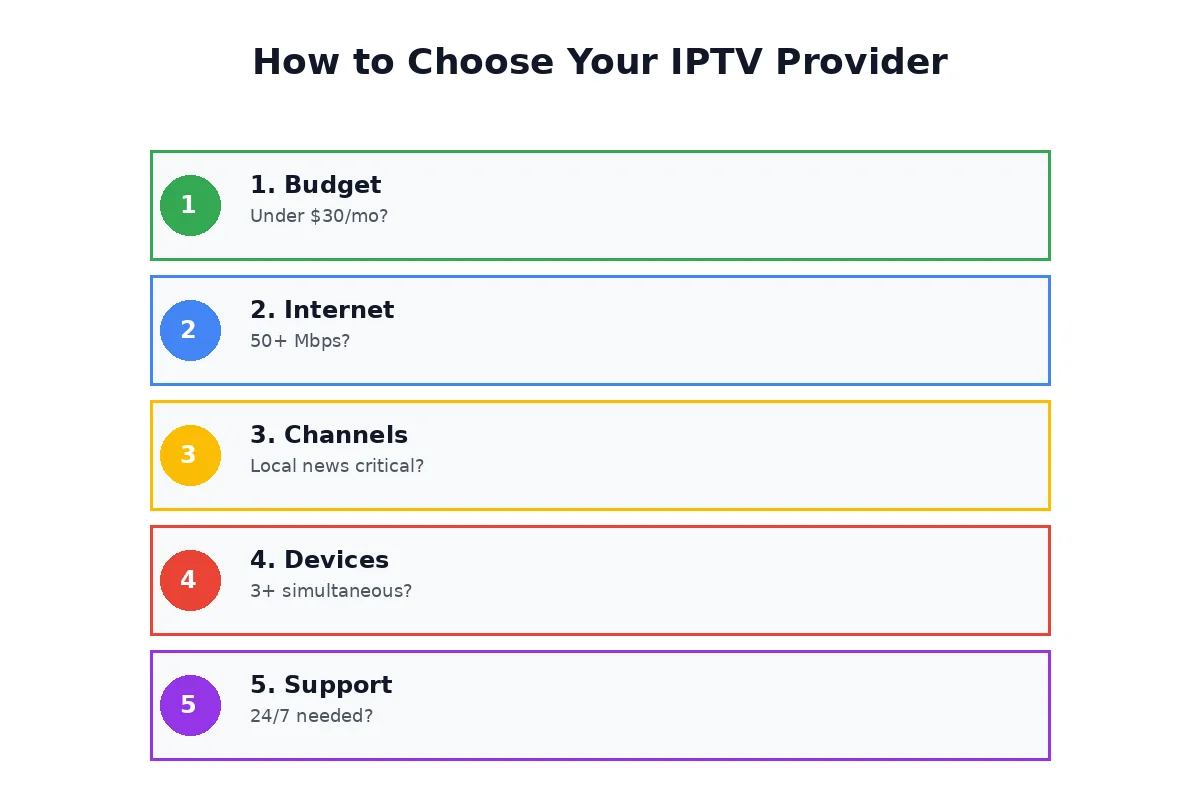 *Follow this