
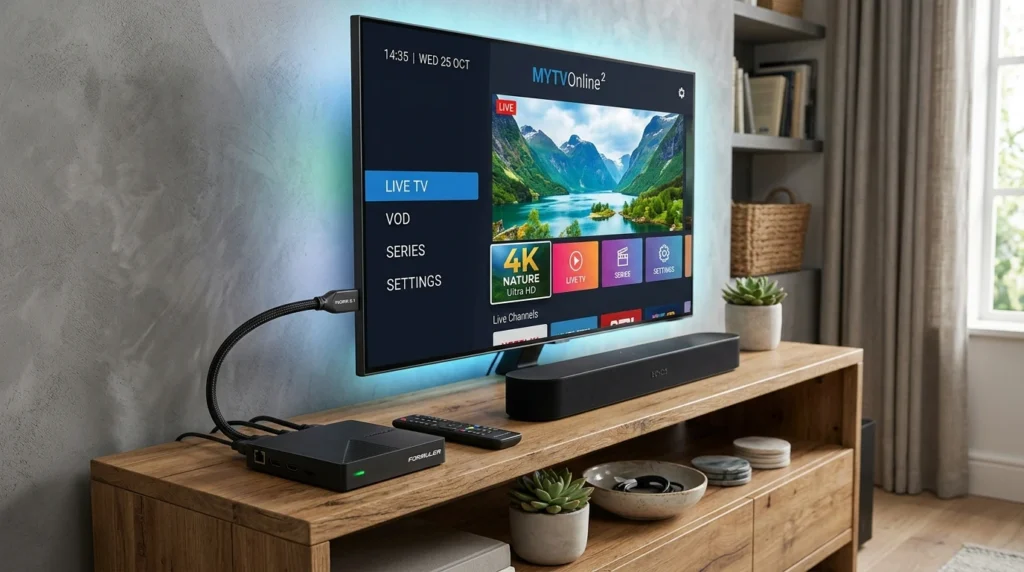
Choosing the right IPTV box can save you hundreds of dollars and countless hours of frustration. This guide explains what to look for in an IPTV box, which devices actually work well, and the true total cost including hidden expenses most buyers overlook.
Article Update History
October 2024: Initial publication covering IPTV box selection criteria, device compatibility, Android vs proprietary boxes, total cost analysis, and current recommendations for 2024-2025.
Do You Actually Need a Dedicated IPTV Box?
Before buying an IPTV box, understand that you probably already own a device that can run IPTV:
| Device You Already Own | Works for IPTV? | IPTV Apps Available |
|---|---|---|
| Fire TV Stick | ✅ Yes (excellent) | TiviMate, IPTV Smarters Pro, Kodi |
| Android TV / Google TV | ✅ Yes (excellent) | All Android IPTV apps |
| Smart TV (Samsung/LG) | ⚠️ Limited | Very few (IPTV Smarters on some models) |
| Windows/Mac Computer | ✅ Yes (excellent) | VLC, Kodi, IPTV Smarters Pro |
| iPhone/iPad/Android Phone | ✅ Yes | IPTV Smarters, GSE Smart IPTV |
Bottom line: If you already have a Fire Stick, Android TV, or computer, you don’t need to buy a dedicated IPTV box. Use what you have.
When to Buy a Dedicated IPTV Box
Buy a dedicated IPTV box only if:
- ✅ You don’t own any of the devices above
- ✅ Your current device is too slow (old Fire Stick struggling with HD)
- ✅ You want a dedicated TV device (don’t want to tie up your computer)
- ✅ You need 4K HDR support and your current device doesn’t have it
IPTV Box Types: Android vs Proprietary
IPTV boxes fall into two categories:
Android TV Boxes (Recommended)
Examples: NVIDIA Shield TV, Chromecast with Google TV, Formuler Z series, BuzzTV boxes
Pros:
- ✅ Runs all IPTV apps (TiviMate, IPTV Smarters Pro, Kodi, VLC)
- ✅ Google Play Store access
- ✅ Regular Android updates
- ✅ Works for IPTV + Netflix/YouTube/everything else
Cons:
- ❌ Slightly more complex setup than Fire Stick
- ❌ Higher price ($50-$200)
Proprietary IPTV Boxes
Examples: MAG boxes, Formuler boxes (MyTVOnline app), dedicated branded IPTV boxes from providers
Pros:
- ✅ Simple setup (often pre-configured by provider)
- ✅ Optimized interface for IPTV only
Cons:
- ❌ Limited to specific IPTV apps
- ❌ Cannot run Netflix/YouTube/other streaming apps
- ❌ Updates depend on manufacturer (often slow or discontinued)
- ❌ If IPTV provider changes format, box may become useless
Recommendation: Choose Android TV boxes over proprietary. They’re more versatile and future-proof.
Critical Compatibility Factors
1. IPTV App Support
Verify the box supports your preferred IPTV app BEFORE buying:
- TiviMate: Requires Android TV (not just any Android box)
- IPTV Smarters Pro: Requires Android 5.0+
- Kodi: Runs on almost anything
- VLC: Runs on almost anything
Check the box’s app store listings before purchase. Don’t assume.
2. Video Codec Support
Your box must decode the video formats your IPTV uses:
- H.264: Universal (all boxes support this)
- H.265/HEVC: Required for 4K streams (most modern boxes support it)
- Hardware decoding: Essential for smooth 4K playback without lag
Verify box specifications list “H.265/HEVC hardware decoding” if you want 4K.
3. RAM and Storage
- Minimum RAM: 2GB (adequate for HD)
- Recommended RAM: 4GB (smooth 4K)
- Storage: 8GB minimum (16GB+ better for app updates)
Boxes with 1GB RAM will struggle with HD streams and lag frequently.
4. Wi-Fi vs Ethernet
- Wi-Fi: Convenient but can cause buffering on HD/4K streams
- Ethernet: More reliable, no buffering (if box has gigabit port, even better)
- Best choice: Box with both (use Ethernet, Wi-Fi as backup)
Recommended IPTV Boxes (2024-2025)
Best Overall: NVIDIA Shield TV ($150-200)
- Most powerful Android TV box
- 4K HDR, Dolby Vision, Dolby Atmos support
- Runs TiviMate, all IPTV apps, and all streaming apps
- Regular updates for years
- Gigabit Ethernet + Wi-Fi 6
Best for: Users who want the best performance and plan to keep the box for 5+ years.
Best Value: Chromecast with Google TV 4K ($50)
- Official Google device
- 4K HDR support
- Runs all Android IPTV apps
- Compact design
- Regular Google updates
Best for: Budget-conscious buyers who want full Android TV functionality.
Already Own Fire Stick? Keep It ($0 additional cost)
- Fire TV Stick 4K works great for IPTV
- TiviMate, IPTV Smarters Pro, Kodi all available
- No need to buy separate box
Total Cost Calculator
IPTV box ownership costs MORE than just the purchase price:
| Cost Component | One-Time | Annual |
|---|---|---|
| IPTV Box (mid-range) | $100 | — |
| IPTV Subscription (Echo Best Ultra) | — | €49.90 (~$55) |
| TiviMate Premium (optional) | — | $6 |
| Internet (portion for IPTV) | — | $0* (already paying) |
| HDMI cable (if needed) | $10 | — |
| Year 1 Total | $110 | $61 |
| Year 1 TOTAL COST | $171 | |
Compare to cable TV: $1,500-$2,000/year
Savings year 1: $1,329-$1,829
Avoid These Common Mistakes
❌ Buying the Cheapest Box on Amazon
$30-$40 “Android TV boxes” from unknown brands often:
- Run outdated Android versions (no app updates)
- Have fake specs (claim 4GB RAM, actually 1GB)
- Lack Google Play certification (can’t run official apps)
- Stop getting updates after 6 months
❌ Buying Provider-Branded Boxes
IPTV providers selling their own branded boxes often charge $100-$150 for:
- A $40 generic Android box with their logo
- Pre-installed app you could install yourself for free
- Lock-in to that specific provider
❌ Ignoring Future App Support
Apps like TiviMate update regularly and may drop support for old Android versions. Buy a box that will receive Android updates for at least 3-4 years.
Setup Considerations
How Long Does Setup Take?
- Fire Stick with IPTV: 15-30 minutes (sideload app, add playlist)
- Android TV box: 20-40 minutes (initial setup, app install, configuration)
- Kodi on any device: 30-60 minutes (install, configure PVR addon, add playlist)
Do You Need Technical Knowledge?
Basic IPTV setup requires:
- ✅ Can copy/paste URL (for M3U playlist)
- ✅ Can install apps from app store
- ✅ Can follow step-by-step instructions
- ❌ No coding or networking knowledge needed
If you’ve ever installed Netflix, you can set up IPTV.
Maintenance and Updates
Android TV boxes: Automatic app updates via Google Play
Fire Stick: Automatic app and system updates
Proprietary boxes: Manual firmware updates (often require USB stick)
Time investment: 5-10 minutes every few months for most boxes.
Why Echo Best IPTV Works on All Devices
Quality IPTV providers ensure compatibility across devices:
Echo Best IPTV works on:
- ✅ All Android TV boxes (Shield TV, Chromecast, etc.)
- ✅ Fire TV Stick and Fire TV devices
- ✅ Windows and Mac computers
- ✅ Smart TVs (Samsung, LG with compatible apps)
- ✅ iOS and Android phones/tablets
- ✅ Kodi on any platform
No special box required:
- Standard M3U playlist format (universal compatibility)
- Xtream Codes API support (works with all major IPTV apps)
- H.264 and H.265 streams (all modern devices support these)
- 24/7 support helps with setup on any device
Annual plans: Economy (€29.90), VIP (€39.90), Ultra (€49.90), Ultimate (€69.90) — use the device you already own, no expensive box needed.
Works on Devices You Already Own
Try Echo Best IPTV on your current device with a 24-hour trial. No expensive box required.
Start Your 24-Hour Free Trial →
Fire Stick, Android, iOS, Windows, Mac • €29.90-€69.90/year
Frequently Asked Questions
Do I need to buy an IPTV box if I have a Fire Stick?
No. Fire TV Stick works excellently for IPTV. It supports TiviMate, IPTV Smarters Pro, and Kodi. You don’t need to buy a separate IPTV box — save your money.
What’s the best IPTV box for 4K streaming?
NVIDIA Shield TV ($150-200) is the best for 4K. It has powerful hardware decoding for H.265/HEVC 4K streams, supports HDR and Dolby Vision, and receives regular updates. For budget 4K: Chromecast with Google TV 4K ($50).
Are cheap $40 Android TV boxes on Amazon any good for IPTV?
Usually no. Cheap unknown-brand boxes often have fake specifications, run outdated Android versions, lack Google Play certification, and stop receiving updates quickly. Spend $50 on Chromecast with Google TV instead — it’s official, certified, and will work for years.
Can I use a regular Android phone box for IPTV on my TV?
Only if it runs Android TV specifically (not regular Android). Regular Android boxes don’t work well with TV remotes and lack TV-optimized apps. Look for “Android TV” or “Google TV” certification, not just “Android box.”
Do proprietary IPTV boxes work better than Android TV boxes?
No. Proprietary boxes (MAG, branded provider boxes) are more limited. They only run specific IPTV apps, can’t run Netflix/YouTube, and may become obsolete if your provider changes formats. Android TV boxes are more versatile and future-proof.
How long do IPTV boxes last before needing replacement?
Quality boxes last 5-7 years. NVIDIA Shield TV receives updates for 5+ years. Cheap generic boxes may become obsolete in 1-2 years when apps drop support for old Android versions.
What internet speed do I need for an IPTV box?
Same as any IPTV device: 10+ Mbps for SD, 25+ Mbps for HD, 50+ Mbps for 4K. The box doesn’t change your internet speed requirements — the stream quality determines that.
Does Echo Best IPTV work on all IPTV boxes?
Yes. Echo Best IPTV provides standard M3U playlists and Xtream Codes API that work on all IPTV boxes: Android TV boxes, Fire Stick, MAG boxes, and computers. No special hardware required. All plans (€29.90-€69.90/year) work on any device.

