
The best IPTV subscription is the one that carries what you want to watch, works on your actual devices and includes enough simultaneous streams for your household. Price alone cannot answer those questions. A low annual charge, a flexible monthly plan and a subscription with personal recordings solve different problems.
This guide compares Echo Best IPTV’s annual tiers with Philo, Frndly TV and the main YouTube TV plan. For a reference point, Philo’s official plan page lists Essential at $25 per month. Echo’s owner-confirmed Economy price is €29.90 per year. Those are different currencies, billing commitments and content offers, not equivalent packages.
Disclosure: Echo Best IPTV publishes this guide and sells one of the services discussed. This is a desk-researched buying comparison, not an independent ranking or hands-on performance test. The recommendations below describe which features to investigate; they do not establish a universal winner.
How this IPTV subscription comparison was prepared
We used official provider pricing pages and help documentation for competing services. Echo’s figures come from its owner-approved product knowledge base, updated October 12, 2026. We have not purchased these subscriptions for this comparison, measured uptime, timed support responses or independently counted their catalogs.
That distinction matters when reading the word “best.” Published features can tell you whether a plan includes two screens or a recording function. They cannot demonstrate how reliably it will play on your home connection. No numerical ratings appear here because we do not have comparable testing data to support them.
The comparison also spans different markets. Dollar-priced US television services and Echo’s euro-priced international offer should be considered separately when checking availability and checkout terms. A familiar provider name does not confirm that its service, local lineup or signup offer is available where you live.
Our selection framework prioritizes required content, usable apps, concurrent viewing, replay features and the payment commitment. We do not award points for the biggest advertised channel total. A smaller lineup containing your regular programs can be more useful than a much larger catalog that lacks them.
Best IPTV subscription plans at a glance
Start with the billing period and stream allowance, then investigate the content. This table summarizes entry or main plans rather than every upgrade a provider sells. “Catch-up” and “cloud DVR” are deliberately separate: access to earlier broadcasts is not automatically the same as making and retaining your own recordings.
| Provider and plan | Price and billing | Simultaneous streams | Recording or catch-up | Trial | Main consideration |
|---|---|---|---|---|---|
| Echo Economy | €29.90 per year | 1 | No catch-up | 24-hour trial available | Annual commitment; confirm your desired lineup |
| Philo Essential | $25 per month | 3 | Unlimited cloud DVR; one-year retention with direct billing | 7 days free for new users | Entertainment-focused option |
| Frndly TV Basic | $8.99 per month or $83.88 per year | 1 | No DVR | 7-day free trial advertised | SD viewing; upgrades add screens and DVR |
| YouTube TV main plan | $82.99 per month, regular price | 3 | Unlimited DVR | Check current new-user eligibility and offer | US-focused; local lineup depends on ZIP code |
Sources: Philo plans, Frndly TV pricing, Frndly TV plan features and YouTube TV’s main plan. Echo figures are owner-confirmed. Check checkout for current charges, eligibility and extras.
Read a row from left to right before comparing it with another. An annual price describes a longer prepaid commitment; a monthly price describes a different payment schedule. We have not converted currencies, created monthly equivalents for Echo or assumed the services provide matching channels.
Keep a separate note of anything the table cannot settle: your exact television model, desired subtitle languages, particular programs and renewal conditions. Those questions can eliminate an otherwise attractive option before you spend time setting up a trial.
Compare three provider options
1. Philo: consider the stream allowance and DVR terms
Philo Essential advertises 70+ paid live channels and 75,000+ on-demand titles. Bundle+ is listed at $33 per month. The official page also describes cancellation without a contract. Its free-channel total is separate from the paid lineup, so do not combine the two when comparing packages. See Philo’s current offering.
How to assess it: Build your decision around the programs you actually follow and whether the listed recording terms suit your routine. A useful exercise is to write down what you missed last week and ask how you would watch each item with the prospective subscription. That makes a recording feature easier to evaluate than a catalog headline.
2. Frndly TV: compare the tier, not just the brand
Frndly’s official pricing documentation lists Classic at $10.99 monthly or $95.88 annually, and Premium at $12.99 monthly or $119.88 annually. All tiers share the advertised 50+ live-channel lineup. Classic allows two screens and retains DVR recordings for three months; Premium allows four screens and retains recordings for nine months.
The plan selector distinguishes Basic’s SD picture from the higher tiers’ HD offering. HD remains subject to content, device and connection conditions.
How to assess it: Decide what you need to add to the entry tier before declaring it the best value. If your household requires overlapping viewing and saved recordings, compare the relevant upgraded package with your alternatives. Paying less for a tier you immediately outgrow is not a useful saving.
3. YouTube TV: check the local lineup and household fit
The main YouTube TV plan advertises 100+ channels and six household accounts. Accounts and simultaneous streams are different limits. Its 4K Plus option costs extra and applies to selected content; the main subscription is not a promise of universal 4K. Verify your location and current terms on the official YouTube TV page.
How to assess it: Consider whether the lineup serves enough of your household’s viewing habits to justify the regular recurring charge. Evaluate the ordinary price rather than basing a long-term decision on an introductory offer. Separate profiles may help organize viewing, but your practical requirement is how many people need to watch at the same time.
These profiles intentionally stop short of reliability judgments. Public pricing and feature lists support a shortlist. Your own eligibility check, device check and trial are what turn that shortlist into a purchase decision.
Echo Best IPTV annual plans and pricing
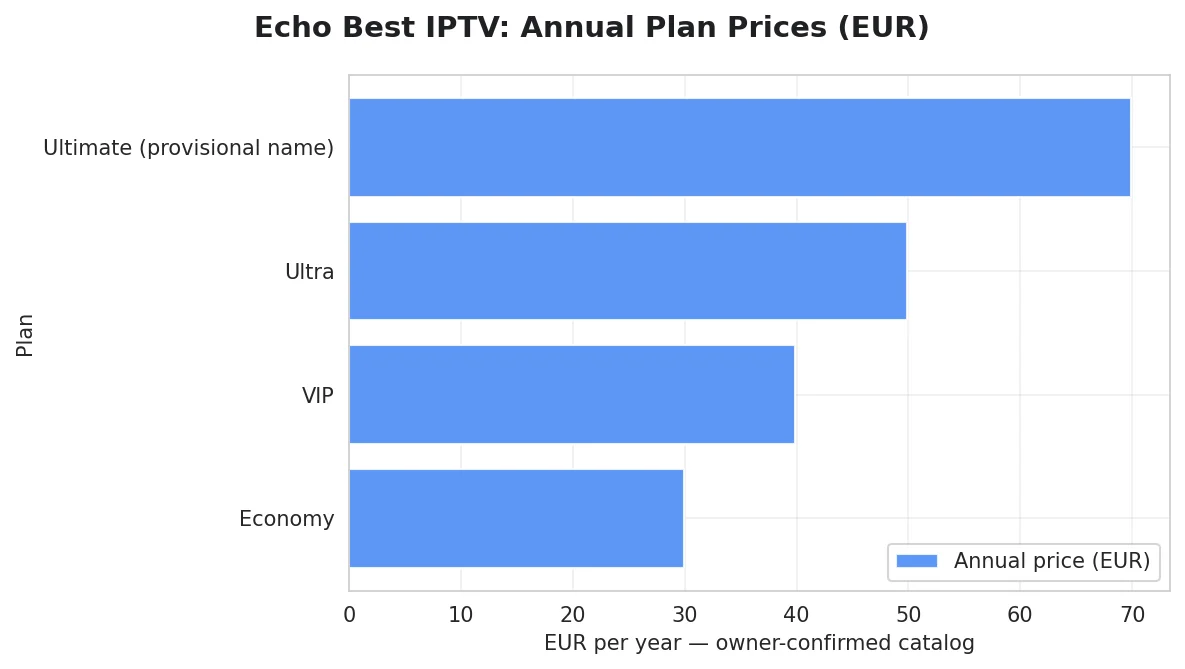
Echo offers four owner-confirmed annual price points. All listed tiers include one simultaneous connection, and 4K content is available across the range. Higher tiers offer broader selections; that does not mean every channel or title is 4K. The top tier’s “Ultimate” name remains provisional.
| Plan | Annual charge | Simultaneous connections | Catch-up TV | Selection distinction |
|---|---|---|---|---|
| Economy | €29.90 per year | 1 | No | Entry tier; 4K content available |
| VIP | €39.90 per year | 1 | No | Broader selection than Economy |
| Ultra | €49.90 per year | 1 | Yes | Broader selection and catch-up |
| Ultimate — provisional name | €69.90 per year | 1 | Yes | Broadest 4K selection and more international/language options |
Choose the lowest tier that meets your confirmed viewing requirements. Economy and VIP do not include catch-up. If replay is essential, investigate Ultra or the provisional Ultimate tier, including which channels support it and how far back they are available. A catch-up duration is not specified in the approved product information.
Echo’s supported platform categories include Smart TVs, Android, iOS, Fire Stick, Windows and Mac through compatible players. That is not a confirmation that every third-party app or every television model works. Ask about the exact setup you intend to use and whether the player has a separate charge.
There is a 24-hour trial available before purchase and 24/7 support throughout the active subscription. Lineups can vary by server. If the first setup does not work appropriately, support may sometimes offer another server or trial; this is not an unlimited-trial promise. Ongoing assistance should not be read as an unconditional refund guarantee.
For background on activation and terminology, see the IPTV subscription setup guide. Use the current tier details here when comparing annual charges, and confirm the selected package before payment.
Test your setup before choosing an annual plan
Echo’s 24-hour trial lets you check your device, preferred content and playback before purchase. Annual plans start at €29.90 per year.
Explore Echo Best IPTVHow to choose a subscription for your household
Start with a short, specific viewing list
Write down your must-have channels, programs and languages before comparing packages. Separate essentials from content you might occasionally watch. Send those essentials to the provider or check its current lineup, then repeat the check during the trial. Avoid treating a global-coverage description as confirmation of a particular regional channel.
For multilingual households, make audio and subtitle needs separate questions. A title being present does not, by itself, settle which language options you can select. Ask about the particular content that matters to you rather than requesting an unsupported total language count.
Count overlapping viewing sessions
List who watches at the same time and on which screens. Two televisions used at different hours present a different requirement from two televisions running together every evening. Adding an app to another device does not automatically expand your subscription’s concurrency allowance.
Echo’s listed tiers each allow one active stream, even when configured on multiple devices. The guide to devices versus simultaneous connections explains this distinction. If you need overlapping streams, ask about a specifically supported arrangement before choosing a plan.
Verify the complete device and app combination
Record the device model, operating system and intended player. Ask whether that combination is supported and who helps if setup fails. Check whether you need a separate app purchase, login method or activation step; do not assume these are included in the subscription price.
Usability deserves attention alongside playback. Can everyone in the household find the guide, change audio and return to favorites? Test with the remote or controls you will normally use. A setup that feels comfortable on a phone may not suit someone who watches exclusively on a television.
Separate live viewing, on-demand and recordings
Describe what you want to do in plain terms: watch now, restart something missed, select a movie later or save a particular broadcast. Then ask which feature performs that task. Labels such as “replay” are not enough without the relevant availability and retention conditions.
For a personal recording requirement, investigate DVR scheduling, retention and any restrictions. For catch-up, check the channels and time window. For on-demand viewing, search for specific titles. This avoids paying for a feature category that sounds right but does not cover your actual use.
Evaluate the commitment and support process
Compare the charge due today, renewal schedule, cancellation method and terms for resolving a service problem. Keep the provider’s written answers with your order details. A trial is a pre-purchase evaluation opportunity; it does not automatically establish a right to a refund later.
The provider selection checklist offers a broader framework. For this decision, keep the final shortlist practical: confirmed content, suitable devices, sufficient streams and a payment commitment you understand.
What to test before paying for 12 months
An IPTV subscription for 12 months deserves a deliberate trial. Do the checks on the device and network you intend to use, including a normal evening viewing session if the trial window allows it. These are suggested checks for you to perform, not results from testing conducted for this article.
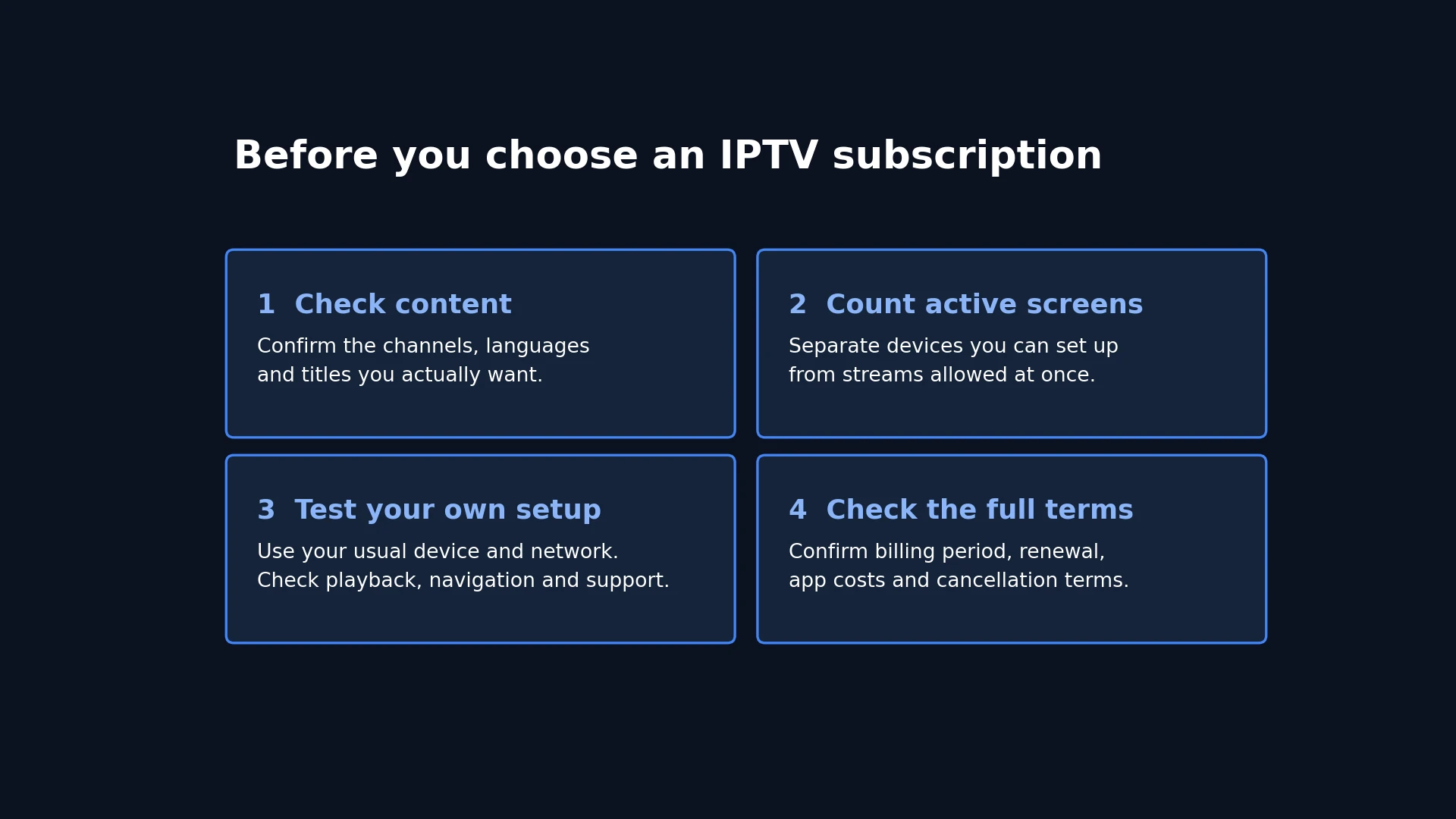
- Confirm the desired content. Search your essential channels and titles rather than browsing only the first page of the catalog. Check the required language versions where relevant.
- Watch long enough to judge your experience. Note interruptions, navigation difficulties or missing features. Record what happened and when, without assuming the cause.
- Check the guide and replay functions. Open the channels you use, inspect their listings and try the replay feature included in the proposed tier. Do not assume guide coverage is identical across channels.
- Try the everyday controls. Change subtitles or audio where available, return to favorites and restart the app. Ask another household member to navigate without your assistance.
- Clarify the permitted stream arrangement. Confirm how the service handles moving between devices. Do not test overlapping streams beyond the plan’s allowed connection count.
- Ask one concrete support question. Explain your device and the problem clearly. Assess whether the answer helps; one interaction does not establish a guaranteed response time.
Keep a short pass/fail note for each essential requirement. If something fails, give support the relevant device details and ask whether the issue can be resolved before purchase. Avoid treating an unexplained problem as acceptable simply because the annual headline price is appealing.
Finally, review payment and renewal information away from the excitement of a successful first stream. Confirm the exact tier, billing period, included connection allowance and any separate player costs. Save the offer and order confirmation so you can refer to what you actually purchased. If an important answer remains unclear, resolve that question before committing to a full year rather than relying on an assumption.
Choose an Echo plan after checking your essentials
Start with the available 24-hour trial. Confirm your preferred content and device setup, then choose an annual tier with 24/7 support throughout your active subscription.
View Echo annual plansPlans from €29.90 per year · One simultaneous connection per listed tier

