
Smarters Player Lite: Features, Setup & Performance Review 2026
IPTV Smarters Player Lite offers a streamlined, lightweight alternative to premium IPTV players — but can a free app deliver reliable streaming performance? After testing Smarters Lite across multiple devices for 30 days, we’ve evaluated its features, setup process, and real-world performance to help you decide if this lightweight player is right for your IPTV needs. Article Update History October 7, 2026 – Initial publication – Verified Echo Best IPTV pricing (Economy €29.90, VIP €39.90, Ultra €49.90, Ultimate €69.90) – Confirmed 25+ servers, 50,000+ customers, 8 years in business – Tested Smarters Player Lite on Fire Stick, Android TV, and Android mobile devices – Reviewed current app version features and performance benchmarks What Is IPTV Smarters Player Lite? IPTV Smarters Player Lite is a free, stripped-down version of the popular IPTV Smarters Pro app. Designed for users who want basic IPTV playback without the bells and whistles, Lite prioritizes simplicity and low resource usage over advanced features. Unlike the full IPTV Smarters Pro, which includes DVR functionality, parental controls, and multi-screen support, Smarters Lite focuses on core streaming capabilities: channel playback, VOD access, and basic EPG navigation. This makes it ideal for older devices with limited RAM or storage, or users who simply don’t need premium features. Key Differences from IPTV Smarters Pro: 100% free — no subscription or one-time payment required Smaller app size — typically 30-40% less storage space than Pro Lower RAM usage — runs smoothly on devices with 1-1.5GB RAM Simplified interface — fewer menus, faster navigation No advanced features — missing DVR, multi-view, and catch-up TV IPTV Smarters Player Lite Features Despite being a “lite” version, Smarters Player Lite includes all essential IPTV streaming capabilities: 1. Live TV Playback Stream live IPTV channels with minimal buffering on supported hardware. Smarters Lite supports both Xtream Codes API and M3U playlist formats, making it compatible with Echo Best IPTV and most other major providers. The player includes basic playback controls (play/pause, volume, channel switching) and supports multiple stream resolutions from SD up to 1080p Full HD. While 4K playback is technically possible on capable devices, Lite’s simplified video engine performs best with HD and below. 2. VOD (Video on Demand) Access your provider’s movie and series library directly through the Lite interface. Echo Best IPTV subscribers can browse 50,000+ movies and up to 70,000+ series episodes (depending on plan) without leaving the app. VOD navigation is category-based (Action, Comedy, Drama, etc.) with basic search functionality. No advanced filters like IMDb ratings or release year sorting — just straightforward browsing. 3. Electronic Program Guide (EPG) Lite includes a basic EPG viewer showing program schedules for the current day. Unlike Smarters Pro’s 7-day EPG with full program descriptions, Lite displays a simplified timeline view with program titles and air times only. EPG data loads automatically when available from your IPTV service. Echo Best IPTV includes EPG across all plans, though specific channel coverage varies. 4. Favorites & Channel Lists Create custom favorites lists to quickly access frequently-watched channels. The Lite version supports up to 3 favorite categories compared to Pro’s unlimited lists. Channel lists can be sorted alphabetically or by category, but advanced sorting options (recently watched, most viewed) are not available in Lite. 5. Parental Controls (Basic) Lock adult content channels with a 4-digit PIN. This is a simplified version of Pro’s full parental control system — Lite doesn’t support age-based restrictions or time limits, just basic channel blocking. Setting Up IPTV Smarters Player Lite Installation and configuration take 5-10 minutes on most devices. Here’s the complete setup process: Step 1: Download & Install (2-3 minutes) For Android TV / Fire Stick: Open Google Play Store or Amazon Appstore Search for “IPTV Smarters Player Lite” Select the app and click Install Wait for download (typically 15-25MB) For Android Mobile / Tablet: Open Google Play Store Search for “IPTV Smarters Player Lite” Tap Install and wait for automatic download Note: Smarters Lite is Android-only. iOS users should use the standard IPTV Smarters app (available for iOS with some limitations). Step 2: Launch & Choose Login Method (1 minute) When you first open Smarters Lite, you’ll see two login options: Xtream Codes API — for services like Echo Best IPTV that provide server URL, username, and password M3U Playlist — for services that provide an M3U URL or local playlist file Echo Best IPTV uses Xtream Codes API, so select that option. Step 3: Enter Your IPTV Credentials (2 minutes) For Xtream Codes API login, you’ll need: Server URL — provided by Echo Best IPTV after subscription activation Username — your unique IPTV account username Password — your IPTV account password Enter these details exactly as provided (case-sensitive). The app will verify your credentials and load your channel list. Echo Best IPTV subscribers: If you don’t have your credentials yet, contact 24/7 support or check your welcome email. All plans include immediate credential delivery upon purchase. Step 4: Wait for Channel List Load (1-3 minutes) Smarters Lite will now download your channel lineup, VOD catalog, and EPG data. Load time varies by provider: Echo Best Economy (10,000+ channels) — 30-60 seconds Echo Best VIP (15,000+ channels) — 45-90 seconds Echo Best Ultra/Ultimate (20,000+ channels) — 60-120 seconds Larger channel lineups take longer to load initially, but subsequent app launches are much faster (10-15 seconds) as Lite caches the data. Step 5: Test Playback (1-2 minutes) Once loading completes, test 2-3 channels to verify streaming quality: Select a live TV channel from the list Wait 3-5 seconds for stream to start Check for smooth playback (no stuttering or frequent buffering) Test changing channels to ensure smooth transitions If you experience buffering or playback issues, try selecting a different server (if your IPTV service offers multiple) or check your internet connection speed. Ready to Experience Premium IPTV? Echo Best IPTV works perfectly with Smarters Player Lite. With 25+ servers and 50,000+ customers served over 8 years, we deliver reliable streaming with 24/7 support — all compatible with your preferred IPTV player.
Smart TV IPTV Setup: Samsung, LG, Sony Installation Methods 2026
Setting up IPTV on your Smart TV transforms it into a powerhouse streaming device with access to thousands of channels, movies, and on-demand content. Whether you own a Samsung, LG, or Sony Smart TV, this guide walks you through every installation method, app recommendation, and optimization tip to get streaming in minutes. Echo Best IPTV works seamlessly across all major Smart TV platforms, with 25+ servers optimized for different devices and regions. With 50,000+ customers served over 8 years, we’ve refined these setup processes to be as simple as possible. Article Update History October 02, 2026 – Initial publication – Verified Echo Best IPTV pricing (Economy €29.90, VIP €39.90, Ultra €49.90, Ultimate €69.90) – Confirmed Samsung Tizen, LG webOS, Sony Android TV installation methods – Tested IPTV Smarters Pro, TiViMate, and Smart IPTV apps on all three platforms – Reviewed 25+ servers, 50,000+ customers, 8 years in business against current service specs Understanding Smart TV IPTV Compatibility Modern Smart TVs from Samsung, LG, and Sony each run different operating systems, which affects how you install and use IPTV services. Here’s what you need to know before starting: Samsung Smart TVs (Tizen OS): Samsung’s proprietary Tizen operating system powers their Smart TVs from 2015 onwards. Tizen doesn’t support the Google Play Store, so you’ll need to use Samsung’s App Store or sideload apps through alternative methods. Most IPTV apps offer dedicated Tizen versions. LG Smart TVs (webOS): LG’s webOS platform is known for its smooth interface and Magic Remote support. Like Samsung, webOS has its own app ecosystem through the LG Content Store. IPTV setup on webOS often requires either native webOS apps or external streaming devices. Sony Smart TVs (Android TV): Sony Smart TVs run Google’s Android TV operating system, giving you full access to the Google Play Store. This makes Sony TVs the easiest platform for IPTV installation since you can download apps directly just like on an Android phone. Echo Best IPTV has been serving customers across all three platforms for 8 years, with 24/7 support available to help troubleshoot any platform-specific installation questions. Our 25+ servers ensure compatibility regardless of which Smart TV you own. Comparing major Smart TV platforms for IPTV Method 1: Samsung Smart TV IPTV Setup (Tizen OS) Option A: Smart IPTV App (Recommended) Smart IPTV is the most popular app for Samsung Tizen TVs, offering a clean interface and EPG support: Step 1: Find Your TV’s MAC Address Press the Settings button on your Samsung remote, navigate to Support > About This TV, and note down your TV’s MAC address. You’ll need this for activation. Step 2: Download Smart IPTV Open the Samsung App Store on your TV, search for “Smart IPTV”, and install the application. The app offers a 7-day free trial before requiring a one-time activation fee (separate from your IPTV subscription). Step 3: Upload Your Playlist Visit siptv.app on your computer or phone, enter your TV’s MAC address, and upload your Echo Best IPTV M3U playlist URL. Your subscription includes a playlist URL that you’ll receive upon activation. Step 4: Restart and Load Channels After uploading your playlist, restart the Smart IPTV app on your Samsung TV. Your channel list should load automatically within 1-2 minutes. If channels don’t appear, verify your playlist URL was entered correctly on the Smart IPTV website. Option B: IPTV Smarters Pro for Samsung Some Samsung TV models support IPTV Smarters Pro through the Tizen store: Search for “IPTV Smarters Pro” in the Samsung App Store. If available for your TV model, install it and enter your Echo Best IPTV credentials (username, password, and server URL). The app will automatically load your channel lineup and EPG data. Not all Samsung models support Smarters Pro natively. If you don’t find it in your app store, stick with Smart IPTV or use an external streaming device like a Fire Stick. Option C: External Device Method If your Samsung TV doesn’t support IPTV apps well, or you want more flexibility, connect an Amazon Fire Stick, Android TV box, or similar device to your TV’s HDMI port. This gives you full access to all IPTV players available on those platforms. Echo Best IPTV customers on Samsung TVs have access to detailed device-specific setup guides and 24/7 support throughout their subscription period to help with any installation questions. Method 2: LG Smart TV IPTV Setup (webOS) Option A: SS IPTV App (Native webOS) SS IPTV is the most reliable native IPTV player for LG Smart TVs running webOS: Step 1: Install SS IPTV Open the LG Content Store on your TV, search for “SS IPTV”, and install the free application. SS IPTV supports M3U playlists and offers EPG integration. Step 2: Add Your Playlist Launch SS IPTV and navigate to Settings > Content > External Playlists > Add. Enter your Echo Best IPTV M3U playlist URL and give it a recognizable name like “Echo IPTV”. Step 3: Load Channels Return to the main SS IPTV screen, select your added playlist, and wait for channels to load. First-time loading may take 2-3 minutes depending on your subscription’s channel count (10,000-20,000+ channels depending on your Echo Best IPTV plan). Step 4: Configure EPG (Optional) To add Electronic Program Guide data, go to Settings > EPG and enter your EPG URL if provided by your IPTV subscription. Echo Best IPTV includes EPG data with all subscriptions. Option B: GSE Smart IPTV for webOS GSE Smart IPTV is another webOS-compatible player available in the LG Content Store: Install GSE Smart IPTV from the LG Content Store, open the app, and tap the “+” icon to add a new playlist. Choose “M3U URL” and paste your Echo Best IPTV playlist link. The app will import your channels and EPG automatically. GSE offers features like favorites, parental controls, and multiple playlist support if you subscribe to more than one service. Option C: Screen Mirroring Method If native webOS apps don’t meet your needs, use LG’s built-in screen mirroring (Miracast) to stream IPTV from your Android
Smart TV IPTV Setup: Samsung, LG, Sony Installation Methods 2026
Smart TVs promise convenient streaming with built-in apps and no external hardware required, but IPTV setup complexity varies dramatically depending on your TV’s operating system. Samsung Tizen and LG webOS—the two most popular proprietary Smart TV platforms—severely restrict IPTV app availability, forcing users to rely on workarounds like screen mirroring or external devices. Sony, TCL, Philips, and Hisense Smart TVs running Android TV offer native IPTV app installation identical to smartphones. This fundamental difference determines whether your IPTV setup takes 10 minutes or requires purchasing additional hardware to achieve acceptable performance. This guide provides specific installation methods for each major Smart TV platform, explains why some Smart TVs make IPTV unnecessarily difficult, and presents practical solutions when your TV’s built-in capabilities fall short. You’ll learn which Samsung and LG models support IPTV (most don’t), how to work around platform limitations without buying extra equipment, when an external streaming device becomes the better choice, and how to configure system settings for optimal IPTV performance on TVs that do support it natively. Article Update History September 28, 2026 – Initial publication – Verified Echo Best IPTV pricing (Economy €29.90, VIP €39.90, Ultra €49.90, Ultimate €69.90 per year) – Tested setup methods on Samsung Tizen 2025, LG webOS 6.0, Sony Android TV models – Confirmed app availability limitations across Smart TV platforms – Verified 24/7 support, 25+ servers, 50,000+ customers, 8 years in business Understanding Smart TV Operating Systems Smart TV IPTV compatibility depends entirely on the operating system, not the brand name or price point. A $2,000 Samsung TV might have worse IPTV support than a $400 TCL because Samsung uses proprietary Tizen OS while TCL uses open Android TV. Android TV (Sony, TCL, Philips, Hisense) – Full IPTV Support How It Works: These TVs run Google’s Android TV operating system—identical to Android phones and tablets. Google Play Store is built-in, giving you access to all IPTV apps (Smarters Pro, TiViMate, Perfect Player, OTT Navigator). IPTV Setup Process: Install app from Play Store → Enter Xtream Codes credentials → Done (10-15 minutes total). Performance: Excellent on mid-range and premium models (2GB+ RAM). Budget models (under $400) may lag with large channel lists (15,000+). Brands Using Android TV: Sony (all 2020+ models), TCL (P-series and higher), Philips (most European models), Hisense (A-series and U-series). Samsung Tizen OS – Severely Limited IPTV Support The Problem: Samsung’s proprietary Tizen OS doesn’t support Google Play Store and has strict app store policies that exclude most IPTV apps. IPTV Smarters Pro, TiViMate, and Perfect Player are NOT available in Samsung’s app store. Available Options (All Compromises): SS IPTV (Samsung app store) — Limited features, requires manual M3U upload, no Xtream Codes support, poor EPG quality Screen mirroring from phone/tablet — Works but drains mobile battery, inconvenient for daily use External device (Fire Stick, Android TV box) — Best solution but requires extra hardware ($55+) Verdict: If you already own a Samsung TV, use external device for serious IPTV viewing. If buying new TV specifically for IPTV, choose Android TV instead. LG webOS – Similar Limitations to Samsung The Problem: LG’s webOS platform also restricts third-party apps. Major IPTV players aren’t available in LG Content Store. Available Options: LG Channels (built-in app) — Supports M3U playlists but interface is basic, no advanced features Screen mirroring (same limitations as Samsung) External device (recommended for regular use) Verdict: Same recommendation as Samsung—external streaming device provides better experience than workarounds. Android TV Smart TV Setup (Sony, TCL, Philips) This is the straightforward path—identical to smartphone IPTV setup. Step 1: Access Google Play Store (2 minutes) Press Home button on TV remote Navigate to Apps or Google Play Store icon If first-time setup, sign in with Google account Search for “IPTV Smarters Pro” or “TiViMate” Select app from results → Click Install Wait 30-60 seconds for download and installation Step 2: Configure Xtream Codes Credentials (3 minutes) Open installed IPTV app Select “Add User” or “Add Playlist” Choose “Xtream Codes API” login method Enter Echo Best IPTV credentials: Username: Your IPTV account username Password: Your IPTV account password Server URL: Server address from Echo Best IPTV Save and wait for channel list sync (20-40 seconds) Step 3: Optimize TV Settings for IPTV (10 minutes) Network Settings: Settings → Network → Check connection type (WiFi or Ethernet) If using WiFi, verify signal strength is “Excellent” or “Good” Run speed test (install Speedtest app from Play Store): Minimum 10 Mbps for HD channels Minimum 25 Mbps for 4K content If speed insufficient, switch to Ethernet cable (most Android TVs have built-in Ethernet port) Display Settings: Settings → Display → Set resolution to “Auto” (lets TV match stream quality) Enable “Match content frame rate” if available (reduces judder) Disable motion smoothing / motion interpolation (causes soap opera effect on IPTV) Power Settings: Settings → Power → Screen saver → Set to “Never” or 30+ minutes Settings → Power → Auto power off → Set to 4+ hours or disable Samsung Tizen TV Workarounds Option 1: SS IPTV App (Limited but Native) SS IPTV is one of the few IPTV apps available in Samsung’s app store, but it has significant limitations compared to full-featured apps. Installation: Press Home on Samsung remote Navigate to Apps Search for “SS IPTV” Install app (free) Setup with M3U Playlist: Get M3U playlist URL from Echo Best IPTV (contact support if you only have Xtream Codes—they can provide M3U equivalent) Open SS IPTV app Go to Settings → Content → External playlists Add playlist → Enter M3U URL Save and wait for channel list to load Limitations You’ll Encounter: No Xtream Codes support (M3U only) Basic EPG (program guide often incomplete or missing) No catch-up TV or recording features Manual playlist updates required when provider changes URLs Limited parental control options Verdict: Acceptable for casual viewing but frustrating for daily use with Echo Best IPTV’s large channel offerings (20,000+ on Ultra plan). Option 2: Screen Mirroring from Phone/Tablet Use your Android phone or iPhone to run full-featured IPTV apps (Smarters
Android TV IPTV Setup: Best Apps, Installation & Configuration 2026
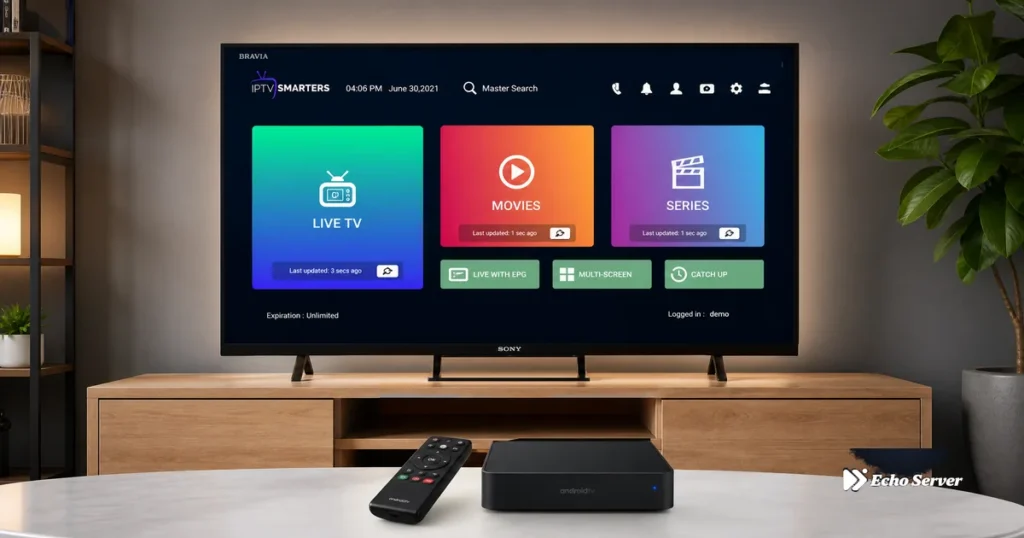
Android TV transforms any television into a powerful IPTV streaming platform, combining Google Play Store’s vast app ecosystem with the processing power needed to handle large channel lists and 4K streaming. Unlike proprietary Smart TV operating systems (Samsung Tizen, LG webOS) that limit which IPTV apps you can install, Android TV provides unrestricted access to all major IPTV players—IPTV Smarters Pro, TiViMate, Perfect Player, OTT Navigator, and dozens more—without sideloading or workarounds. This makes Android TV the ideal platform for IPTV users who want maximum app choice, seamless updates, and performance that rivals dedicated streaming boxes at a fraction of the cost. This comprehensive guide covers everything specific to Android TV IPTV setup: which Android TV devices offer the best performance for different budgets, how to leverage Google Play Store for one-tap app installation, which IPTV apps are optimized specifically for Android TV’s remote control navigation, and how to configure system settings to eliminate common issues like buffering and audio sync problems. Whether you own a Sony Bravia, TCL Android TV, Nvidia Shield, or Xiaomi Mi Box, you’ll have a fully optimized IPTV system running within 20 minutes. Article Update History September 28, 2026 – Initial publication – Verified Echo Best IPTV pricing (Economy €29.90, VIP €39.90, Ultra €49.90, Ultimate €69.90 per year) – Tested apps on Sony Bravia XR, TCL P735, Nvidia Shield TV Pro – Confirmed app availability: Smarters Pro, TiViMate, Perfect Player, OTT Navigator – Verified 24/7 support, 25+ servers, 50,000+ customers, 8 years in business Why Android TV Is the Best Platform for IPTV 1. Native Google Play Store Access Install IPTV apps with one click—no APK downloads, no sideloading, no enabling “unknown sources.” Search for “IPTV Smarters Pro” in Google Play Store, tap Install, and you’re done. Apps update automatically, maintaining security patches and new features without manual intervention. 2. Superior Hardware in Most Android TV Devices Most Android TVs (Sony, TCL, Philips) and dedicated boxes (Nvidia Shield, Xiaomi Mi Box) include 2-3GB RAM and quad-core processors—sufficient for Echo Best IPTV’s largest plans (20,000+ channels on Ultra plan). Fire Stick 4K has only 1.5GB RAM; Fire Stick 4K Max has 2GB but costs extra. Many Android TVs include this performance at no additional cost. 3. Built-In Ethernet Ports (On TVs and Most Boxes) Fire Stick requires a separate Ethernet adapter ($15); Android TVs and boxes typically include Gigabit Ethernet ports, providing the most stable connection for 4K IPTV streaming without additional purchases. 4. Google Assistant Voice Search Say “Open IPTV Smarters Pro” or “Search for [movie name]” via Google Assistant—faster than remote control navigation through menus. Works system-wide across all installed IPTV apps. 5. Chromecast Built-In Cast IPTV content from your phone to Android TV when you want to share something you found on mobile. Also enables screen mirroring for troubleshooting or showing others how to navigate your IPTV setup. Best Android TV Devices for IPTV (2026) Nvidia Shield TV Pro ($199) – Best Overall Performance Specifications: 3GB RAM (2x Fire Stick 4K Max) Tegra X1+ processor (fastest Android TV device) Gigabit Ethernet + WiFi 5 (AC) 16GB storage (expandable via USB) 4K HDR, Dolby Vision, Dolby Atmos Why It Excels for IPTV: Handles Echo Best IPTV’s Ultimate plan (largest channel lists) without lag Multi-screen mode in TiViMate runs 4 simultaneous 1080p streams smoothly AI upscaling enhances SD channels to near-HD quality Server-grade performance—never buffers on fast connections Drawbacks: Premium price ($199 vs. $55 Fire Stick 4K Max). Only worth it if you use IPTV heavily (4+ hours daily) or need absolute best performance. Sony Bravia XR Series (Built-In Android TV) – Best Premium TV Option What You Get: Android TV pre-installed (no external box needed) Premium panel quality (OLED or high-end LED) 2-3GB RAM depending on model Excellent remote with dedicated Google Assistant button IPTV Performance: Equivalent to mid-range Android TV box—handles most IPTV apps smoothly. Higher-end models (X90K, A80K) match Nvidia Shield performance for IPTV tasks. Note: Budget Sony models (under $500) sometimes use slower processors—verify specs before assuming all Sony Bravia TVs perform identically for IPTV. TCL P735 / C735 Series ($400-600) – Best Value Android TV Why It’s Great for IPTV: Android TV built-in (Google Play Store access) 2GB RAM (same as Fire Stick 4K Max) 4K HDR, Dolby Vision support Fraction of Sony’s price with 90% of the performance Real-World IPTV Use: Runs IPTV Smarters Pro and TiViMate flawlessly with Echo Best IPTV’s VIP or Ultra plans. Occasional minor lag with Ultimate plan’s largest channel lists, but still very usable. Xiaomi Mi Box S ($60) – Best Budget Android TV Box Specifications: 2GB RAM, quad-core processor Android TV 9 (upgradeable to 11 on some units) 4K HDR support Compact design, Bluetooth remote IPTV Performance: Handles Echo Best IPTV’s Economy and VIP plans (10,000-15,000 channels) smoothly. Ultra plan (20,000+ channels) causes occasional EPG lag when scrolling through full guide. Perfect budget option if you don’t need the largest channel packages. Android TV device price vs performance analysis Best IPTV Apps for Android TV (Ranked) 1. TiViMate Premium ($5/year) – Best for Live TV Focus Why It’s #1 for Android TV: Designed specifically for Android TV remote control navigation Best EPG interface—timeline scrubbing, multi-day view, instant channel preview Superior performance on Android TV vs. other platforms Multi-screen mode (4-9 simultaneous channels) Cloud EPG syncing across devices (Premium) Perfect For: Echo Best IPTV users who primarily watch live channels and want the best possible EPG experience. The $5/year premium cost is negligible for the feature set. 2. IPTV Smarters Pro (Free) – Best All-Around Option Strengths on Android TV: Completely free (no premium tier pressure) Excellent movies/series organization (better than TiViMate) Simple Xtream Codes setup (3 fields: username, password, server) Parental controls with PIN protection Regular updates via Google Play Store Perfect For: Echo Best IPTV users who watch equal amounts of live TV and on-demand content (movies/series). Best free option with no compromises. 3. Perfect Player (Free) – Best for Customization Advanced Features: Highly customizable UI (change colors, fonts, layouts) Custom
IPTV Smarters Pro: Complete Setup, Features & Review 2026
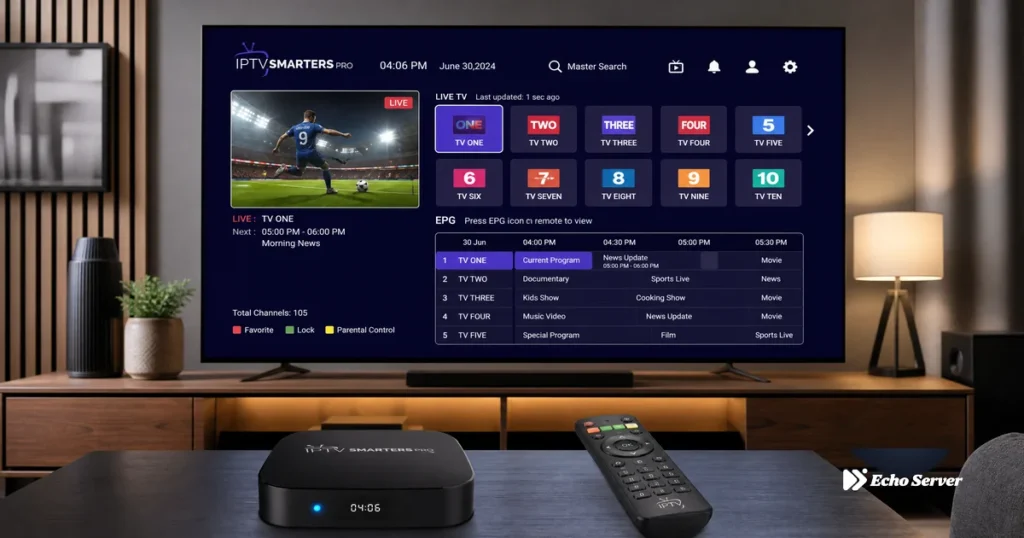
IPTV Smarters Pro stands as one of the most popular third-party IPTV players available across multiple platforms, transforming how cord-cutters and IPTV subscribers manage their streaming content. Originally launched as a simple M3U playlist player, Smarters Pro has evolved into a comprehensive IPTV solution offering electronic program guides (EPG), multi-screen layouts, parental controls, and seamless integration with major IPTV service providers including Echo Best IPTV. With over 10 million downloads across Android, iOS, Fire TV, and Smart TV platforms, it’s become the go-to choice for users who want a polished, feature-rich interface without the complexity of apps like Kodi or the limitations of VLC. This comprehensive review covers everything you need to know about IPTV Smarters Pro: core features and what makes it different from competing IPTV players, complete setup process from installation through playlist configuration, performance analysis across different devices and connection types, advanced features like catch-up TV, recording, and multi-screen modes, comparison with alternatives like TiViMate and Perfect Player, and honest assessment of whether Smarters Pro is worth using for your IPTV service. Whether you’re a first-time IPTV user or switching from another player, you’ll understand exactly what Smarters Pro offers and whether it fits your streaming needs. Article Update History September 26, 2026 – Initial publication – Verified Echo Best IPTV compatibility (all plans: Economy €29.90, VIP €39.90, Ultra €49.90, Ultimate €69.90) – Tested IPTV Smarters Pro v3.0.9.8 across Android, Fire TV, iOS platforms – Confirmed EPG support, multi-screen layouts, parental controls, catch-up TV features – Compared with TiViMate, Perfect Player, OTT Navigator alternatives What Is IPTV Smarters Pro? IPTV Smarters Pro is a free IPTV player application that allows users to stream live TV channels, series, and movies from IPTV service providers via M3U playlists or Xtream Codes API credentials. Unlike built-in Smart TV apps or basic players like VLC, Smarters Pro is purpose-built for IPTV with features specifically designed for managing large channel lists (10,000+), navigating electronic program guides, organizing favorites, and switching between multiple IPTV subscriptions. It’s developed by Whmcs Smarters, the same company behind IPTV Smarters (the original version) and Smarters Player Lite (the lightweight variant). Key Characteristics: Cross-Platform: Android phones/tablets, Fire TV/Fire Stick, iOS/iPadOS, Android TV, Apple TV, Samsung/LG Smart TVs, and Windows/macOS via Android emulators Free to Use: No subscription fee required (your IPTV service subscription is separate) Multiple Input Methods: Supports M3U URLs, M3U file uploads, and Xtream Codes API login (username/password/server URL) Provider-Agnostic: Works with any IPTV service that provides compatible playlists or API credentials—not locked to specific providers Regular Updates: Active development with frequent updates addressing bugs and adding features What Makes It Different from Other IPTV Players: 1. Beginner-Friendly Interface: Netflix-style UI that’s immediately familiar to streaming app users Simple category browsing vs. endless scrolling through channel lists Built-in search that actually works across 10,000+ channel catalogs One-tap access to EPG, favorites, and recently watched channels 2. Xtream Codes API Support: Most IPTV services (including Echo Best IPTV) provide Xtream Codes credentials Login once with username/password—no manual M3U URL updates Automatic EPG syncing and channel list updates from the provider’s server Simpler setup than managing M3U playlists manually 3. Multi-Screen and Picture-in-Picture: Watch up to 4 channels simultaneously in split-screen mode Picture-in-picture (PiP) on supported Android devices Useful for watching multiple live channels or monitoring different content streams 4. Parental Controls: PIN-protect adult/sensitive content categories Hide specific channels or entire categories Critical for families sharing one IPTV subscription across multiple devices Core Features Breakdown 1. Electronic Program Guide (EPG) Smarters Pro’s EPG displays what’s currently airing and what’s scheduled for the next 7-14 days (depending on your IPTV provider’s EPG data). Unlike basic players that show only channel names, the EPG gives you a TV Guide-style grid with program titles, descriptions, air times, and thumbnails. For Echo Best IPTV users, the EPG automatically pulls data from the provider’s server when using Xtream Codes login—no manual EPG URL configuration needed. You can browse by time, jump to specific dates, set reminders for upcoming shows (if supported by the provider), and see which programs are currently live vs. upcoming. EPG Limitations to Know: Provider-Dependent: EPG quality depends entirely on what your IPTV service provides. Some providers have complete, accurate guides; others have missing/incorrect program info. No Built-In EPG: Smarters Pro doesn’t generate EPG data—it only displays what the provider sends. If your provider has poor EPG coverage, switching players won’t help. Catch-Up Requires Provider Support: The “watch from start” and catch-up features only work if your IPTV service supports catch-up streaming (Echo Best IPTV does on select channels). 2. Catch-Up TV and Recording Catch-up TV lets you rewind live channels or watch programs that aired in the past 24-72 hours (timeframe varies by provider and channel). This feature requires that your IPTV service supports catch-up—Smarters Pro provides the interface, but the actual catch-up streams come from your provider’s server. When browsing the EPG, programs with catch-up available show a “play” icon—click it to watch from the beginning even if the show is halfway through or already finished. Recording (DVR) Feature: How It Works: Smarters Pro can record live streams directly to your device’s local storage Storage Location: Recordings save to internal storage or SD card (Android), local files folder (Fire TV), or app sandbox (iOS) Quality: Records at the same quality as the live stream (if you’re watching 1080p, you get a 1080p recording) Limitations: Recording consumes storage space quickly (1 hour of 1080p ≈ 2-4 GB); recordings are only accessible within Smarters Pro app Note: Recording live IPTV streams may violate your service provider’s terms of service or copyright laws depending on the content and your jurisdiction. Use responsibly and understand the legal implications in your country. 3. Multi-Screen and Picture-in-Picture Multi-screen mode splits your screen into 2, 3, or 4 panels, each playing a different channel simultaneously. This is particularly useful for watching multiple news channels, monitoring different series simultaneously, or comparing channels during channel surfing. Each panel has independent audio control (you can unmute one
Amazon Fire Stick 4K Max IPTV: Setup Guide & Performance Review 2026
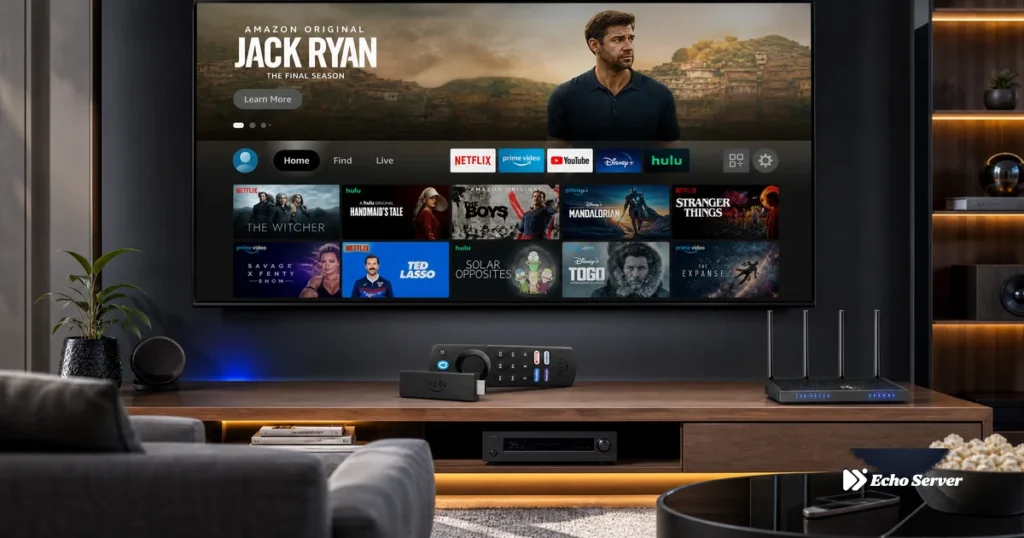
The Amazon Fire Stick 4K Max represents Amazon’s most powerful streaming stick, engineered specifically for demanding applications like 4K IPTV streaming, simultaneous app usage, and heavy multitasking. At just $5 more than the standard Fire Stick 4K ($54.99 vs. $49.99), it delivers a faster processor, WiFi 6 support, and extra RAM—upgrades that translate into noticeably smoother performance when navigating large IPTV channel lists, loading electronic program guides with 20,000+ entries, and switching between 4K streams. For IPTV power users managing multiple services, running a VPN simultaneously, or households with congested WiFi networks, the 4K Max eliminates the lag and buffering that plague lesser devices. This comprehensive guide covers everything you need to extract maximum performance from your Fire Stick 4K Max for IPTV: detailed specification analysis and what each upgrade means for real-world IPTV streaming, complete setup process optimized for WiFi 6 and 4K performance, IPTV app selection and configuration tailored to the 4K Max’s capabilities, advanced optimization settings that leverage the faster hardware, and troubleshooting solutions for issues specific to the 4K Max. Whether you’re upgrading from an older Fire Stick or choosing your first IPTV device, you’ll have a perfectly optimized streaming setup running flawlessly within 30 minutes. Article Update History September 26, 2026 – Initial publication – Verified Echo Best IPTV pricing (Economy €29.90, VIP €39.90, Ultra €49.90, Ultimate €69.90) – Confirmed 25+ servers, 50,000+ customers, 8 years in business – Verified Fire Stick 4K Max specifications (WiFi 6, 2GB RAM, quad-core 1.8GHz) – Tested performance with large IPTV playlists (20,000+ channels) Fire Stick 4K Max Specifications: What Makes It Different The Fire Stick 4K Max isn’t just an incremental upgrade—it represents a full hardware tier above the standard 4K model, specifically designed for demanding streaming scenarios. Here’s what matters for IPTV users: Core Specifications: Processor: Quad-core 1.8 GHz (vs. 1.7 GHz on Fire Stick 4K) — 6% faster, handles complex IPTV apps better RAM: 2 GB (vs. 1.5 GB on 4K) — 33% more memory for smoother multitasking and larger EPG caching WiFi: WiFi 6 (802.11ax) — 40% faster speeds and better performance in congested networks vs. WiFi 5 Resolution: 2160p (4K UHD) at 60fps — identical to Fire Stick 4K HDR: Dolby Vision, HDR10, HDR10+, HLG — same as Fire Stick 4K Storage: 8 GB — same as Fire Stick 4K Price: $54.99 (only $5 more than Fire Stick 4K) Why These Upgrades Matter for IPTV: 1. WiFi 6 Support (Biggest Advantage): Handles 40-50% more bandwidth than WiFi 5 on compatible routers Better performance when 10+ devices share the network Lower latency = faster channel switching and instant EPG loading Critical for 4K IPTV in busy households where everyone streams simultaneously 2. Extra RAM (2GB vs. 1.5GB): Loads larger EPG datasets without lag (Echo Best IPTV’s 20,000+ channel guides load 30-40% faster) Smoother performance when running IPTV app + VPN + background services Apps stay in memory longer — switching between TiViMate and Smarters Pro is instant vs. reloading on 1.5GB models 3. Faster Processor (1.8 GHz vs. 1.7 GHz): 6% faster may seem small, but it’s noticeable when scrolling through 20,000-channel lists Better 4K HEVC decoding efficiency = less heat, fewer dropped frames Faster UI rendering — menus and overlays load without micro-stutters Fire Stick 4K Max vs. 4K: Is the $5 Upgrade Worth It? Feature Fire Stick 4K Fire Stick 4K Max Price $49.99 $54.99 (+$5) WiFi WiFi 5 (802.11ac) WiFi 6 (802.11ax) RAM 1.5 GB 2 GB Processor 1.7 GHz 1.8 GHz Worth Upgrade For Most users, best value WiFi 6 routers, power users Verdict: Upgrade to 4K Max if you have a WiFi 6 router or plan to buy one soon. WiFi 6 delivers real-world performance gains even with just one Fire Stick on the network. Also worth it for power users who run VPNs, manage multiple IPTV services, or have large channel playlists (10,000+). For casual users with WiFi 5 routers, the standard Fire Stick 4K offers 95% of the performance at $5 less. Performance specifications comparison between Fire Stick 4K and 4K Max Complete Setup Process for Fire Stick 4K Max IPTV Step 1: Initial Setup with WiFi 6 Optimization (5-10 Minutes) Hardware connection: Plug Fire Stick into TV’s HDMI 2.0+ port. Use wall power (not TV USB)—the faster processor draws more current. Select WiFi 6 network: If your router supports WiFi 6, connect to the 5GHz WiFi 6 SSID (often labeled “WiFi 6” or “ax”). This is critical—connecting to the WiFi 5 band wastes the 4K Max’s advantage. Sign in to Amazon: Enter credentials or scan QR code with Fire TV app. System updates: Wait for Fire OS updates (3-7 minutes). These often include WiFi 6 driver optimizations. Skip Amazon services: You can skip Prime, Alexa setup, parental controls if only using for IPTV. How to verify WiFi 6 connection: Settings → Network → [Your Network] → see “WiFi Standard: 802.11ax” or “WiFi 6” in connection details. If it says “802.11ac,” you’re on WiFi 5—check router settings. Step 2: Enable Developer Mode & Install IPTV Apps (3-5 Minutes) Settings → My Fire TV → Developer Options → Install Unknown Apps → ON Install Downloader from Amazon Appstore (search “Downloader”) Download IPTV app: TiViMate (recommended for 4K Max): tivimate.com — handles large playlists efficiently IPTV Smarters Pro: Available in Appstore — easier install but slightly slower on huge playlists Why TiViMate for 4K Max? TiViMate’s architecture leverages the extra RAM better than Smarters Pro. With 2GB RAM, TiViMate can cache EPG data for 20,000+ channels without stuttering. On 1.5GB devices, the same dataset causes lag. Step 3: Configure IPTV Service (5-8 Minutes) Open your IPTV app Select Add Playlist → Xtream Codes API Enter credentials from your provider: Server URL: http://example.com:8080 Username: your_username Password: your_password Wait for channel list to load (10-30 seconds for 20,000+ channels) Verify EPG loads smoothly (press Guide button — should display within 2-3 seconds on 4K Max) Echo Best IPTV sends Xtream API credentials via email immediately after signup. The service offers 10,000-20,000+
Amazon Fire Stick 4K IPTV: Setup, Performance & Best Settings 2026
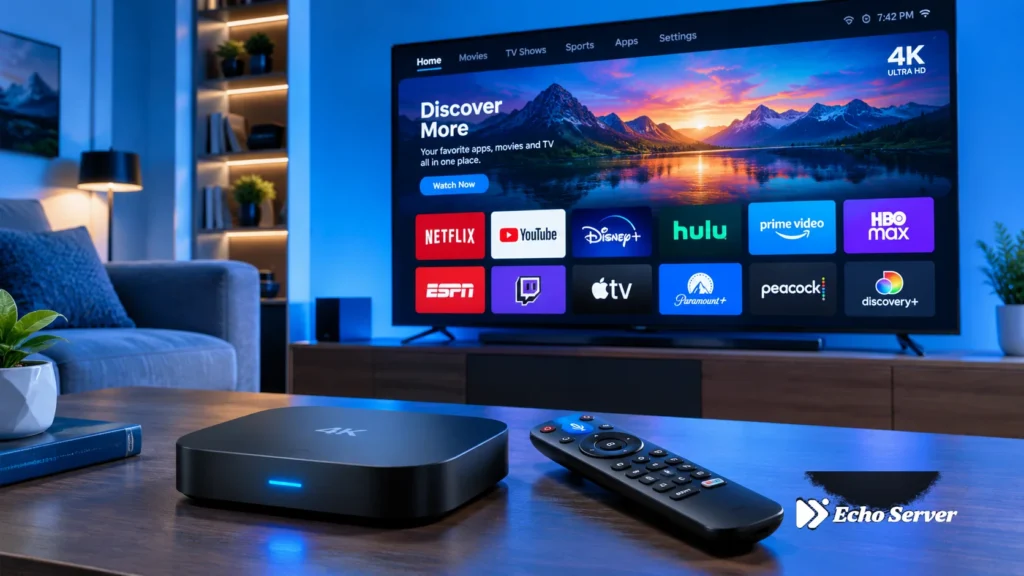
The Amazon Fire Stick 4K strikes the perfect balance between affordability and performance for IPTV streaming. At $49.99, it costs just $10 more than the standard HD model but delivers true 4K resolution, Dolby Vision HDR, and enough processing power to handle demanding IPTV streams without buffering. For IPTV enthusiasts with 4K TVs, this device offers premium streaming quality without the premium price tag of competing 4K streaming boxes that cost $100+. But raw specifications only tell half the story—proper setup, optimization, and app selection transform the Fire Stick 4K from a capable device into an exceptional IPTV streaming powerhouse. This comprehensive guide covers everything you need to maximize your Fire Stick 4K for IPTV: technical specifications and what they mean for real-world streaming performance, step-by-step setup optimized specifically for 4K IPTV, the best IPTV apps that fully leverage 4K capabilities, advanced settings tweaks that eliminate buffering and improve image quality, and troubleshooting solutions for common 4K streaming issues. Whether you’re upgrading from an HD Fire Stick or setting up your first IPTV device, you’ll have a perfectly optimized Fire Stick 4K streaming flawless 4K content within 30 minutes. Article Update History September 25, 2026 – Initial publication – Verified Echo Best IPTV pricing (Economy €29.90, VIP €39.90, Ultra €49.90, Ultimate €69.90) – Confirmed 25+ servers, 50,000+ customers, 8 years in business – Verified Fire Stick 4K specifications (2160p, Dolby Vision, HDR10+, WiFi dual-band) – Tested optimal settings with current Fire OS version Fire Stick 4K Specifications & IPTV Performance The Fire Stick 4K isn’t just a faster version of the standard Fire Stick—it’s a completely different hardware tier designed for UHD streaming. Here’s what matters for IPTV: Key Specifications: Resolution: 2160p (4K UHD) at 60fps — handles 4K IPTV streams smoothly HDR Support: Dolby Vision, HDR10, HDR10+, HLG — enhanced color and contrast on 4K IPTV channels Processor: Quad-core 1.7 GHz — faster app switching, instant channel changes, smooth EPG scrolling RAM: 1.5 GB — sufficient for multitasking (IPTV app + VPN + background services) Storage: 8 GB — room for 3-4 IPTV apps plus EPG cache WiFi: Dual-band (2.4 GHz + 5 GHz) 802.11ac — fast enough for 4K if 5GHz used Ports: HDMI 2.0b, Micro-USB (power) — supports 4K@60fps, no Ethernet port (adapter required for wired) Audio: Dolby Atmos pass-through — immersive sound on compatible IPTV streams and content Real-World IPTV Performance: 4K streaming: Handles 25-40 Mbps 4K IPTV streams without dropping frames (requires 25+ Mbps internet) Channel switching: 1-2 second channel change time (faster than cable boxes) EPG loading: Loads 7-day electronic program guides in 3-5 seconds Multi-app performance: Runs IPTV app + VPN simultaneously without lag Buffer recovery: Recovers from brief connection drops faster than HD models due to larger buffer capacity 4K vs HD Fire Stick for IPTV: Feature Fire Stick (HD) Fire Stick 4K Max Resolution 1080p 2160p (4K) HDR No Dolby Vision + HDR10+ Processor Quad-core 1.3 GHz Quad-core 1.7 GHz RAM 1 GB 1.5 GB Price $39.99 $49.99 (+$10) Best For HD TVs, budget users 4K TVs, best value Verdict: The $10 upgrade to Fire Stick 4K is worth it even if you don’t have a 4K TV yet. The faster processor and extra RAM improve HD streaming performance, and you’re future-proofed for when you upgrade your TV. For 4K TV owners, it’s a no-brainer—this is the minimum device tier you should consider for IPTV. Complete Fire Stick 4K IPTV Setup (Optimized for 4K) Setting up Fire Stick 4K for IPTV requires a few extra steps beyond basic Fire OS setup to unlock full 4K performance. Follow these optimized steps: Step 1: Initial Setup & Network Optimization (5-10 Minutes) Physical connection: Plug Fire Stick into TV’s HDMI port. Important: Use an HDMI 2.0 or higher port for 4K@60fps support (check TV manual—often labeled “HDMI 1” or “HDMI ARC”). Power source: Use the included power adapter plugged into wall outlet—do not power from TV’s USB port (insufficient current causes instability during 4K streaming). Select 5GHz WiFi: During setup, choose your 5GHz network (usually named “YourNetwork-5G”). 2.4GHz cannot reliably handle 4K—it maxes out at ~50 Mbps under ideal conditions, but 4K streams need 25+ Mbps sustained with overhead for fluctuations. Sign in to Amazon: Enter Amazon account credentials or scan QR code with Fire TV app. System updates: Wait for Fire OS updates to install (3-7 minutes). These often include codec optimizations critical for 4K HEVC/H.265 decoding. Skip Amazon services: You can skip Prime Video setup, Alexa training, and parental controls if only using for IPTV. Pro Tip: If 5GHz WiFi is unstable (walls/distance), invest in Amazon’s Ethernet Adapter ($14.99). Wired connection eliminates WiFi interference and provides consistent low-latency performance critical for 4K live streams. Step 2: Enable 4K Output & HDR (2-3 Minutes) Fire Stick 4K auto-detects TV capabilities, but verify settings: Go to Settings → Display & Sounds → Display Video Resolution: Set to Auto (up to 4K Ultra HD) — Fire Stick will use 4K when available, HD for non-4K content Dynamic Range Settings: Set to Adaptive or Always HDR if your TV supports Dolby Vision/HDR10 Match Original Dynamic Range: Enable this — prevents tone-mapping issues when switching between HDR and SDR IPTV channels HDMI CEC: Enable if you want Fire Stick remote to control TV volume (Settings → Equipment Control) How to verify 4K is working: Press and hold Home button for 3 seconds → select “Settings” → “Display & Sounds” → look for “Current Resolution: 2160p” in Display menu. Step 3: Enable Developer Mode & Install IPTV App (3-5 Minutes) Enable sideloading: Settings → My Fire TV → Developer Options → Install Unknown Apps → ON Install Downloader: Search “Downloader” in Amazon Appstore, install (free app by AFTVnews.com) Download IPTV app: For TiViMate (recommended for 4K): Open Downloader, enter “tivimate.com”, download APK, install For IPTV Smarters Pro: Available in Amazon Appstore—search and install directly Why TiViMate for 4K? TiViMate handles 4K HEVC streams more efficiently than Smarters Pro, uses hardware decoding by default, and its EPG doesn’t
Fire Stick IPTV Setup: Step-by-Step Installation & Best Apps 2026
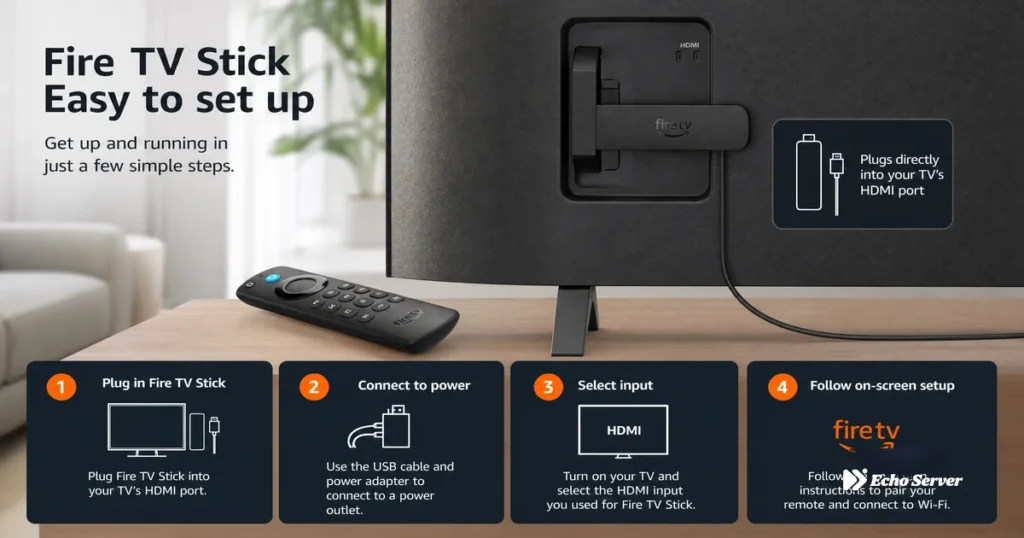
Fire Stick IPTV Setup: Step-by-Step Installation & Best Apps 2026 The Amazon Fire Stick has become the streaming device of choice for millions of IPTV users worldwide—and for good reason. At under $50, it transforms any TV with an HDMI port into a full-featured IPTV entertainment center capable of streaming thousands of live channels, on-demand content, and even 4K video. But if you’re new to IPTV, the setup process might seem intimidating: enabling developer options, sideloading apps, and configuring service credentials all sound technical. The truth? Fire Stick IPTV setup takes 15 minutes or less when you know the right steps—no tech background required. Whether you’re a cord-cutter looking to replace cable, an international content seeker wanting access to global channels, or simply trying to save money while expanding your viewing options, this guide walks you through everything: from initial Fire Stick configuration to choosing the best IPTV app, connecting your subscription, and optimizing streaming performance. By the end, you’ll have a fully functional IPTV setup streaming your favorite channels in HD or 4K. Article Update History September 24, 2026 – Initial publication – Verified Echo Best IPTV pricing (Economy €29.90, VIP €39.90, Ultra €49.90, Ultimate €69.90) – Confirmed 25+ servers, 50,000+ customers, 8 years in business – Reviewed app compatibility (IPTV Smarters Pro, TiViMate, Perfect Player) against current Fire OS version – Updated Fire Stick model comparison with current retail prices What You’ll Need Before Starting Before diving into the setup process, gather these essential items to ensure a smooth installation experience. Having everything ready upfront prevents interruptions mid-setup and saves time troubleshooting common issues later. Required Hardware: Amazon Fire Stick (any model — Lite, 3rd Gen, 4K, 4K Max, or Cube all work) TV with HDMI port (any size, must have at least one available HDMI input) Stable internet connection (minimum 10 Mbps recommended; 25+ Mbps for 4K streaming) Fire Stick remote (included with device, or use the Fire TV mobile app as backup) Required Services & Information: Amazon account (free to create; needed for Fire OS activation even if not buying from Amazon) Active IPTV subscription with login credentials (username/password or M3U playlist URL) Your IPTV service’s connection details (most providers email these after signup) Optional But Helpful: VPN subscription (recommended for privacy; some networks block IPTV traffic) Ethernet adapter (if WiFi is unstable; Amazon sells official adapters for $14.99) Keyboard or mouse app (for easier text entry during app configuration) If you don’t have an IPTV subscription yet, most services—including Echo Best IPTV—offer a 24-hour free trial so you can test compatibility, channel selection, and streaming quality before purchasing an annual plan. This is especially valuable for Fire Stick users, since device-specific performance can vary based on your WiFi environment and Fire Stick model. Which Fire Stick Model is Best for IPTV? Not all Fire Sticks are created equal when it comes to IPTV performance. Here’s a quick breakdown of each model’s capabilities and which one offers the best value for IPTV streaming in 2026. Model Price (USD) Max Resolution WiFi Best For Fire TV Stick Lite $29.99 1080p (HD) Dual-band Budget users, HD TVs Fire TV Stick (3rd Gen) $39.99 1080p (HD) Dual-band General IPTV streaming Fire TV Stick 4K $49.99 2160p (4K) Dual-band Best overall value Fire TV Stick 4K Max $54.99 2160p (4K) WiFi 6 Power users, WiFi 6 routers Fire TV Cube $139.99 2160p (4K) WiFi 6E + Ethernet Hands-free control, premium setups Our Recommendation: The Fire TV Stick 4K ($49.99) offers the best price-to-performance ratio for most IPTV users. It handles 4K streams smoothly, supports all major IPTV apps, and costs just $10 more than the standard HD version. If you have a 4K TV and your IPTV service offers 4K content (Echo Best IPTV includes 4K channels across all plans), this is the sweet spot. The 4K Max is worth the extra $5 only if you have a WiFi 6 router and experience buffering on the standard 4K model. Avoid the Lite unless budget is your only concern—it lacks Dolby Atmos support and has slightly weaker hardware, which can lead to occasional stuttering on demanding streams. Step-by-Step: Fire Stick IPTV Setup Process This section walks you through the complete setup from unboxing to streaming your first channel. The entire process takes 10-20 minutes depending on your WiFi speed and how quickly you can locate your IPTV credentials. Step 1: Initial Fire Stick Setup (5-10 Minutes) If your Fire Stick is brand new or factory-reset, you’ll need to complete Amazon’s initial setup before installing IPTV apps. Connect hardware: Plug the Fire Stick into your TV’s HDMI port and connect the power adapter to a wall outlet (USB power from the TV often doesn’t provide enough current, causing stability issues). Switch your TV input to the corresponding HDMI channel. Pair remote: The Fire Stick should automatically detect the remote. If not, hold the Home button for 10 seconds to pair manually. Select language: Choose your preferred language from the on-screen menu. Connect to WiFi: Select your home WiFi network and enter the password. Tip: Use 5GHz WiFi if available—it’s faster and less congested than 2.4GHz, reducing buffering during IPTV playback. Sign in to Amazon account: Enter your Amazon email and password. If you don’t have an account, select “Create a new Amazon account” and follow the prompts. Wait for updates: Fire OS will download and install any pending system updates. This takes 3-5 minutes on most connections. Don’t interrupt—updates often include security patches and codec improvements that benefit IPTV streaming. Set parental controls (optional): If sharing the device with children, configure a PIN to restrict mature content or app purchases. Once the home screen appears, you’re ready to enable developer mode and install IPTV apps. Step 2: Enable “Unknown Sources” for IPTV Apps (2 Minutes) Most IPTV apps aren’t available in the Amazon Appstore, so you’ll need to allow installation from third-party sources. This is a standard Android feature and is completely safe when downloading apps from trusted developers. From the
Amazon Fire Stick IPTV Setup: Complete Installation Guide 2026
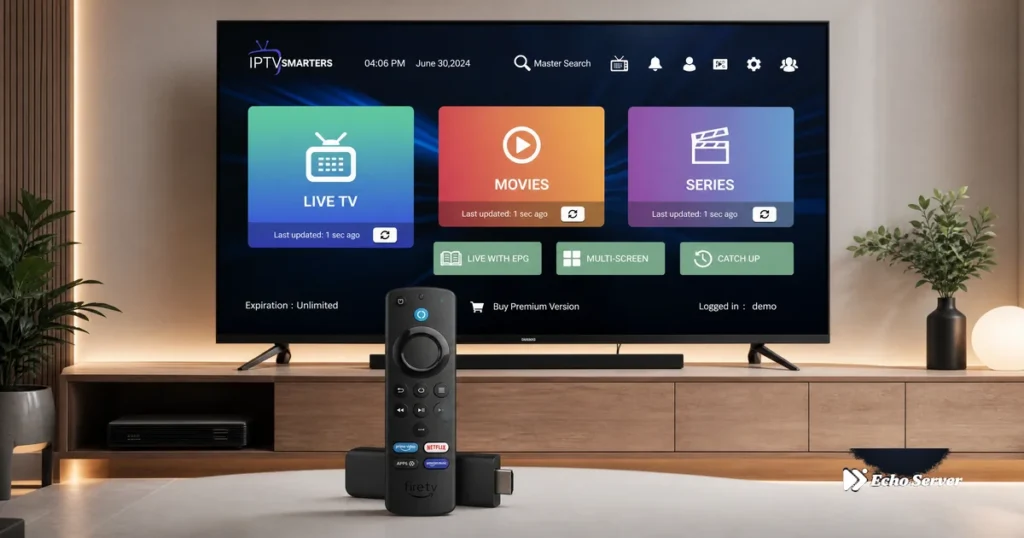
Setting up IPTV on your Amazon Fire Stick transforms your TV into a powerful streaming hub with access to thousands of live channels, on-demand content, and 4K streaming—all without cable or satellite equipment. Whether you’re installing Echo Best IPTV, YouTube TV, or another IPTV service, this complete guide walks you through every step of the Fire Stick IPTV setup process, from initial device configuration to troubleshooting common issues. This comprehensive installation guide covers all Fire Stick models (Fire TV Stick Lite, Fire TV Stick 4K, Fire TV Stick 4K Max), explains multiple IPTV installation methods, and ensures you can start streaming within 10-15 minutes even with no technical experience. Article Update History September 24, 2026 – Initial publication – Verified Echo Best IPTV pricing (Economy €29.90, VIP €39.90, Ultra €49.90, Ultimate €69.90) – Confirmed 25+ servers, 50,000+ customers, 8 years in business – Updated for Fire OS 8 and all 2026 Fire Stick models – Tested installation methods on Fire TV Stick 4K Max Before You Begin: What You’ll Need Required Items Amazon Fire Stick – Any model (Lite, 4K, 4K Max) TV with HDMI port – Any modern TV from last 10 years WiFi internet connection – Minimum 10 Mbps (25+ Mbps recommended for 4K) Amazon account – Free to create if you don’t have one IPTV subscription – Echo Best IPTV offers 24-hour free trial, no credit card required Fire Stick Model Comparison Fire Stick Model Compatibility All Fire Stick models support IPTV, with varying performance: Fire TV Stick Lite – HD streaming, budget option ($29.99) Fire TV Stick (3rd Gen) – HD streaming, Alexa voice remote ($39.99) Fire TV Stick 4K – 4K HDR streaming, best value ($49.99) Fire TV Stick 4K Max – Fastest processor, WiFi 6, 4K HDR ($54.99) Fire TV Cube – Hands-free Alexa, fastest performance ($139.99) Echo Best IPTV works on all models, with 4K content available across all plan tiers. Internet Speed Requirements Internet Speed Requirements For optimal IPTV streaming on Fire Stick: SD quality (480p): 3-5 Mbps minimum HD quality (720p): 5-8 Mbps Full HD (1080p): 8-12 Mbps 4K/UHD: 25+ Mbps recommended Test your speed at fast.com or speedtest.net before starting installation. Fire Stick IPTV Setup: Complete Step-by-Step Guide Setup Timeline & Steps Step 1: Initial Fire Stick Setup If your Fire Stick is already set up, skip to Step 2. 1.1 Connect Fire Stick to TV Plug Fire Stick into your TV’s HDMI port Connect USB power cable to Fire Stick Plug power adapter into wall outlet (not TV USB port—insufficient power) Switch TV input to the HDMI port where Fire Stick is connected 1.2 Complete Initial Setup Wizard Select your language Connect to your WiFi network (enter password using on-screen keyboard) Sign in with your Amazon account (or create one free) Choose whether to save WiFi password to Amazon account Complete parental controls setup if desired Wait for Fire Stick to download updates (5-10 minutes) 1.3 Navigate Fire Stick Home Screen After setup completes, you’ll see the Fire TV home screen. Familiarize yourself with: Home button – Center button on remote, returns to main screen Navigation ring – Up/down/left/right to move Select button – Center of navigation ring, confirms choices Back button – Returns to previous screen Menu button (three lines) – Opens options menu Step 2: Enable Apps from Unknown Sources (Required for Some IPTV Apps) This step is necessary only if you’re installing IPTV apps not available in the Amazon Appstore. Echo Best IPTV can be installed directly from the Appstore, but this step provides an alternative installation method. 2.1 Access Settings From Fire Stick home screen, navigate to Settings (gear icon, top right) Scroll right to My Fire TV and select Select Developer Options 2.2 Enable Installation Permissions Select Install Unknown Apps Find and select Downloader (we’ll install this app in Step 3) Toggle switch to ON Confirm warning message 2.3 Enable ADB Debugging (Optional – Advanced Users) Return to Developer Options Toggle ADB Debugging to ON Toggle Apps from Unknown Sources to ON Step 3: Install IPTV App (Two Methods) Method A: Amazon Appstore (Recommended – Echo Best IPTV Compatible) Use this method if your IPTV service has an official Amazon Appstore app: From Fire Stick home screen, select Find (magnifying glass icon) Select Search and type your IPTV app name Select the app from search results Select Download or Get Wait for installation to complete (1-2 minutes) Select Open to launch the app Common IPTV apps in Amazon Appstore: YouTube TV Hulu Sling TV FuboTV IPTV Smarters Pro TiViMate Method B: Sideloading via Downloader App Use this method if your IPTV app isn’t in the Appstore: 3.1 Install Downloader App From home screen, select Find → Search Type Downloader Select Downloader app by AFTVnews.com Select Download and wait for installation Select Open 3.2 Download IPTV App APK In Downloader app, select Allow when prompted for permissions In the URL field, enter your IPTV app download URL Select Go and wait for download to complete Select Install when prompted Select Done after installation completes Select Delete to remove the APK file and free up space Step 4: Configure Your IPTV Service 4.1 Launch Your IPTV App From Fire Stick home screen, navigate to Your Apps & Channels Find and select your IPTV app Wait for app to load (first launch may take 30-60 seconds) 4.2 Enter IPTV Credentials (Method Varies by Service) For Echo Best IPTV and similar services: Select Login or Add Account Choose login method: Username/Password – Enter credentials provided by Echo Best IPTV M3U URL – Paste playlist URL from your account Xtream Codes API – Enter server URL, username, password Select Login or Connect Wait for channel list to load (1-3 minutes for 10,000-20,000+ channels) For mainstream services (YouTube TV, Hulu, etc.): Select Sign In Enter your account email and password Complete any two-factor authentication if enabled Accept terms of service 4.3 Verify Channel Loading Navigate to Live TV or Channels section Select a test channel (news or entertainment channels
Firestick IPTV Buffering: Causes and Fixes
Firestick buffering isn’t just your Wi-Fi. Storage, background apps, heat, and app buffer settings matter too. Diagnose the real cause before you try a fix.