
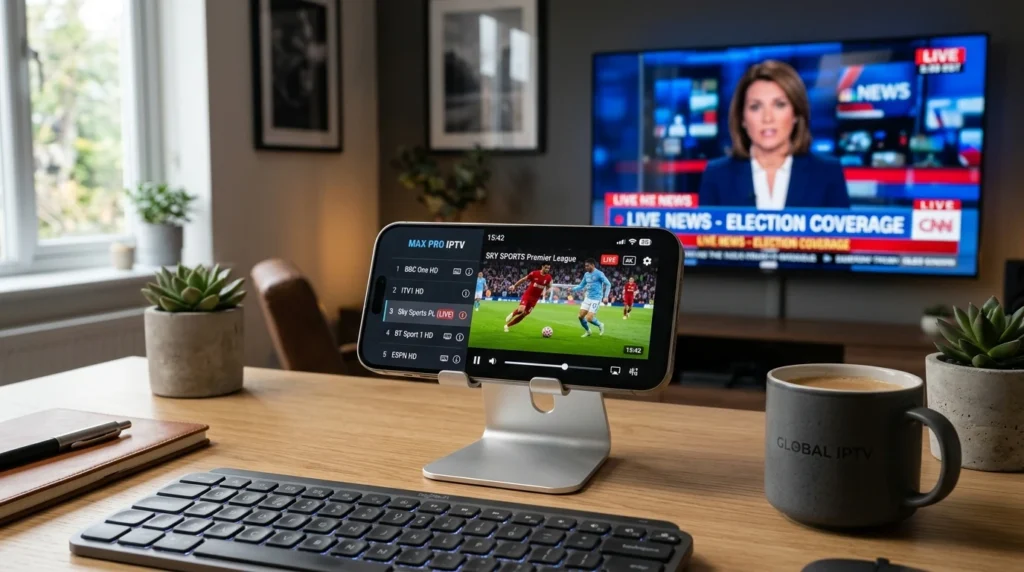
IPTV works on iPhone and iPad, giving you access to thousands of live TV channels on the go. This guide explains which IPTV apps work on iOS, the complete setup process, compatibility requirements, why some apps aren’t in the App Store, and troubleshooting tips for common iPhone IPTV issues.
Article Update History
October 2024: Initial publication covering iOS IPTV app compatibility, App Store vs sideloading, complete setup steps, AirPlay casting, cellular data usage, and troubleshooting guide for iPhone and iPad.
Can You Watch IPTV on iPhone and iPad?
Yes. IPTV works on all iPhones and iPads running iOS 13 or later using dedicated IPTV apps from the App Store.
What you need:
- ✅ iPhone or iPad (iOS 13+)
- ✅ IPTV subscription (like Echo Best IPTV)
- ✅ IPTV app from App Store (IPTV Smarters Pro, GSE Smart IPTV, or similar)
- ✅ Wi-Fi or cellular data (10+ Mbps for HD)
Best IPTV Apps for iPhone and iPad
| IPTV App | App Store? | Key Features |
|---|---|---|
| IPTV Smarters Pro | ✅ Yes (free) | EPG, VOD, catch-up, Chromecast, AirPlay |
| GSE Smart IPTV | ✅ Yes (free) | EPG, recording, Chromecast, parental control |
| VLC for Mobile | ✅ Yes (free) | Plays M3U playlists, basic but reliable |
| iPlayTV | ✅ Yes ($2.99) | Native iOS design, EPG, AirPlay |
| TiviMate | ❌ No | Android TV only — not available on iOS |
Recommendation: IPTV Smarters Pro (easiest setup, most features, free).
Complete iPhone/iPad IPTV Setup (IPTV Smarters Pro)
Step 1: Install IPTV Smarters Pro
- Open App Store on your iPhone/iPad
- Search for “IPTV Smarters Pro”
- Tap “Get” → Install
- Open the app
Step 2: Add Your IPTV Subscription
You’ll need your IPTV provider’s credentials. Echo Best IPTV sends these in your welcome email:
- M3U URL (playlist link), OR
- Xtream Codes login: Server URL, username, password
If you have M3U URL:
- In Smarters Pro, tap “Add User” (or “+” icon)
- Select “Load Your Playlist or File/URL”
- Select “M3U URL” or “File”
- Paste your M3U URL
- Give it a name (e.g., “Echo IPTV”)
- Tap “Add User”
If you have Xtream Codes login:
- Tap “Add User”
- Select “Login with Xtream Codes API”
- Enter Server URL, username, and password
- Tap “Add User”
Step 3: Start Watching
- Wait 10-30 seconds for channels to load
- Tap “Live TV” to see channel list
- Select any channel to start watching
- Use EPG (TV Guide) to browse programs
iOS Compatibility Requirements
iOS Version
- Minimum: iOS 13 (most IPTV apps)
- Recommended: iOS 15+ (better performance)
To check iOS version: Settings → General → About → Software Version
Device Compatibility
IPTV apps work on:
- ✅ iPhone 6S and newer (2015+)
- ✅ iPad 5th generation and newer (2017+)
- ✅ iPad Pro (all models)
- ✅ iPad Air 2 and newer
- ✅ iPad Mini 4 and newer
Older devices (iPhone 6, iPad Air 1): May struggle with HD streams due to weak processors.
Internet Speed Requirements
| Stream Quality | Minimum Speed | Recommended |
|---|---|---|
| SD (480p) | 3 Mbps | 10+ Mbps |
| HD (720p) | 5 Mbps | 15+ Mbps |
| Full HD (1080p) | 8 Mbps | 25+ Mbps |
Test speed on iPhone: Download “Speedtest by Ookla” app → Run test on Wi-Fi and cellular.
Watching IPTV on Cellular Data
IPTV works on iPhone cellular data (4G/5G), but be aware of data usage:
| Stream Quality | Data Usage per Hour | 10GB Plan Lasts |
|---|---|---|
| SD (480p) | ~1.5 GB/hour | ~6.5 hours |
| HD (720p) | ~3 GB/hour | ~3 hours |
| Full HD (1080p) | ~5 GB/hour | ~2 hours |
Tips to reduce cellular data usage:
- ✅ Watch SD quality instead of HD (reduces data by 60%)
- ✅ Download shows on Wi-Fi for offline viewing (if app supports it)
- ✅ Use Wi-Fi whenever available
- ✅ Check cellular data limits before long sessions
To check data usage: Settings → Cellular → scroll down to see app-by-app usage.
AirPlay: Watching IPTV on TV from iPhone
You can stream IPTV from iPhone/iPad to your TV using AirPlay:
Requirements
- Apple TV (HD or 4K), OR
- AirPlay 2-compatible smart TV (Samsung, LG, Sony, Vizio)
- iPhone/iPad and TV on same Wi-Fi network
How to AirPlay IPTV
- Open IPTV app on iPhone/iPad
- Start playing a channel
- Tap the AirPlay icon (screen with triangle)
- Select your Apple TV or AirPlay TV
- Stream plays on TV, use iPhone as remote
To stop: Tap AirPlay icon → “iPhone” (or swipe down Control Center → AirPlay → disconnect).
Why Some IPTV Apps Aren’t in App Store
TiviMate, Perfect Player, and some other popular IPTV apps don’t have iOS versions because:
- TiviMate: Android TV only (designed for TV remotes, not touchscreens)
- Apple App Store restrictions: Apple rejects apps that “facilitate piracy” even if the app itself is legal
- Developer choice: Some developers focus only on Android
Never sideload IPTV apps on iPhone unless you’re comfortable with jailbreaking and security risks. Stick with App Store apps (IPTV Smarters Pro, GSE) — they work great.
iPhone/iPad vs Android for IPTV
| Feature | iPhone/iPad | Android Phone/Tablet |
|---|---|---|
| App Selection | ⚠️ Limited (Smarters, GSE, VLC, iPlayTV) | ✅ More apps (includes TiviMate, Perfect Player) |
| Setup Ease | ✅ Very easy (App Store install) | ✅ Very easy (Google Play install) |
| Streaming Quality | ✅ Excellent (powerful hardware) | ✅ Excellent (varies by device) |
| Casting to TV | ✅ AirPlay (Apple TV, AirPlay 2 TVs) | ✅ Chromecast (more TVs support this) |
| Recording | ⚠️ Limited (GSE supports it, space limited) | ✅ Better (more storage options) |
| Best For | Users with Apple TV or AirPlay TVs | Users who want maximum app choice |
Bottom line: Both work great for IPTV. iPhone/iPad is simpler if you’re already in Apple ecosystem. Android offers slightly more app choice.
Troubleshooting iPhone/iPad IPTV Issues
Channels Won’t Load
Possible causes:
- Wrong M3U URL: Double-check URL in app settings (no extra spaces)
- Expired subscription: Verify account is active
- Internet down: Test by opening Safari or another app
- App outdated: Update from App Store
Buffering or Freezing
Diagnostics:
- Wi-Fi too slow: Run Speedtest app (need 10+ Mbps for SD, 25+ for HD)
- Too far from router: Move closer or switch to cellular
- VPN interference: Disconnect VPN temporarily to test
- Server overload: Try different channel or wait 10 minutes
App Crashes on Launch
Solutions:
- Force close app: swipe up from bottom → swipe app away → reopen
- Restart iPhone: hold Power button → “Slide to Power Off” → wait 10 seconds → turn on
- Reinstall app: delete app → reinstall from App Store
- Update iOS: Settings → General → Software Update
No Sound or Audio Out of Sync
Fixes:
- Check volume (side buttons, not muted)
- Disconnect Bluetooth headphones/speakers (may cause delay)
- Try different channel (some streams have audio issues)
- Restart app
AirPlay Won’t Connect
Check:
- iPhone and Apple TV/AirPlay TV on same Wi-Fi network
- AirPlay enabled on TV (check TV settings)
- Restart both iPhone and Apple TV/TV
- Update iOS and tvOS (Settings → Software Update on both)
Echo Best IPTV Works Perfectly on iPhone and iPad
Echo Best IPTV is fully compatible with all iPhones and iPads:
- ✅ Standard M3U playlists (work in all iOS IPTV apps)
- ✅ Xtream Codes API (easier login for Smarters Pro, GSE)
- ✅ Full EPG for all channels
- ✅ 20,000+ channels accessible on iPhone/iPad
- ✅ 100,000+ VOD movies and series on mobile
- ✅ Works on Wi-Fi and cellular data
- ✅ AirPlay support for watching on TV
- ✅ 24/7 support including iOS setup help
Setup time: 5 minutes (install Smarters Pro, paste credentials, done).
Perfect for iPhone and iPad
Try Echo Best IPTV on your iPhone or iPad — works on Wi-Fi and cellular, AirPlay ready, 20,000+ channels. 24-hour free trial.
Start Your 24-Hour Free Trial →
€29.90-€69.90/year • iOS 13+ Compatible
Frequently Asked Questions
Can I watch IPTV on iPhone without an app?
No. You need an IPTV app to watch IPTV on iPhone. The built-in Safari browser and Apple TV app don’t support M3U playlists. Download IPTV Smarters Pro or GSE Smart IPTV from the App Store (both free).
Does IPTV work on iPhone with cellular data (4G/5G)?
Yes. IPTV streams work on cellular data, but watch your data usage — HD streams use 3-5 GB per hour. Use SD quality on cellular to reduce data usage by 60%, or download content on Wi-Fi if your app supports offline viewing.
Can I use TiviMate on iPhone?
No. TiviMate is Android TV only and has no iOS version. Use IPTV Smarters Pro instead — it’s free, in the App Store, and has similar features (EPG, catch-up, VOD, AirPlay).
How do I watch IPTV from iPhone on my TV?
Use AirPlay if you have an Apple TV or AirPlay 2-compatible smart TV. Open IPTV app, play a channel, tap AirPlay icon, select your TV. Stream plays on TV, phone acts as remote. Works best on same Wi-Fi network.
Is IPTV legal on iPhone?
IPTV apps themselves are legal (available in App Store). Legality depends on the content — legitimate IPTV subscriptions like Echo Best IPTV are legal. Pirated streams are illegal regardless of device. Stick with licensed providers.
Why does my iPhone IPTV stream buffer on Wi-Fi but not cellular?
Your cellular may be faster than Wi-Fi, especially on 5G. Check Wi-Fi speed with Speedtest app (need 25+ Mbps for HD). Solutions: move closer to router, disconnect other devices from Wi-Fi, upgrade internet plan, or use cellular when home Wi-Fi is slow.
Can I record IPTV on iPhone?
Yes, GSE Smart IPTV supports recording to iPhone storage. However, iPhone storage is limited (64-256 GB typical) and recordings use 1-5 GB per hour. Recording is more practical on Android TV boxes or computers with larger storage.
Does Echo Best IPTV work on iPhone and iPad?
Yes. Echo Best IPTV works on all iPhones and iPads (iOS 13+). We provide M3U and Xtream Codes credentials that work with all iOS IPTV apps (Smarters Pro, GSE, VLC). All plans (€29.90-€69.90/year) include iOS support and 24/7 setup help.

