
[Last Updated: 2026-09-22 | Reading Time: 11 min]
━━━━━━━━━━━━━━━━━━━━━━━━━━━━━━━━━━━━━━━━━━━━━━━━━━━━━━━━━━
Updated September 2026 | 8 Years of IPTV Experience | 50,000+ Active Customers
━━━━━━━━━━━━━━━━━━━━━━━━━━━━━━━━━━━━━━━━━━━━━━━━━━━━━━━━━━
The Problem: Cable TV costs $1,200+ per year. Most subscribers pay for hundreds of channels they never watch, plus equipment rental fees and long-term contracts.
The Solution: IPTV (Internet Protocol Television) streams live channels and on-demand content directly over your internet connection—no cable box, no satellite dish, and no contract—for as little as €29.90 per year.
What You’ll Learn:
– What IPTV means and how it actually works
– The three types of IPTV services
– Which devices support IPTV streaming
– Whether IPTV is legal and safe to use
– How to get started with your first IPTV subscription
Time investment: 11 minutes reading, 30 seconds decision.
What Is IPTV?
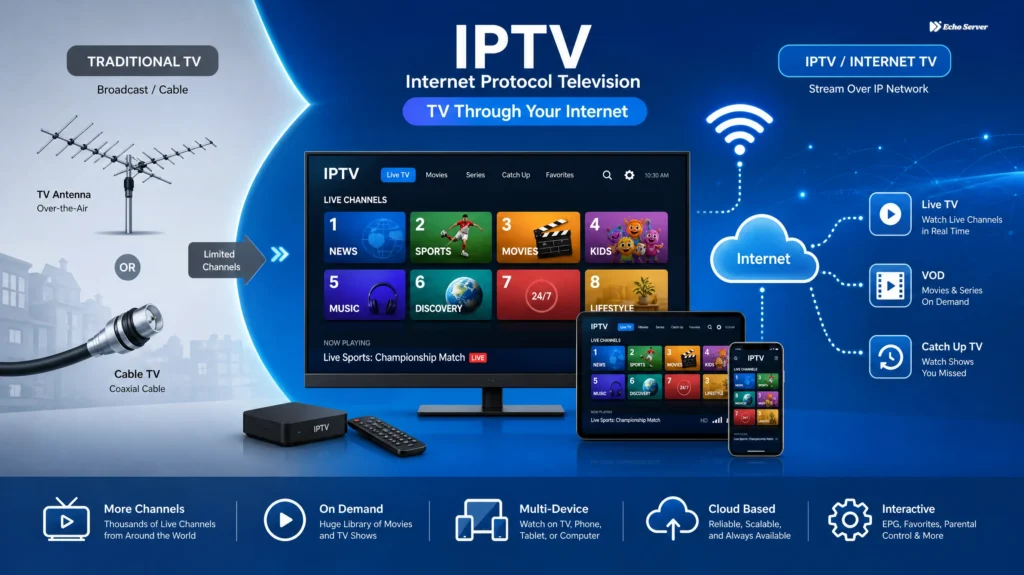
Quick Answer: IPTV (Internet Protocol Television) is a technology that delivers live TV channels and on-demand video content over an internet connection instead of traditional cable or satellite. Users stream channels through apps on Smart TVs, phones, tablets, Fire Stick devices, or computers, typically paying €30-70 per year for thousands of channels.
Instead of receiving broadcasts through a coaxial cable or satellite dish, IPTV sends video data as packets over the same network you use for browsing, email, and streaming services like Netflix. The result is a flexible, affordable alternative to legacy pay-TV.
If you have ever watched a Netflix show, a YouTube live stream, or a Twitch broadcast, you have already used the underlying technology behind IPTV. The difference is that IPTV bundles thousands of traditional TV channels—sports, news, movies, international content—into one subscription.
For a deeper look at the premium end of the market, read our guide on premium IPTV explained: how it works, key features, and safety.
Where the Name Comes From
The term IPTV stands for Internet Protocol Television. “Internet Protocol” refers to the standard set of rules that computers use to send data across networks. Every video frame, audio chunk, and channel switch travels as a series of small data packets between the provider’s server and your device.
Because the delivery method is the internet itself, IPTV works anywhere with a stable connection—your living room Smart TV, a hotel Wi-Fi network, or your phone on 5G.
How Does IPTV Actually Work?
IPTV replaces cable’s one-way broadcast model with a flexible, on-demand internet delivery system. Understanding the flow helps you troubleshoot issues and pick the right plan.
The Three Core Components
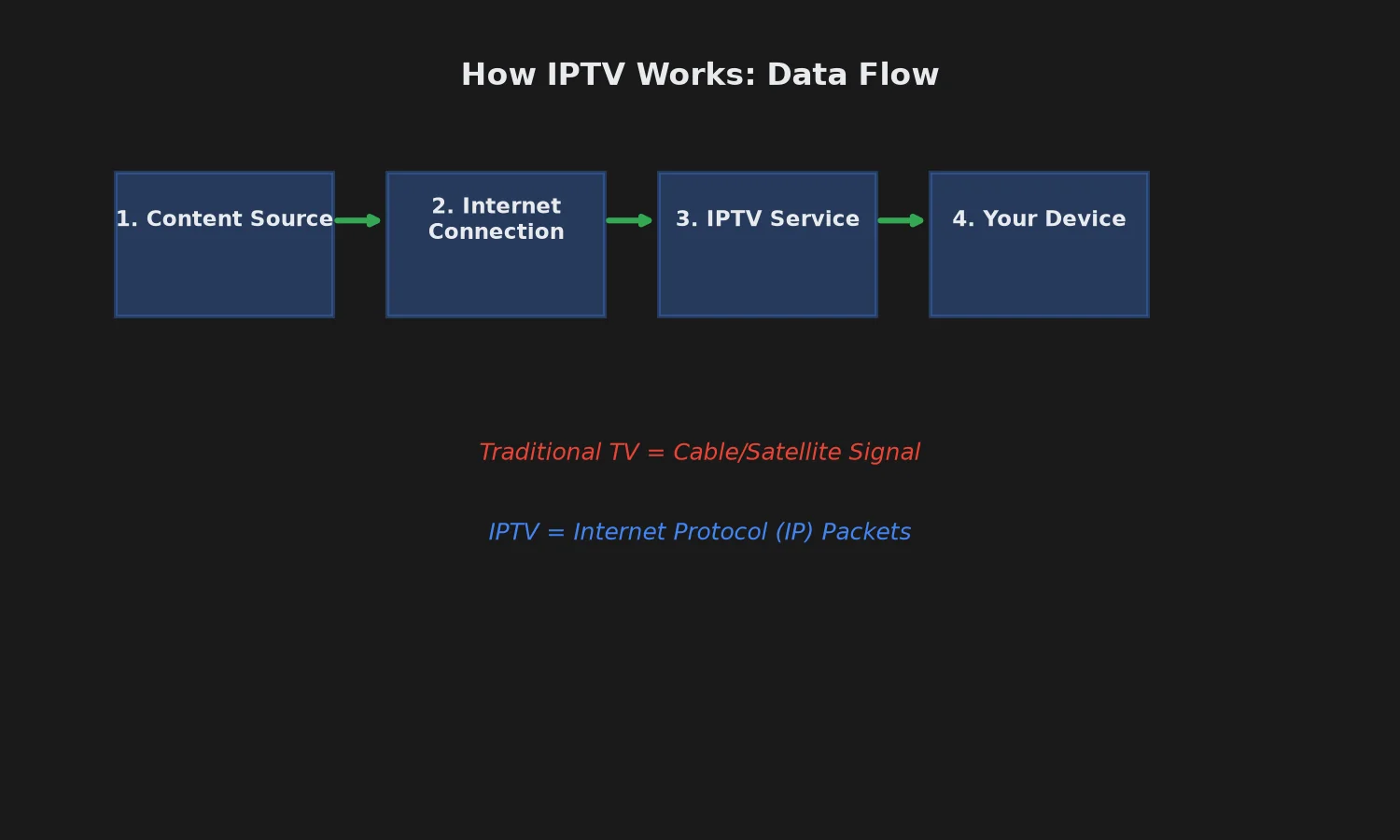
Every IPTV service, no matter the brand, relies on three moving parts working together:
1. Content Sources
The IPTV provider aggregates channel feeds from broadcasters, networks, and content libraries. This includes live TV (news, sports, entertainment), video-on-demand (movies and series), and sometimes catch-up content (replays of missed shows).
2. IPTV Servers
The provider’s servers process the raw content, transcode it into streaming-friendly formats, and distribute it to subscribers on demand. A quality IPTV service operates multiple servers to spread the load and reduce buffering.
For example, Echo Best IPTV operates 25+ servers to serve 50,000+ customers globally. Multiple servers mean if one location has issues in your region, subscribers can be moved to another server that performs better for their network.
3. Your Device (Client)
You need a device that runs an IPTV player app—usually a Smart TV, Fire Stick, Android box, phone, tablet, or computer. The app receives the stream, decodes it, and displays the video on your screen.
The Delivery Flow, Step by Step
Here is what happens the moment you tap a channel on your IPTV app:
- You select a channel in the IPTV app on your device.
- The app sends a request to the provider’s server over the internet.
- The server matches your subscription and begins streaming the live feed to your device.
- Your device buffers a few seconds of video (usually 2-10 seconds) to smooth out network fluctuations.
- The app decodes and displays the video on your screen at whatever resolution your plan and internet speed support.
The entire handshake takes 2-5 seconds on a healthy connection—significantly faster than a traditional cable box switching channels.
Bandwidth: What You Need for Smooth Streaming
IPTV is only as reliable as your internet connection. Here are the practical minimums:
| Quality | Recommended Speed | Best For |
|---|---|---|
| SD (480p) | 5 Mbps | Older devices, mobile viewing |
| HD (1080p) | 10-15 Mbps | Most modern Smart TVs |
| 4K (2160p) | 25+ Mbps | Large TVs, premium content |
If multiple people in your household stream simultaneously, add 5-10 Mbps per additional user.

The Three Types of IPTV Services
Not every IPTV service works the same way. Broadly, there are three delivery models. Knowing which one you are using helps set the right expectations.
1. Live IPTV (Linear TV)
This is the closest experience to traditional cable. Channels broadcast on a fixed schedule, and you tune in whenever you want to watch. Sports events, news broadcasts, and live entertainment shows use this format.
Best for: Sports fans, news watchers, and anyone who wants that “flip through channels” feeling.
2. Video on Demand (VOD)
Movies, series episodes, and documentaries are stored in a library. You browse a catalog and press play whenever you want—no schedule, no waiting. Netflix works this way, and every good IPTV service includes a substantial VOD library.
Echo Best IPTV subscribers get access to 50,000+ movies and up to 70,000+ series episodes in the VOD library, depending on plan.
Best for: Binge-watchers, movie fans, and people with unpredictable schedules.
3. Time-Shifted IPTV (Catch-Up TV)
Missed the game last night? Catch-up TV lets you play back live channel content from the past few hours or days. It sits between live broadcasting and VOD—the content originally aired live, but the server keeps a rolling recording for you.
This feature is included on Echo Best IPTV’s Ultra (€49.90/year) and Ultimate (€69.90/year) plans. Economy and VIP plans do not include catch-up TV.
Best for: Busy schedules, sports fans across time zones, and viewers who occasionally miss appointment TV.
IPTV vs Cable, Satellite, and Streaming Services
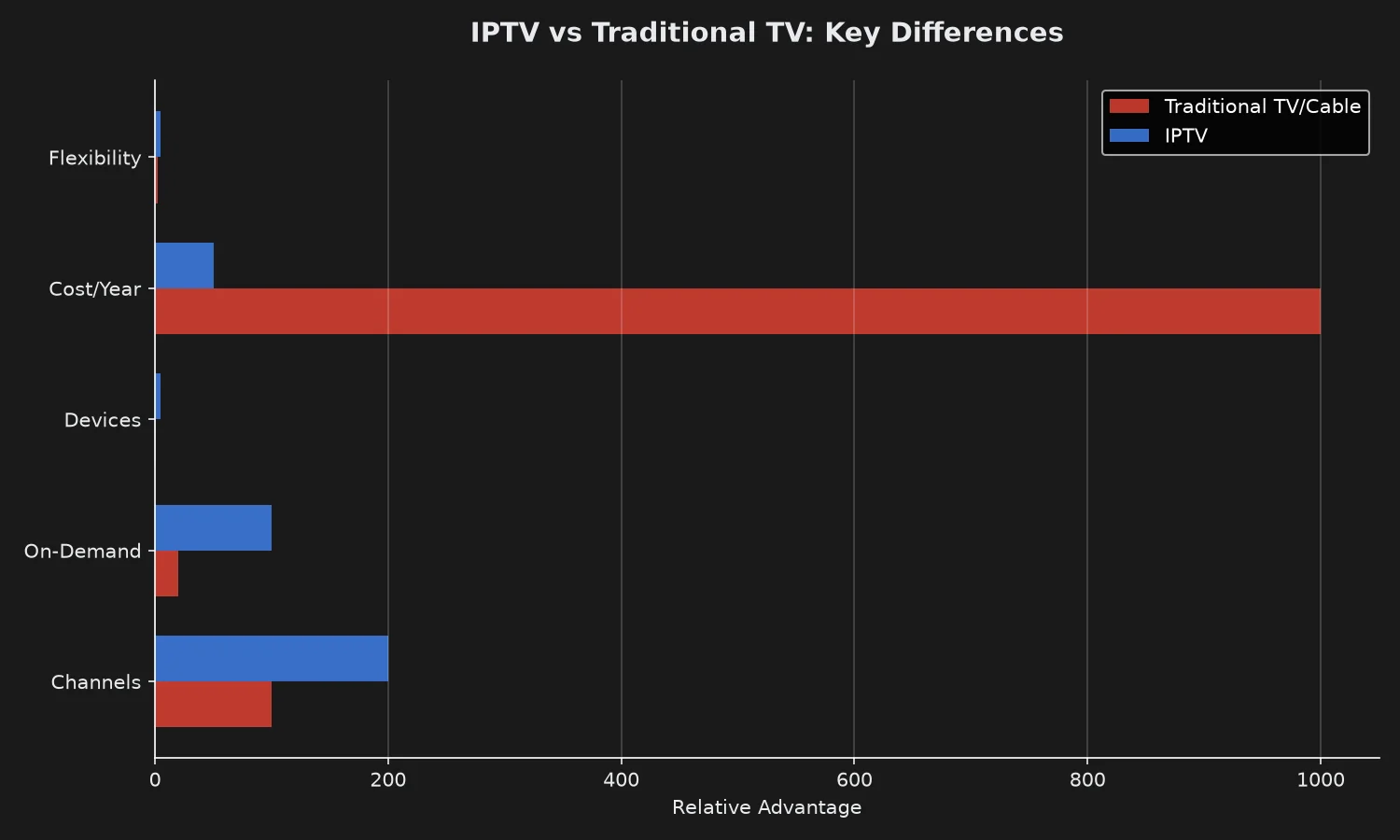
Choosing between IPTV, cable, satellite, and mainstream streaming services can feel confusing. Here is how they compare at a glance:
| Feature | IPTV | Cable TV | Satellite | Streaming (Netflix, etc.) |
|---|---|---|---|---|
| Annual Cost | €30-70 | $1,000-1,800 | $900-1,500 | $180-400 (multiple services) |
| Channel Count | 10,000-20,000+ | 200-500 | 300-600 | 0 (VOD only) |
| Contract | No | 12-24 months | 24 months | Monthly |
| Equipment | Any streaming device | Cable box + rental | Dish + receiver | Any streaming device |
| Live Sports | Yes | Yes | Yes | Limited (extra fees) |
| International Channels | Extensive | Limited | Limited | Very limited |
| On-Demand Movies | 50,000+ | Pay-per-view fees | Pay-per-view fees | Yes (per service) |
| Setup Time | 5-10 minutes | 1-2 weeks (technician) | 1-2 weeks (technician) | 5 minutes |
| Portability | Yes (any device) | No (home only) | No (home only) | Yes |
The cost difference is dramatic. A cable subscriber pays more in a single month than a full year of Echo Best IPTV’s Ultra plan.
For a detailed subscription walkthrough, see our complete IPTV subscription guide for 2026.
Ready to Experience Premium IPTV?
Echo Best IPTV delivers up to 20,000+ live channels, 50,000+ movies, and 4K content with 24/7 support. Try it free for 24 hours before you commit.
What Devices Work With IPTV?
Modern IPTV is designed to work on nearly any internet-connected device you already own. That flexibility is one of the biggest reasons cord-cutters make the switch.
Confirmed Compatible Devices
- Smart TVs (Samsung, LG, Sony, and other major brands)
- Android TV boxes (a popular option for older TVs)
- Amazon Fire TV / Fire Stick (arguably the most user-friendly)
- Android TVs (built-in Google TV interface)
- Android phones and tablets
- iPhone and iPad
- Windows laptops and desktops
- Mac laptops and desktops
The service works through IPTV player apps available on all of these platforms. You configure the app once per device, then stream anywhere with an internet connection.
One Subscription, Multiple Devices
A common question: can I configure IPTV on more than one device?
With Echo Best IPTV, subscribers can configure their subscription on multiple devices (living room TV, phone, tablet, laptop). However, all plans include 1 simultaneous connection—meaning only one device can actively stream at a time. This is standard across the industry unless you specifically purchase a multi-connection product.
If your family needs to watch on two TVs at once, you would either upgrade to a multi-connection plan or stagger viewing.
Is IPTV Legal? A Straightforward Answer
Yes—IPTV technology itself is legal. It is simply a delivery method, no different from Netflix streaming a licensed movie or YouTube TV broadcasting ABC over the internet.
However, the legality of any specific IPTV service depends on whether the provider holds proper licensing for the content it distributes. This is where users need to be cautious.
Legitimate vs Questionable IPTV Providers
Legitimate IPTV providers operate transparently, publish clear pricing, provide customer support, offer trial periods, and hold rights to distribute the channels they carry.
Questionable services typically promise “everything for $5/month,” lack contact information, disappear without warning, and rebroadcast copyrighted content without permission.
How to Verify a Provider Is Legitimate
Before subscribing to any IPTV service, check for these signals:
- Clear company information and support contact
- Transparent, published pricing (not just “message us for prices”)
- A trial period so you can test before paying
- Positive user reviews across multiple platforms
- Reasonable channel counts (a service claiming “every channel worldwide” for $2/month is a red flag)
Echo Best IPTV has operated for 8 years, serves 50,000+ customers, and offers a 24-hour trial so you can test compatibility before purchase.
For a deeper legal breakdown by country, see our premium IPTV explained guide which covers licensing, compliance, and safe-provider checklists.
What Does IPTV Cost?
Pricing varies significantly by provider, but IPTV is almost always dramatically cheaper than cable or satellite.
Typical IPTV Pricing Tiers
Budget tier: €25-35/year — entry-level channel packs, HD streaming, single connection.
Mid tier: €35-50/year — larger channel selection, more VOD, 4K content, often includes catch-up TV.
Premium tier: €50-80/year — maximum channel count, broadest international coverage, all features included.
Echo Best IPTV Pricing (Verified 2026)
Here is what Echo Best IPTV charges for its annual plans:
| Plan | Price/Year | Channels | Movies | Series | 4K | Catch-up |
|---|---|---|---|---|---|---|
| Economy | €29.90 | 10,000+ | 50,000+ | 20,000+ | Yes | No |
| VIP | €39.90 | 15,000+ | 50,000+ | 50,000+ | Yes | No |
| Ultra | €49.90 | 20,000+ | 50,000+ | 70,000+ | Yes | Yes |
| Ultimate | €69.90 | More than Ultra | 50,000+ | More than Ultra | Broadest 4K | Yes |
All plans include:
– 1 simultaneous connection
– 24/7 customer support throughout the subscription
– 24-hour trial before purchase
– Access to Echo Best IPTV’s 25+ servers
– Compatibility with Smart TV, Fire Stick, Android, iOS, Windows, and Mac
Pricing note: These prices are annual (per year), not monthly. That is a genuine cost—no hidden monthly renewals or equipment rental fees.

Key Features to Look For in an IPTV Service
Not every IPTV service offers the same features. When evaluating providers, these are the details that make or break the experience.
Channel Depth and Content Library
More channels do not always mean better—but a service claiming just 500 channels is unlikely to have deep international, sports, or premium content. Look for providers offering thousands of channels alongside a substantial movies and series library.
Video Quality
4K content is now standard at every price tier of legitimate providers. Echo Best IPTV includes 4K content across all plans, with higher tiers offering a broader 4K selection.
Note: 4K availability does not mean every channel is 4K. It means 4K content exists in the library.
EPG (Electronic Program Guide)
An EPG shows you what is currently airing and what is coming up—like a TV Guide but built into the app. Any serious IPTV provider includes an EPG for browsing the schedule.
Customer Support
Streaming issues will happen occasionally—your ISP, your router, a specific server. What matters is whether support is available when they do. Echo Best IPTV provides 24/7 support throughout the entire subscription, not just for the first 30 days like some competitors.
Trial Period
A trial lets you test compatibility with your devices, your internet connection, and the channels you actually care about before spending money. Echo Best IPTV offers a 24-hour trial, and because it operates 25+ servers, customers can sometimes be offered an alternative server if the first one does not work well for their location.
Payment Options
Look for flexible payment methods that suit your preference. Echo Best IPTV accepts PayPal, credit/debit card, bank transfer, and cryptocurrency.
How to Get Started With IPTV in Five Steps
Getting started with IPTV takes about ten minutes and does not require any technical expertise.
Step 1: Check your internet speed. Run a quick speed test at a site like fast.com. You want at least 15-25 Mbps for a smooth experience across HD and 4K content.
Step 2: Choose a legitimate provider. Use the verification checklist earlier in this guide. Compare providers using our roundup of the best IPTV services for 2026 or, if you are in the United States, our best IPTV providers USA guide.
Step 3: Start the trial. A quality provider offers a trial period. Test on your primary device, check the channels you actually care about, and confirm streaming quality.
Step 4: Install the app. Most Smart TVs, Fire Sticks, and Android devices support popular IPTV player apps. The provider will guide you through installation—typically a 3-5 minute process.
Step 5: Enter your subscription credentials. The provider gives you a URL, username, and password (or a single M3U link). You paste these into the app, wait a moment for the channel list to load, and start watching.
If anything goes wrong, contact support. Legitimate providers—including Echo Best IPTV—help with setup as part of the subscription.
Common Concerns About IPTV
New IPTV users typically have the same questions and concerns. Here are honest answers to the most common ones.
“Will it buffer constantly?”
Buffering is a function of two things: your internet speed and the provider’s server load. On a 25+ Mbps connection with a provider running many servers (like Echo Best IPTV’s 25+ server network), buffering should be rare.
If you experience persistent buffering on a specific channel, contact support—an alternative server or setup usually solves it.
“Is setup complicated?”
No. Setup takes 5-10 minutes and follows the same pattern on every device: install app, enter credentials, watch. If you have ever installed Netflix or YouTube on a Smart TV, you can install an IPTV app.
Echo Best IPTV provides 24/7 setup support, so if you get stuck, help is a message away.
“What if my ISP blocks IPTV?”
Most ISPs do not block IPTV traffic—it looks like any other video streaming traffic to their network. If you do encounter access issues, support teams at legitimate providers can help troubleshoot, including offering alternative server options.
“Can I cancel anytime?”
Annual subscriptions run for the full year. This is why the 24-hour trial matters—you test everything before committing. Legitimate providers work with you on genuine service-side issues throughout the subscription period.
Echo Best IPTV emphasizes ongoing support throughout the active subscription and works with customers to resolve issues rather than offering an unconditional change-of-mind refund.
Why Echo Best IPTV Stands Out
Most IPTV services promise reliability. Here is what makes Echo Best IPTV genuinely different:
1. Multiple Server Options (25+)
Most competitors run 2-5 servers. Echo Best IPTV operates 25+ servers, which means if one server does not work perfectly for your location or network, we can switch you to another. This flexibility is rare in the IPTV industry.
2. Support That Actually Lasts
Some competitors provide active support only for the first 30 days. Echo Best IPTV provides 24/7 support throughout the entire subscription—setup help, playback troubleshooting, device configuration, and general service questions whenever you need them.
3. Transparent Annual Pricing
Monthly subscriptions add up quickly and often hide price increases. Echo Best IPTV publishes clear annual pricing (€29.90-69.90/year) with no surprise renewals or fee increases mid-year.
4. Plan Flexibility
Instead of a single one-size-fits-all package, Echo Best IPTV offers four distinct plans (Economy, VIP, Ultra, Ultimate). You pay only for what you actually need.
5. Real Trial Before You Buy
Echo Best IPTV offers a 24-hour trial so you can test compatibility on your specific device, network, and location before spending money. Multiple server options mean if the first trial does not work well, we can offer an alternative.
6. 8 Years of Experience
Echo Best IPTV has operated for 8 years and serves 50,000+ customers. In an industry where fly-by-night services appear and vanish monthly, that track record matters.
Experience Premium IPTV with Echo Best
Join 50,000+ satisfied customers streaming with Echo Best IPTV
- ✓ Up to 20,000+ live channels depending on plan
- ✓ 50,000+ movies & 70,000+ series in our library
- ✓ 4K content available across all plans
- ✓ 24/7 customer support throughout your subscription
- ✓ 24-hour trial to test before you buy
Get Started with Echo Best IPTV →
Annual plans from €29.90/year | 24-hour trial available
Frequently Asked Questions About IPTV
What does IPTV stand for?
IPTV stands for Internet Protocol Television. It refers to any TV service that delivers channels and on-demand content through an internet connection instead of traditional cable or satellite broadcasting.
How does IPTV differ from Netflix or Hulu?
Netflix, Hulu, Disney+, and similar services are on-demand streaming platforms with their own original content and licensed movies and series. They typically do not offer live TV channels.
IPTV bundles thousands of live TV channels (news, sports, entertainment, international) alongside a video-on-demand library of movies and series. It is closer to what cable TV delivers, but streamed over the internet at a fraction of the cost.
Is IPTV legal in the United States and Europe?
Yes. IPTV technology is fully legal in both the United States and Europe. What matters is whether the specific provider holds proper licensing for its channels and content.
Choose providers with a clear track record, transparent pricing, and verifiable business operations. Echo Best IPTV has operated for 8 years serving 50,000+ customers, publishes clear pricing, and offers a 24-hour trial.
Do I need special equipment to use IPTV?
No. IPTV works on devices most households already own: Smart TVs, Amazon Fire Stick, Android TV boxes, Android phones and tablets, iPhone, iPad, Windows laptops, and Mac computers. You just need one compatible device and a stable internet connection.
How fast does my internet need to be for IPTV?
Minimum recommendations:
– SD (480p): 5 Mbps
– HD (1080p): 10-15 Mbps
– 4K (2160p): 25+ Mbps
For a household with multiple simultaneous users (Wi-Fi, work-from-home, gaming), 25-50 Mbps is a safe target.
Can I watch IPTV on multiple devices at the same time?
You can configure IPTV on multiple devices (Smart TV, phone, laptop). However, most subscriptions—including Echo Best IPTV’s standard plans—include 1 simultaneous connection, meaning only one device can actively stream at a time.
Multi-connection plans exist if your household regularly needs two or more simultaneous streams.
How much does IPTV typically cost?
Legitimate IPTV services generally cost €25-80 per year for annual plans. Echo Best IPTV’s plans specifically:
- Economy: €29.90/year (10,000+ channels)
- VIP: €39.90/year (15,000+ channels)
- Ultra: €49.90/year (20,000+ channels, catch-up TV)
- Ultimate: €69.90/year (broader international coverage, more language options)
Compare this to cable at $1,000-1,800 per year—the savings are significant.
What if the IPTV service does not work well on my network?
Contact support first. Legitimate providers like Echo Best IPTV troubleshoot setup issues 24/7 and can offer alternative servers if the first one does not work for your location or network. Because Echo Best IPTV operates 25+ servers, there is usually a server that performs well for any given user.
If the trial itself does not perform well, that is exactly what the trial is for—test before you buy.
Does IPTV include sports and international channels?
Yes. Channel depth is one of IPTV’s biggest advantages. Echo Best IPTV offers international coverage with channels and content from countries around the world, plus multilingual content across global regions. Higher-tier plans include broader international coverage and more subtitle/language options.
Specific channel availability varies by server, so verify during the 24-hour trial that the channels you care about are present.
Ready to Try IPTV?
Key Takeaways:
– IPTV streams live TV and on-demand content over the internet—no cable box or satellite dish needed
– Costs 90-97% less than cable ($30-70/year vs $1,000-1,800/year)
– Works on Smart TV, Fire Stick, Android, iOS, Windows, and Mac
– Legitimate providers hold proper licensing; verify before subscribing
– Setup takes 5-10 minutes on almost any device
Next Steps:
1. Choose a legitimate provider (use the verification checklist above)
2. Start with a trial to test on your devices and connection
3. Pick the plan that matches your channel and feature needs
4. Set up in minutes with the provider’s step-by-step guide
IPTV is the practical way to escape overpriced cable while keeping the live TV experience you actually want.
Article Update History
September 22, 2026
– Initial publication
– Verified Echo Best IPTV pricing (Economy €29.90, VIP €39.90, Ultra €49.90, Ultimate €69.90)
– Confirmed 25+ servers, 50,000+ customers, 8 years in business
– Reviewed device compatibility list against current product specs

