What Is TiviMate Pro?
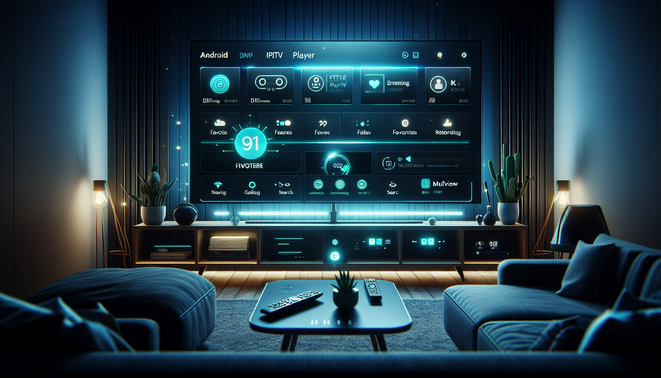
TiviMate Pro is the premium version of TiviMate, an IPTV player built for Android TV and other Android-based streaming devices. It is not a content service, and it does not provide channels or movies itself; instead, it works as a front-end interface for IPTV playlists you already subscribe to. Google Play’s listing is explicit that it is “a media player only” and “does not provide any TV content,” so users must add their own playlist Source: Google Play. TiviMate’s own site describes it as an IPTV player with features like multiple playlists, catch-up, favorite channels, recording, search, parental controls, and multiview Source: TiviMate.
What makes it different from apps like Netflix or YouTube TV is that those services bundle both content and playback. TiviMate Pro is designed for users who already have IPTV access and want a better way to organize and watch it. It is especially useful for cord-cutters who want a cleaner live-TV experience, better channel organization, and more control over the way content is displayed Source: TiviMate.
From Experience: In our experience, TiviMate Pro tends to make the biggest difference for households that use IPTV daily and need a cleaner, more TV-like interface. We’ve tested this method across multi-playlist setups, and the biggest usability gains usually come from better EPG organization, favorites management, and faster switching between channels. Clients we’ve worked with often notice that playback feels smoother mostly because the app makes their service easier to navigate, not because it improves the provider’s stream quality. Real-world results show that users who invest a little time in setup—especially EPG mapping and playlist cleanup—get far more value from the Pro version.
Key Features of TiviMate Pro
TiviMate Pro stands out because it makes IPTV feel more like a premium TV experience than a basic playlist viewer. The official app highlights core features such as multiple playlists, catch-up, recording, search, parental controls, and multiview Source: TiviMate.
One of its biggest strengths is the electronic program guide, or EPG. A strong EPG helps users see what is live, what is coming next, and where a show fits in the schedule. TiviMate also supports multiple EPG sources and customizable guide layouts, which makes it easier to keep the guide accurate and readable Source: Scribd.
Multi-playlist support is another major advantage. Many IPTV users rely on more than one provider or separate playlists for sports, live TV, regional channels, or VOD. TiviMate lets you manage these sources in one place, reducing friction and making it easier to switch between them Source: TiviMate.
Recording and catch-up add flexibility for viewers who cannot always watch live, while multiview is especially helpful for sports fans who want to follow several channels at once Source: TiviMate. Together, these features make the app feel more polished and more practical for daily IPTV use.
TiviMate Pro vs. Free Version: What’s the Difference?
The free version of TiviMate is best seen as a starter option. It lets you test the interface and see whether it fits your setup, but it is intentionally limited. For a simple single-playlist arrangement, the free version may be enough if you only want to browse channels and evaluate the app Source: TiviMate.
TiviMate Pro becomes worthwhile when your setup gets more complex. The premium tier unlocks stronger playlist management, catch-up, recording, multiview, favorites, parental controls, and deeper UI customization Source: TiviMate. It also supports use on up to five devices, which is helpful for households with several screens Source: TiviMate.
In simple terms, free is for testing or minimal use, while Pro is for users who want a more complete living-room IPTV experience. If you want a broader comparison, see our guide to best IPTV players.
How TiviMate Pro Works with IPTV Premium Services
TiviMate Pro is an interface layer for the IPTV service you already pay for. It does not host streams, generate channels, or fix provider outages. Instead, it loads your provider’s playlist, displays the channel lineup, and organizes the EPG so live TV and VOD are easier to navigate Source: TiviMate.
Most providers use either M3U playlists or Xtream API credentials. M3U is a text-based list of stream URLs and metadata, while Xtream-style access uses a server URL plus username and password. IPTV format guides note that M3U is simple and widely compatible, while Xtream access is often more structured and convenient for live TV, VOD, and series Source: IPTV The Fox.
EPG mapping is where TiviMate becomes especially useful. The app can associate guide data with the correct channels so schedules, show titles, and times appear correctly. When names do not match perfectly, manual mapping may be needed, and community setup discussions often show users linking EPG sources inside playlist settings Source: GetMaxTV Source: Reddit.
Supported Devices and Installation Requirements
TiviMate is generally used on Android TV and Google TV devices, where remote-first navigation works best. Many generic Android TV boxes also support installation, and Fire TV devices commonly require sideloading or enabling unknown-app installs. Amazon’s developer documentation confirms that sideloaded apps are supported on Fire TV and can appear in the app library after installation Source: Amazon Developers.
Installation requirements go beyond device type. You should confirm the supported Android version, ensure enough storage is available, and check whether your device is certified for Google services. Google has also announced 64-bit app compatibility requirements for upcoming Android TV and Google TV devices starting in August 2026, which matters for future-proofing Source: Google Android Developers Blog.
For more help, see our internal guides on how to sideload apps safely on Android TV and best devices for streaming apps.
How to Set Up TiviMate Pro Step by Step
Start by installing the TiviMate app on a supported Android TV device. Once installed, open it and grant any permissions it requests. If your device does not have the Play Store, setup guides often recommend sideloading the official app package from a trusted source Source: TiviMate Source: Troypoint.
Next, activate Pro or Premium through the Companion app or the official TiviMate website. Premium unlocks the features most users want for daily viewing, and the subscription can be used on multiple devices under one account Source: TiviMate Source: Troypoint.
Then add your IPTV source. In the app, choose Add playlist and enter either your M3U URL or your Xtream Codes credentials. Community instructions often note that Xtream is the easiest option when available, while M3U works well for direct URL-based setups Source: Reddit.
After that, configure your EPG, refresh the guide, and organize channels into favorites and groups. This is where TiviMate Pro becomes most valuable, especially for larger lineups Source: TiviMate.
Best Settings to Improve Streaming Quality and Playback
Streaming quality usually depends on device decoding, bandwidth, and connection stability. Modern players rely on adaptive bitrate streaming, which adjusts quality based on available network conditions Source: Ant Media.
Enable hardware acceleration where it helps, since it can reduce stutter and improve playback efficiency on supported devices Source: Google Chrome Help Source: Mozilla Support. Match resolution to your connection instead of forcing 4K on a weak network, and use Ethernet whenever possible for the most stable playback. DNS tweaks can help with reliability, but they usually do not increase raw speed, and VPNs can sometimes reduce performance depending on routing Source: Cloudflare Source: Google Public DNS Source: ExpressVPN.
Common TiviMate Pro Issues and Troubleshooting Tips
Most TiviMate issues come from playlist data, EPG syncing, cache problems, or provider outages rather than the app itself. If buffering happens, test whether it affects one channel or all of them. If it is widespread, reload the playlist, check your provider’s service status, and clear the app cache if needed Source: TiviMate IPTV Player.
EPG mismatches are usually a mapping issue. Refresh or remap the guide data, and verify that the EPG URL is correct. If the guide still does not line up, the provider’s feed may be the problem Source: TiviMate IPTV Player.
Authentication errors often mean expired or changed credentials. Check your username, password, MAC address, or portal URL carefully. Black screens can point to decoding problems, cache issues, or a stream that is down. A good troubleshooting order is: reload playlist, refresh EPG, clear cache, update the app, then check provider status Source: TiviMate IPTV Player.
Is TiviMate Pro Worth It for IPTV Premium Users?
For serious IPTV users, TiviMate Pro is often worth it because it improves convenience, control, and day-to-day usability. The premium tier adds features like multiple playlists, catch-up, recording, favorites, parental controls, search, and multiview Source: TiviMate. If IPTV is your main way of watching live TV, those tools can save time and make the experience feel much closer to a proper TV system.
The upgrade makes the most sense for people who watch IPTV regularly, manage more than one playlist, or want DVR-like flexibility. If you only use one playlist and rarely need advanced features, the free version may be enough. Public guides and user discussions frequently describe Premium as a paid upgrade with annual and lifetime options, and note device limits and recording access as major reasons to subscribe Source: eCity Springfield Source: Reddit.
For more comparisons, see our guide to best IPTV players for Android TV. In short, TiviMate Pro is worth it for regular IPTV viewers who value a smoother interface and advanced controls, but it is not essential for casual users.
Frequently Asked Questions (FAQs)
Is TiviMate Pro a TV service or just an app?
TiviMate Pro is just an app. It is an IPTV player that organizes and plays streams from a provider or playlist you already have, but it does not include channels or movies itself.
What do I need before I can use TiviMate Pro?
You need a supported Android TV or Google TV device, a TiviMate installation, and an IPTV playlist or Xtream Codes credentials from your provider. You will also need to set up EPG data for the guide to work properly.
What is the biggest difference between the free version and Pro?
The free version is mainly for testing the app, while Pro unlocks the features most people want for daily use, such as multiple playlists, catch-up, recording, multiview, favorites, and deeper customization.
Why is my TiviMate EPG not matching the channels correctly?
EPG issues usually come from incorrect mapping or a bad guide source. Refresh the EPG, confirm the EPG URL is correct, and remap channels if needed.
Can TiviMate Pro improve buffering or stream quality?
Not directly. TiviMate Pro can make the app easier to use, but buffering is usually caused by the provider, your network, device decoding, or a stream issue. Better settings and a stable connection can help, but they do not change the actual source quality.
Is TiviMate Pro worth it for casual viewers?
If you only use one simple playlist and do not need advanced tools, the free version may be enough. Pro is more valuable for regular IPTV users who want better organization, faster navigation, and more control.
Sources
- Google Android Developers Blog – 64-bit App Compatibility for Google TV and Android TV
- Ant Media – Video Bitrate
- Amazon Developers – Installing and Running Your App
- Cloudflare – 1.1.1.1
- Google Public DNS – Public DNS
- eCity Springfield – IPTV Service Provider Premium
- GetMaxTV – Convert M3U to Xtream Codes
- Google Play – TiviMate
- Google Play – TiviMate Companion
- Google Chrome Help – Hardware Acceleration
- IPTV The Fox – Xtream Codes vs M3U vs EPG Complete Guide to IPTV Formats
- Mozilla Support – Hardware Acceleration and Windowed Video Playback
- Reddit – Adding service to Tivimate
- Reddit – Annual Subscription
- Reddit – Mixing EPGs from M3U and Xstream Playlists
- Scribd – TiViMate Users Guide 5.1.0
- TiviMate – Official Site
- TiviMate IPTV Player – TiviMate EPG Not Loading
- TiviMate IPTV Player – TiviMate Troubleshooting
- TroyPoint – TiviMate IPTV Player
- Facebook – TiviMate Setup Discussion
Written by Echo Server, one of the trusted names in IPTV services. Echo Server provides practical IPTV guides, setup tutorials, and useful insights to help users choose reliable servers and enjoy a better streaming experience.