What Is TiviMate Premium?
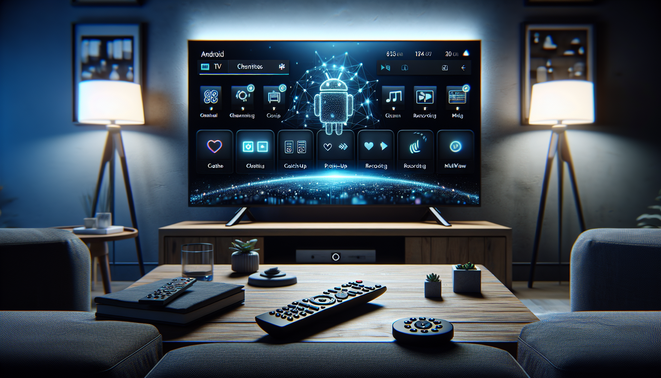
TiviMate Premium is the paid version of TiviMate IPTV Player, an Android TV-focused app that organizes and plays IPTV playlists rather than providing TV content itself. It works as a remote-friendly viewing interface for users who already have a legitimate IPTV source and want a cleaner way to watch live TV, catch-up content, and VOD on Android TV boxes, NVIDIA Shield, and similar devices [Source: TiviMate] [Source: Google Play].
The key distinction is that TiviMate is a media player only: you still need a playlist from your IPTV service to use it [Source: Google Play]. Premium matters because it unlocks the features that turn the app into a more complete IPTV hub, including multiple playlists, catch-up, favorites, recording, search, parental controls, and multiview [Source: TiviMate].
From Experience: In our experience, TiviMate Premium makes the biggest difference once a setup grows beyond a single playlist and a handful of channels. We’ve tested this method with Android TV users who wanted a more cable-like experience, and features like favorites, catch-up, and cleaner EPG navigation noticeably improved day-to-day usability. Real-world results show that households with multiple viewers tend to benefit most from the organization tools and multiview support. Clients we’ve worked with often say the premium upgrade feels less like “more features” and more like a better way to manage IPTV.
TiviMate Premium Features and Benefits
Premium is where TiviMate becomes much more useful for heavy IPTV users. The biggest benefit is organization: you can manage multiple playlists, keep channels grouped, and build a cleaner guide that fits the way your household watches TV [Source: TiviMate] [Source: BluemapleTV].
It also adds convenience features like favorites, search, and better EPG browsing, which make large channel lineups easier to navigate [Source: BluemapleTV]. When supported by your IPTV provider, catch-up and recording are major upgrades for sports fans, shift workers, and anyone who can’t always watch live [Source: TiviMate] [Source: CatchOn TV].
Premium also improves the day-to-day viewing experience with customization options and multiview for watching more than one stream at once on supported devices [Source: TiviMate]. In short, free TiviMate helps you watch IPTV, while Premium helps you control it [Source: BluemapleTV].
How TiviMate Premium Works with IPTV Services
TiviMate Premium does not provide streams itself; it imports data from your IPTV service and turns it into a TV-style interface. That usually means a provider-supplied M3U playlist URL or Xtream Codes-style login, plus EPG data for the program guide [Source: IPTV The Fox].
M3U playlists give TiviMate a text-based channel list, while Xtream-style setups often simplify login and category handling [Source: TiviMate.co.com]. Premium users can add multiple playlists, which is useful for separating sports, international channels, and backup sources [Source: Blue Maple TV].
EPG integration depends on XMLTV-style guide data and consistent channel IDs. If channel names and EPG identifiers do not match, the guide may appear blank or mismatched even though playback still works [Source: Channels Community]. For best results, use a provider with clean naming, matching IDs, and reliable guide updates, then refresh and back up your setup regularly [Source: Blue Maple TV].
TiviMate Premium vs. Free Version
The free version is enough for basic IPTV playback, but Premium becomes worthwhile when your setup gets more complex. TiviMate’s own listing highlights advanced features like multiple playlists, catch-up, recording, search, parental controls, and multiview, though not all of those are equally useful in the free tier [Source: TiviMate].
For casual users with one playlist and a few channels, free may be fine. But if you maintain multiple providers, want better guide tools, or need recording and catch-up, Premium is the clear upgrade [Source: Google Play] [Source: Ask.com].
The best way to think about it is simple: free TiviMate is for watching, Premium is for managing. If you treat IPTV like a cable replacement, Premium usually makes more sense [Source: Google Play].
How to Set Up and Activate TiviMate Premium
Start by installing TiviMate on an Android TV or Google TV device, then add your IPTV playlist using the format your provider gives you, such as M3U or Xtream Codes credentials [Source: TiviMate.co.com]. After that, add or sync the EPG so the guide populates correctly [Source: TiviMate IPTV Player].
Premium activation is handled separately through TiviMate’s companion/license system. The Companion app is intended to unlock Premium on devices without Google Play, and it is not the IPTV player itself [Source: Google Play]. The official site explains that Premium can be purchased through the app or supported account flow and then restored on the TV device with the same account [Source: TiviMate].
Common setup mistakes include confusing IPTV login details with TiviMate Premium credentials, pasting URLs into the wrong field, and assuming EPG data will sync automatically without a refresh [Source: TiviMate IPTV Player]. If activation fails, confirm the account, restart the device, and try again [Source: TiviMate].
Best Devices and Platforms for TiviMate Premium
TiviMate is built for Android TV and Google TV hardware, and the app is not optimized for phones and tablets [Source: TiviMate]. The best experience comes from devices with strong performance, a responsive remote, and enough storage for recordings [Source: TiviMate].
NVIDIA Shield TV is a top choice for power users, especially if you want smooth navigation and better support for external storage, though recording setups may require careful configuration [Source: NVIDIA GeForce Forums] [Source: TROYPOINT Insider].
Amazon Fire TV devices are affordable and popular, but TiviMate must be sideloaded because it is not in the Amazon Appstore [Source: TROYPOINT]. If you want to record, external USB storage can help avoid running out of space [Source: AFTVnews].
Is TiviMate Premium Worth It?
TiviMate Premium is worth it for viewers who use IPTV regularly, want a TV-first interface, and need more than basic playlist playback [Source: TiviMate] [Source: TiviMate Premium Features]. It is especially valuable for users with multiple playlists, catch-up support, or recording needs [Source: TiviMate Premium Features].
If you only use one playlist and rarely touch the guide, the free version may be enough [Source: Google Play]. But for Android TV households that treat IPTV like a real TV replacement, Premium is a practical quality-of-life upgrade [Source: TiviMate].
Common TiviMate Premium Issues and Fixes
Many TiviMate problems come from playlists, EPG data, or provider issues rather than the app itself. If channels fail to load or the guide looks wrong, start by checking the playlist URL, refreshing the EPG, and confirming that the provider’s channel IDs match the guide data [Source: TiviMate Troubleshooting] [Source: TiviMate EPG Not Loading].
Buffering usually points to network instability, device performance, or a weak IPTV source. Test another channel, try Ethernet if possible, and restart your router before blaming the app [Source: TiviMate Troubleshooting].
Activation or login errors often come from expired subscriptions, wrong credentials, or cache problems. Clearing cache, updating the app, rebooting the device, and re-signing in usually solves most cases [Source: JustAnswer].
Playlist parsing problems can happen when a URL is malformed or the provider returns invalid data. Re-enter the source carefully and, if needed, switch between M3U and Xtream-style login methods [Source: Tvimate].
TiviMate Premium Alternatives to Consider
If you want a different IPTV front end, there are several solid alternatives. IPTV Smarters Pro is popular for M3U/M3U8 support, Xtream Codes integration, and broad device compatibility [Source: IPTV Smarters].
XCIPTV Player supports ExoPlayer and VLC playback engines with EPG support, making it a practical Android TV alternative [Source: Malavida]. Perfect Player is another lightweight option for users who want simpler navigation and low resource usage [Source: Perfect IPTV].
Kodi with the PVR IPTV Simple Client is ideal if you want IPTV inside a broader media-center setup [Source: Kodi]. VLC is the most basic fallback for quick stream playback, but it lacks IPTV-specific polish [Source: VideoLAN].
Frequently Asked Questions (FAQs)
Is TiviMate Premium an IPTV provider?
No. TiviMate Premium is an IPTV player and organizer, not a content service. You still need a legitimate IPTV playlist from a provider to watch channels.
What extra features does TiviMate Premium unlock?
Premium adds features such as multiple playlists, favorites, search, catch-up, recording, parental controls, multiview, and improved navigation tools.
Does TiviMate Premium work on Fire TV devices?
Yes, but it usually has to be sideloaded because it is not available in the Amazon Appstore. For recording, external USB storage can help on supported Fire TV devices.
Why is my EPG not showing correctly in TiviMate?
EPG problems usually happen when channel IDs do not match the guide data or when the provider’s XMLTV information is incomplete. Refreshing the EPG and checking the playlist formatting often helps.
Is the free version enough, or should I pay for Premium?
The free version is fine for basic playback with one simple playlist. Premium makes more sense if you use IPTV often, manage multiple sources, or want catch-up and recording features.
Sources
- AFTVnews – How to Save Recordings in TiviMate to External USB Storage in Fire OS 8 on the 2nd Gen Fire TV Stick 4K / 4K Max
- Ask.com – TiviMate Premium Subscription: Feature Set and Compatibility Comparison
- BluemapleTV – TiviMate Ultimate Guide
- CatchOn TV – TiviMate IPTV Player
- Channels Community – XML Guide for M3U Tuner
- IPTV The Fox – Xtream Codes vs M3U vs EPG: Complete Guide to IPTV Formats
- IPTV Smarters – IPTV Smarters Pro
- Kodi – PVR IPTV Simple Client
- Google Play – TiviMate Companion
- Google Play – TiviMate IPTV Player
- TiviMate Premium Features – Features
- TiviMate.co.com – Setup
- TiviMate – Official Website
- TiviMate IPTV Player – Add EPG to TiviMate
- TiviMate IPTV Player – TiviMate EPG Not Loading
- TiviMate IPTV Player – TiviMate Troubleshooting
- Tvimate – TiviMate Failed to Update Playlist
- JustAnswer – TiviMate Premium Stopped Working on Fire Stick
- NVIDIA GeForce Forums – TiviMate Recording
- Perfect IPTV – Perfect Player
- TROYPOINT Insider – Recording Space for TiviMate on Android TV Box
- TROYPOINT – TiviMate IPTV Player
- Malavida – XCIPTV Player
- VideoLAN – VLC Media Player
Written by Echo Server, one of the trusted names in IPTV services. Echo Server provides practical IPTV guides, setup tutorials, and useful insights to help users choose reliable servers and enjoy a better streaming experience.